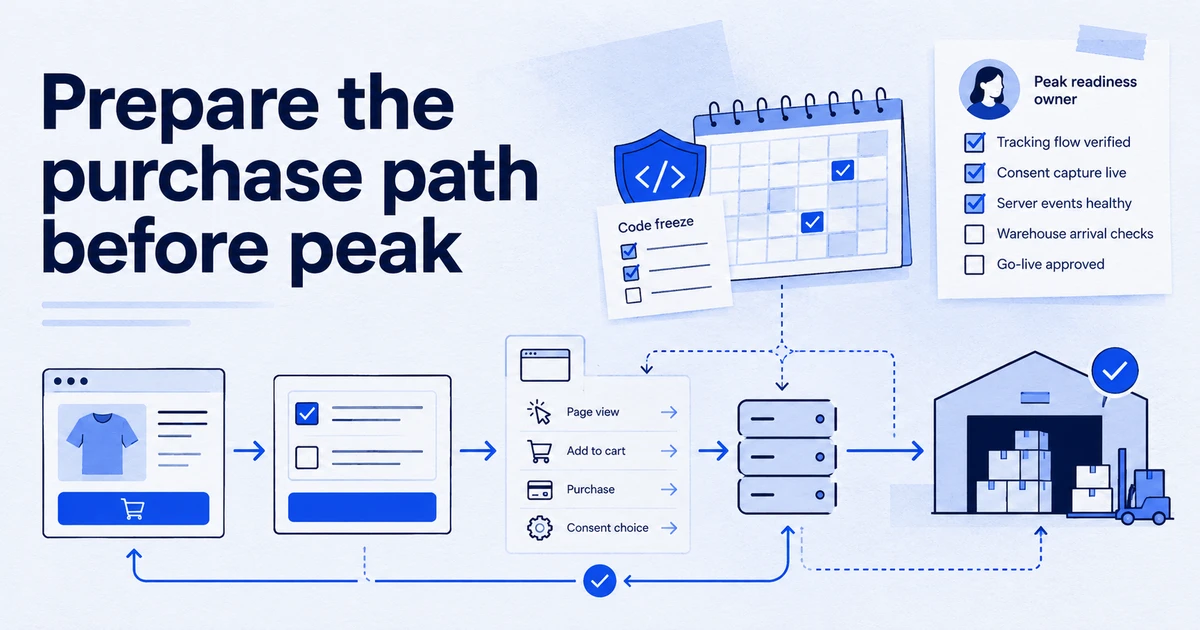
Black Friday 2026 falls on 27 November and Cyber Monday on 30 November, so mid-October is the last calm window to fix tracking. Verify that purchases fire once with a unique transaction ID, that consent and Meta deduplication work, that BigQuery will not hit its export limit, and plan Google Ads seasonality adjustments and data exclusions before the code freeze.
Black Friday 2026 is on 27 November and Cyber Monday on 30 November. Many shops run promotions through the whole week before, so plan as if peak starts around 16 November. That leaves roughly five weeks from today to find and fix tracking problems, and in practice less, because the sensible thing is to freeze tracking changes well before the traffic arrives. This checklist is ordered by what costs most when it breaks.
Why six weeks out, and not the week before?
Three reasons. First, fixes need time to prove themselves. A purchase tag change needs a few days of real orders before you can compare GA4, the shop backend and the ad platforms with any confidence. Second, Smart Bidding and Meta's delivery system learn from the conversion data you send. If you change what counts as a conversion in November, the bidding models are learning from new data at the exact moment you can least afford it. Third, developers and agencies are busiest in November. A fix that takes a day in October can take a week in peak.
A practical timeline:
- Weeks 1 to 2 (now to late October): audit, fix, and document.
- Week 3 (early November): verify with real orders, set up monitoring and alerts.
- Week 4 onwards: tracking change freeze, with only emergency fixes, plus Google Ads seasonality adjustments scheduled for the sale days.
Is the purchase event firing exactly once, with the right values?
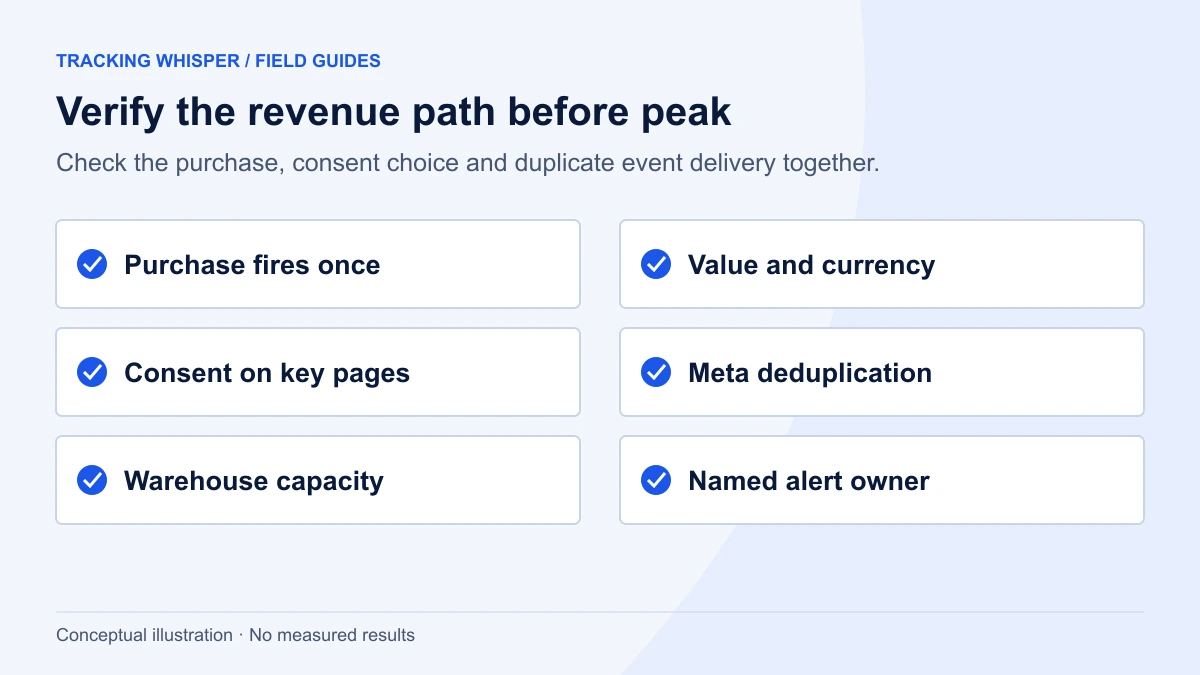
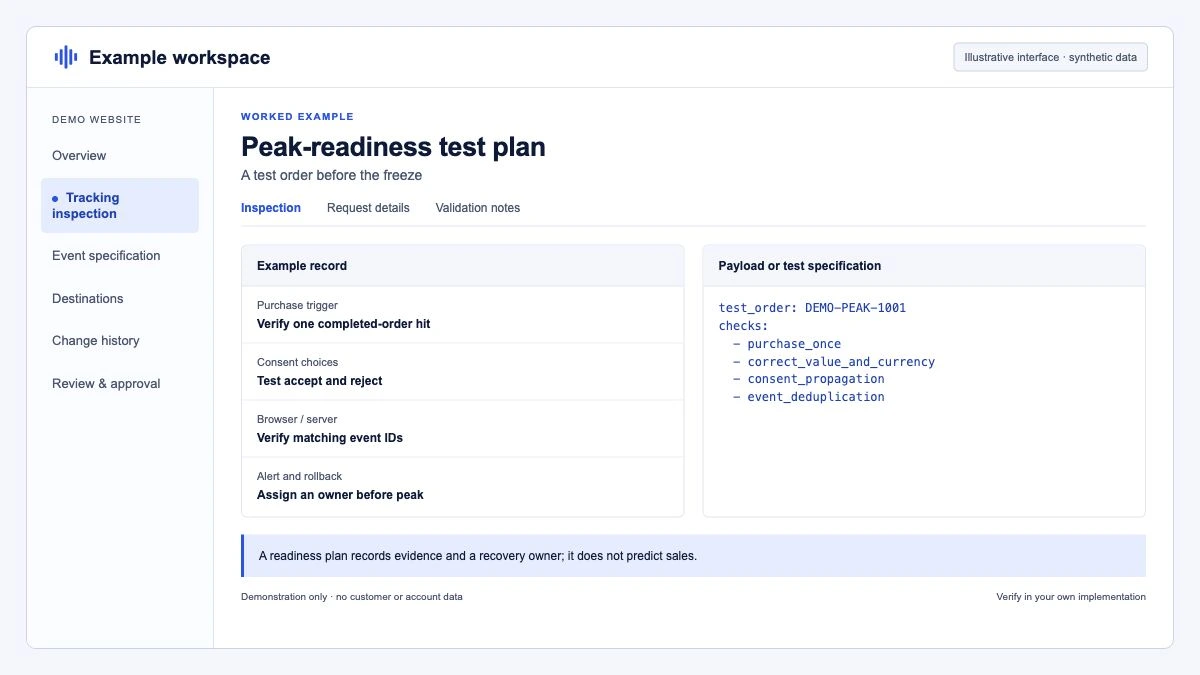
This is the check that matters most, because revenue drives bidding, budgets and the post-season report. Place three or four real test orders, including one with a discount code and one with several items, and check each in GA4 DebugView, the shop backend and the browser's network tab.
What to confirm:
- The purchase fires on the confirmation page only, and does not fire again on reload or when the customer returns to the page from an email link.
transaction_idis the real order number, unique per order and never empty.valueuses the same definition everywhere: decide whether it includes tax and shipping, and make GA4, Google Ads and Meta match that definition.currencyis set on every purchase. A missing currency is a common reason for revenue showing as zero.- The
itemsarray contains the purchased products with their actual sale prices, not list prices.
GA4 deduplicates purchases with the same transaction ID on web streams, but not on app streams. Google also warns about two failure modes that are easy to miss: an empty string as transaction_id causes GA4 to treat every purchase with that empty ID as a duplicate, and a static value has the same effect. Both lose real orders. A correct dataLayer push looks like this:
window.dataLayer = window.dataLayer || [];
window.dataLayer.push({ ecommerce: null });
window.dataLayer.push({
  event: 'purchase',
  ecommerce: {
    transaction_id: 'ORD-2026-104233',
    value: 129.90,
    tax: 21.65,
    shipping: 4.90,
    currency: 'EUR',
    coupon: 'BF2026',
    items: [
      { item_id: 'SKU-881', item_name: 'Wool scarf', price: 39.90, quantity: 2 },
      { item_id: 'SKU-412', item_name: 'Leather gloves', price: 50.10, quantity: 1 }
    ]
  }
});
If you export GA4 to BigQuery, this query finds transaction IDs that arrived more than once in the last fortnight. A handful of hits is a warning, a pattern is a bug. For a full walkthrough, see duplicate purchase events in GA4.
SELECT
  ecommerce.transaction_id,
  COUNT(*) AS purchase_events,
  COUNT(DISTINCT user_pseudo_id) AS users
FROM `your-project.analytics_123456789.events_*`
WHERE event_name = 'purchase'
  AND _TABLE_SUFFIX BETWEEN FORMAT_DATE('%Y%m%d', DATE_SUB(CURRENT_DATE(), INTERVAL 14 DAY))
                        AND FORMAT_DATE('%Y%m%d', DATE_SUB(CURRENT_DATE(), INTERVAL 1 DAY))
GROUP BY 1
HAVING COUNT(*) > 1
ORDER BY purchase_events DESC;
Does consent work on the pages that make money?
Peak traffic exposes consent problems at scale. In the EEA, Google has required the ad_user_data and ad_personalization consent signals since March 2024 for advertising uses such as audiences and personalisation, and ad_user_data covers measurement uses like enhanced conversions. If those signals are missing, the data cannot be used for those purposes.
Check, on the homepage, a product page, the checkout and the confirmation page:
- The consent banner loads before any Google or Meta tag sends data, and default consent states are set before the first tag fires.
- Accepting updates all four Google consent types (
ad_storage,analytics_storage,ad_user_data,ad_personalization), and rejecting sets them to denied. - Meta's pixel respects the same choice through your consent platform's integration.
- Payment redirects (PayPal, Klarna, 3-D Secure) return to the confirmation page without losing the consent state or the click identifiers.
The last point is the one most often broken. Run it on a phone, not only on desktop. Our Consent Mode glossary entry covers the signals in more detail.
Are the pixel and the Conversions API deduplicated?
If you send purchases to Meta from both the browser pixel and the Conversions API, Meta deduplicates them only when both carry the same event name and the same event ID: the pixel's eventID must match the server's event_id, and the pixel event name must match event_name. Meta deduplicates within 48 hours of receiving the first event with a given ID.
Check that the order number (or another stable ID generated once per order) goes into both, and look at Events Manager for the purchase event's deduplication status. If server events arrive without IDs, Meta counts both copies. The Meta deduplication guide covers the setup and the edge cases.
Will BigQuery hold the volume?
Standard GA4 properties have a daily BigQuery export limit of 1 million events. Google notes that if a standard property significantly exceeds that limit, the daily export can be paused, and admins get an email each time the limit is exceeded. A shop that runs at 600,000 events a day in October can easily pass a million on Black Friday.
Options, in order of effort:
- Check your recent daily volume and a rough multiplier for last year's peak.
- Reduce noise: high-volume events nobody uses (scroll, every timer, duplicate page views) can be trimmed or excluded from the export.
- Turn on streaming export, which has no event limit. It is best-effort with no completeness guarantee, and Google lists the extra BigQuery cost at $0.05 per GB, which it puts at roughly 600,000 events.
- Google Analytics 360 has much higher limits, but that is a contract decision, not a six-week fix.
How should Smart Bidding be told about the sale?
Google Ads has two separate tools, and they are often confused.
| Tool | Use it for | Timing | Notes from Google |
|---|---|---|---|
| Seasonality adjustment | A planned event where conversion rate will jump or drop | Schedule before the event | Best for 1 to 7 days; may work less well beyond 14 days |
| Data exclusion | A period when conversion tracking was broken | Apply as soon as you spot the outage | Not for issues older than 14 days on Search and Display, or 60 days on Shopping |
Seasonality adjustments are available for Search, Shopping and Display campaigns on Target CPA and Target ROAS, and for Performance Max across bid strategies. Use them for a short, sharp change: a one-day doorbuster or a 72-hour Cyber Weekend offer. For a sale that runs the whole of late November, Smart Bidding usually adapts without help, and an adjustment applied over too long a period can do more harm than good.
Estimate the conversion rate change from last year's data for the same days, compared with the weeks before. If you have no history, be conservative.
Data exclusions belong in your incident plan. Google recommends applying them quickly, choosing a date range that accounts for conversion delay, and covering at least 90% of the clicks affected. Write down now who in the team is allowed to add one, so nobody needs to look for access on a Saturday.
What does the code freeze actually cover?
A freeze only works if everyone knows what it includes. Agree it in writing:
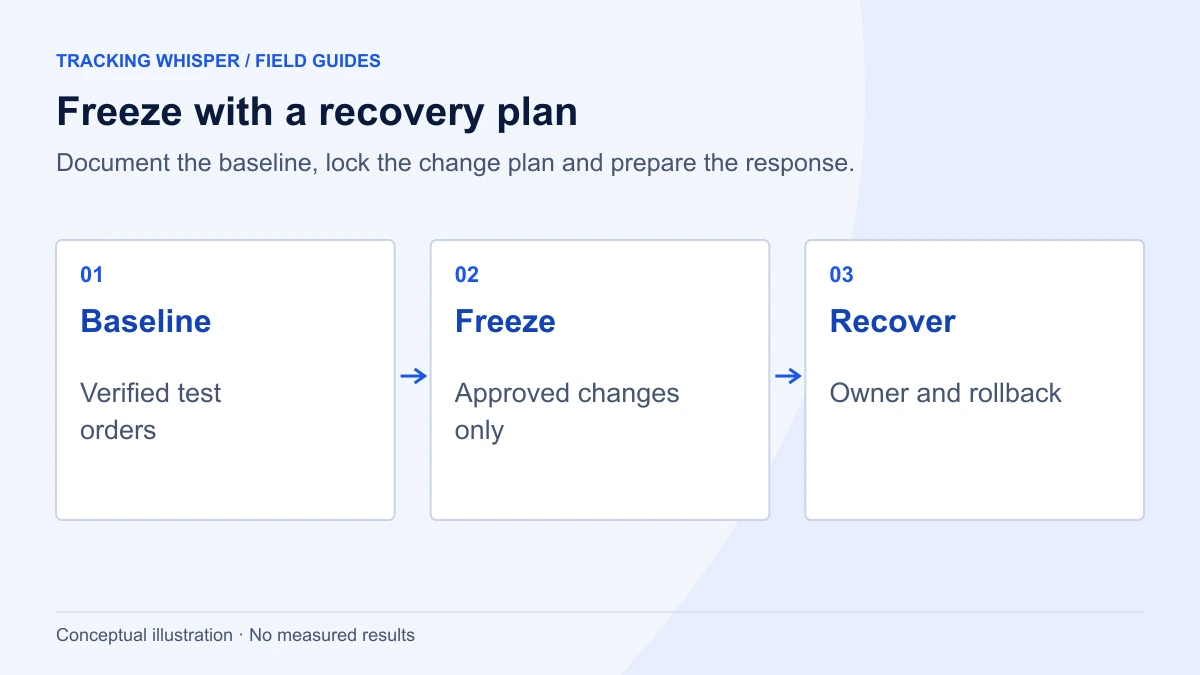
- No changes to GTM containers, the Google tag, server-side containers or ecommerce dataLayer code, except emergency fixes approved by a named person.
- Before the freeze, publish one clean, named GTM version, for example "BF2026 baseline", and note its version number. Tag Manager lets you set any earlier version as the latest and publish it, so this becomes your rollback point.
- No new conversion actions in Google Ads and no changes to primary conversion goals.
- Website releases continue, but with a check on the confirmation page and checkout after each deploy.
The fourth point is where most peak-season breakages come from: a theme update, a new checkout app or a payment provider change that silently removes the dataLayer push. The tracking is untouched, yet it stops working.
Who gets alerted when something stops?
The cheapest insurance is an alert on purchase volume. Set it up before the freeze and test it by watching it fire in a quiet period.
- Purchases per hour in GA4 compared with orders in the shop backend, with an alert if the ratio drops below your normal level.
- Zero purchase events for a set number of hours during daytime.
- Google Ads conversion tracking status and the Meta purchase event volume in Events Manager.
- Revenue per purchase, which catches currency or value bugs that keep counts normal.
Alerts are useless without an owner. Name one person per day across the peak period, with access to GTM, Google Ads and Meta, and the authority to add a data exclusion. Our monitoring page describes how we approach this.
What should be documented before peak?
A one-page peak-season sheet saves hours later:
- The baseline GTM version number and who can publish.
- Definitions of
valuein each platform (with or without tax and shipping). - Seasonality adjustments scheduled, with dates and the expected conversion rate change.
- Known gaps, for example orders paid by bank transfer that never reach the confirmation page.
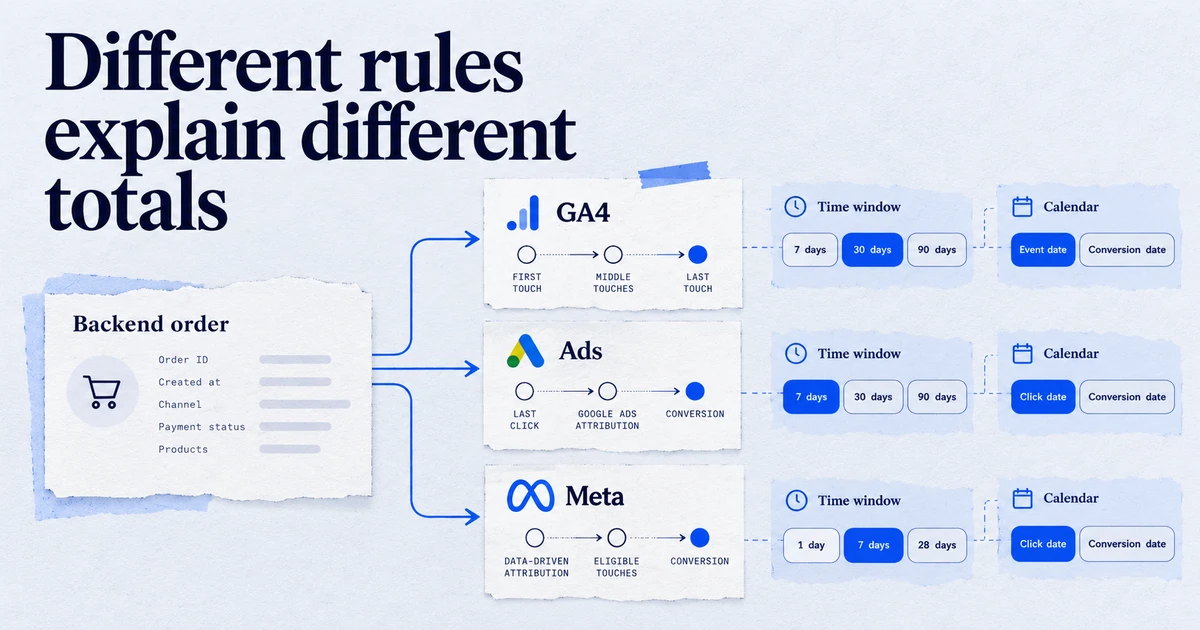
- Expected differences between GA4, Google Ads and Meta, so nobody panics when they disagree in the daily report.
Key takeaways
- Black Friday 2026 is 27 November and Cyber Monday 30 November: fix tracking in October and freeze in early November.
- The purchase event must fire once per order with a unique, non-empty
transaction_id, a currency and a consistent value definition. - Check consent and Meta event ID deduplication on the full checkout path, including payment redirects, on mobile.
- Standard GA4 properties have a 1 million events per day BigQuery export limit; plan for peak volume.
- Use seasonality adjustments for short sales of about 1 to 7 days, and keep data exclusions in your incident plan for outages.
- Set up purchase volume alerts with a named owner before the freeze starts.
Tracking Whisper can run the container audit, check the checkout pages in a real browser for dataLayer, hits and consent, and monitor purchase tracking during peak. Changes are built in its own GTM workspace and published only after a person approves. If you want a second pair of eyes before the freeze, start with an audit.
Frequently asked questions
When is Black Friday 2026?
Black Friday 2026 is Friday 27 November, the day after US Thanksgiving on 26 November. Cyber Monday is 30 November. Many retailers start promotions a week or more earlier, so treat the week of 16 November as the start of peak traffic for tracking purposes.
Should I use a seasonality adjustment for Black Friday in Google Ads?
Use one if you expect conversion rates during a short sale to differ sharply from normal, and the sale lasts roughly 1 to 7 days. Google says adjustments work less well for periods longer than 14 days. For a month-long promotion, Smart Bidding usually adapts on its own.
What is the difference between a seasonality adjustment and a data exclusion?
A seasonality adjustment tells Smart Bidding in advance that conversion rates will change during a future event. A data exclusion tells it to ignore conversion data from a period when tracking was broken. One is for planned sales, the other for outages.
How do I stop GA4 counting the same order twice during peak?
Send a unique, non-empty transaction_id with every purchase event. GA4 deduplicates purchases with the same transaction ID on web streams, but an empty string or a static value will cause GA4 to drop real orders instead.
Do I need BigQuery streaming export for Black Friday?
Only if your standard GA4 property is likely to exceed the daily export limit of 1 million events, or if you need intraday data. Streaming export has no event limit, but it is a best-effort service and Google lists an extra BigQuery cost of $0.05 per GB streamed.
Sources
- About seasonality adjustments, Google Ads Help
- Use data exclusions for conversion data outages, Google Ads Help
- [GA4] Minimize duplicate key events with transaction IDs, Analytics Help
- [GA4] BigQuery Export, Analytics Help
- Handling Duplicate Pixel and Conversions API Events, Meta for Developers
- Updates to consent mode for traffic in European Economic Area (EEA), Tag Manager Help
- Publishing, versions, and approvals, Tag Manager Help
Dimitris builds Tracking Whisper and writes about tracking, analytics and data from the work the agent does every day: GTM containers, GA4 properties, ad platforms and the numbers in between.