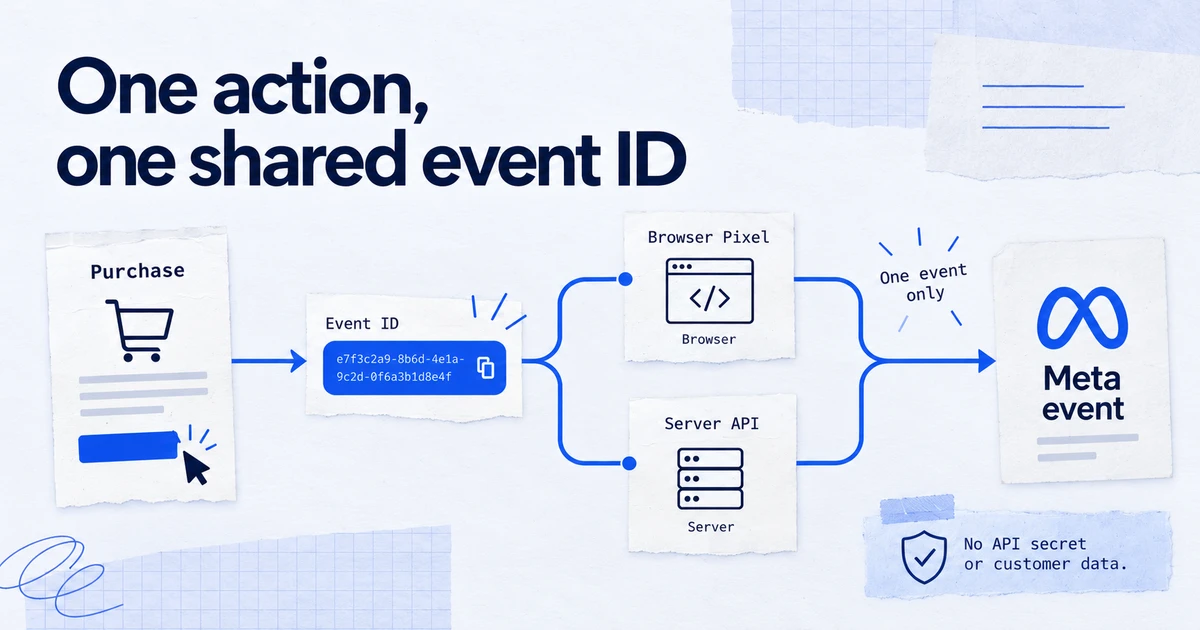
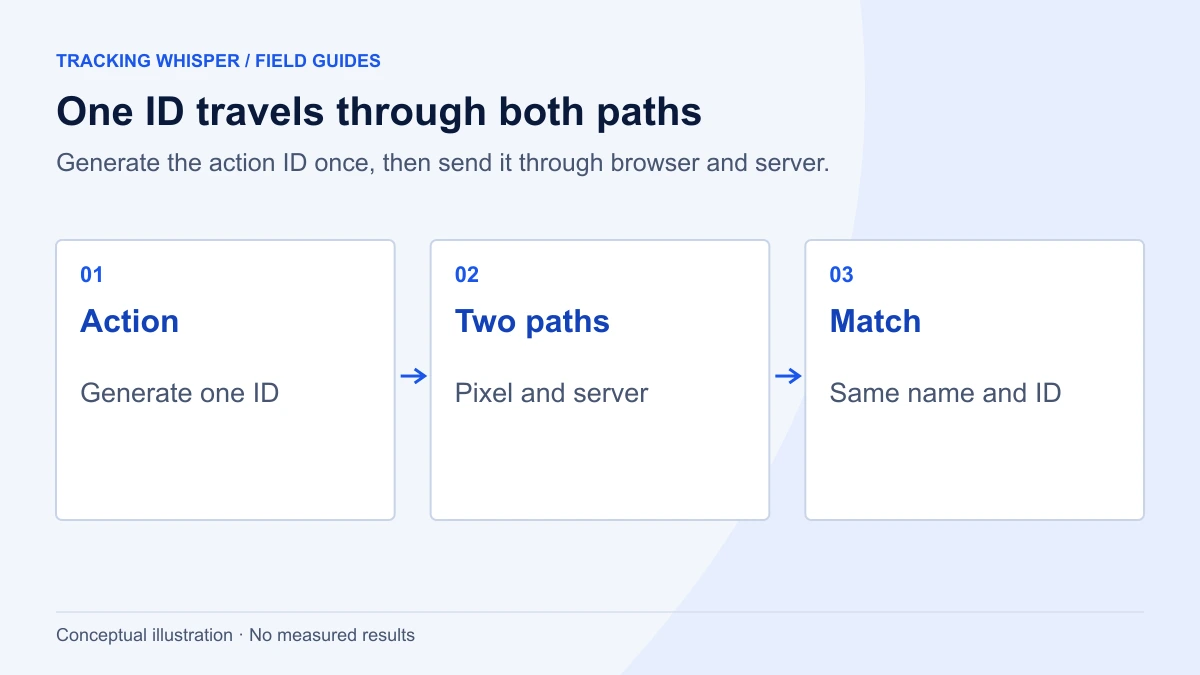
Meta deduplicates a pixel event and a Conversions API event when the pixel's eventID equals the server's event_id and the pixel's event name equals the server's event_name, and both reach the same pixel within 48 hours. Generate one ID per action on the site, send it through both channels, and keep event names identical. Then check the Event Deduplication view and event coverage in Events Manager, where Meta recommends at least 75 percent coverage.
Meta recommends running the pixel and the Conversions API side by side: the browser catches what it can, the server fills the gaps. The cost of that redundancy is that most conversions now arrive twice. Meta keeps one copy only if both copies carry the same keys. When they do not, purchases double in Events Manager, cost per result looks better than it is, and the numbers stop matching GA4. This guide covers how Meta's deduplication works, how to set it up in Google Tag Manager or your own code, and how to prove it works.
How does Meta decide two events are the same?
Meta's developer documentation describes two deduplication methods. The recommended one uses an event ID:
- The pixel's
eventIDmust match the Conversions API'sevent_id. - The pixel's event name must match the Conversions API's
event_name. - Both must be sent to the same pixel (dataset) ID.
- They must arrive within 48 hours. Meta deduplicates only events received within 48 hours of the first event with that
event_id; anything later is counted again.
When the copies do not differ meaningfully in content, Meta generally keeps the one received first.
The alternative method uses event_name together with fbp (the browser ID from the _fbp cookie) and/or external_id, sent consistently from both sides. Meta's documentation adds two limits: it generally only works when the browser event arrives first and the server event second, and it does not deduplicate two events from the same source. If a server event arrives before any matching browser event, it is not discarded, even if the browser event follows. Treat this as a fallback, not a design.
| event_id method | fbp / external_id method | |
|---|---|---|
| Keys | eventID / event_id plus event name | event_name plus fbp and/or external_id |
| Order of arrival | Either order, first received is kept | Browser first, then server |
| Window | 48 hours | 48 hours |
| Meta's recommendation | Recommended | Alternative |
There is also a server-side benefit. Meta's Using the API page says that if the same event_id and event_name are received more than once through the Conversions API, only the first copy is kept, which makes retrying a failed batch safe.
Where should the event ID come from?
From the site, once per action, before either channel fires. This is the decision that makes or breaks deduplication.
- Purchases: Meta names the order number or transaction ID as a suitable
event_id. It is stable, the backend already knows it, and a server integration that runs after payment can read it without any browser involvement. - Leads: use the form submission or CRM lead ID if the backend creates one immediately; otherwise generate a UUID when the form is submitted and store it with the lead.
- Other events (AddToCart, InitiateCheckout, ViewContent): generate a UUID per action in the page and pass it to both channels.
What fails is generating the ID twice: once in a browser tag and again on the server. The two values never match, and every event counts double. The simplest way to avoid that is to put the ID in the dataLayer so every tag reads the same field:
// Pushed once by the site when the order is confirmed
window.dataLayer = window.dataLayer || [];
window.dataLayer.push({
  event: 'purchase',
  event_id: 'ORD-2026-104233',
  ecommerce: {
    transaction_id: 'ORD-2026-104233',
    value: 129.90,
    currency: 'EUR'
  }
});
For non-purchase events the site can generate the ID itself:
window.dataLayer.push({
  event: 'add_to_cart',
  event_id: crypto.randomUUID(),
  ecommerce: { value: 39.00, currency: 'EUR' }
});
crypto.randomUUID() is available in current browsers on secure (HTTPS) pages.
How do you send eventID with the pixel?
The Meta Pixel reference places eventID in an optional fourth argument of fbq('track', ...). In a GTM Custom HTML tag, with Data Layer Variables for event_id, ecommerce.value and ecommerce.currency:
<script>
  fbq('track', 'Purchase',
    { value: {{DLV - ecommerce.value}}, currency: '{{DLV - ecommerce.currency}}' },
    { eventID: '{{DLV - event_id}}' }
  );
</script>
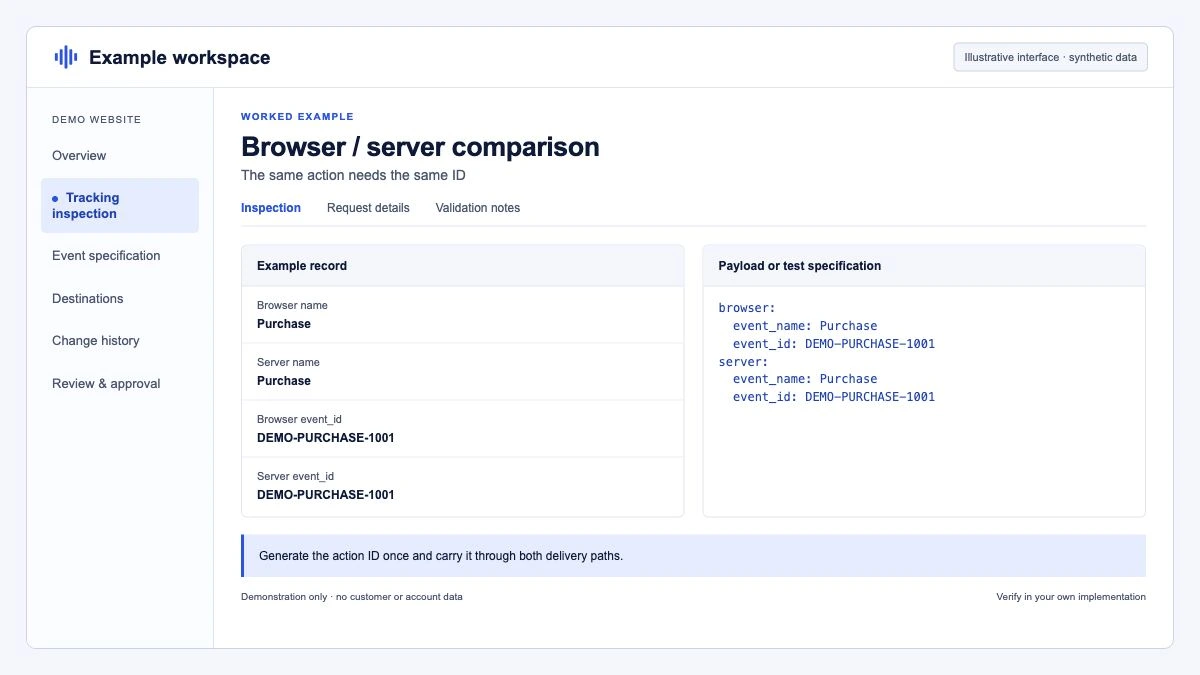
If you use a community Meta pixel template rather than Custom HTML, look for its event ID field and map the same variable. Whatever the method, the event name in the pixel call must match the server's event_name exactly, including case: Purchase on one side and purchase on the other are different events.
How do you send event_id with the Conversions API?
A Conversions API request for the same purchase carries the same ID and name. Website events also need action_source, event_source_url and client_user_agent, and event_time may be at most 7 days in the past, otherwise the whole request is rejected:
API_VERSION="vNN.0"   # set to a current version from Meta's Graph API versions page
PIXEL_ID="123456789012345"
ACCESS_TOKEN="your-token"

curl -s -X POST "https://graph.facebook.com/${API_VERSION}/${PIXEL_ID}/events" \
  -H "Content-Type: application/json" \
  -d '{
    "data": [{
      "event_name": "Purchase",
      "event_time": '"$(date +%s)"',
      "event_id": "ORD-2026-104233",
      "action_source": "website",
      "event_source_url": "https://shop.example/checkout/thank-you",
      "user_data": {
        "em": ["'"$(printf '%s' 'jane@example.com' | sha256sum | cut -d' ' -f1)"'"],
        "fbp": "fb.1.1759900000000.1234567890",
        "client_ip_address": "203.0.113.10",
        "client_user_agent": "Mozilla/5.0 (Macintosh; Intel Mac OS X 10_15_7)"
      },
      "custom_data": { "value": 129.90, "currency": "EUR" }
    }],
    "access_token": "'"${ACCESS_TOKEN}"'"
  }'
Meta's customer information parameters page sets the hashing rules: email, phone, names, city, postcode and similar fields must be SHA-256 hashed after normalising (trimmed, lower case for email); external_id hashing is recommended; fbp, fbc, client_ip_address and client_user_agent must not be hashed. In a backend, normalise before hashing:
const crypto = require('crypto');

function hashEmail(email) {
  const normalised = email.trim().toLowerCase();
  return crypto.createHash('sha256').update(normalised).digest('hex');
}
Meta's open-source Conversions API parameter builder on GitHub can fill fbc, fbp, event_source_url and referrer_url from the incoming request and handle normalisation and hashing in several languages, which removes a common class of mistakes.
What about server-side GTM?
If you run a server container, the usual pattern is: the web GA4 tag sends the event to your tagging server with an event_id parameter, and Meta's Conversions API tag in the server container forwards it. Send event_id as an event parameter on the GA4 event tag, using the same Data Layer Variable as the pixel tag.
One known trap: an issue on Meta's ConversionsAPI-Tag-for-GoogleTagManager repository on GitHub reports that the official guide refers to an x-fb-event_id parameter while the template reads event_id. Whatever the documentation you follow says, open the server container's Preview, select the incoming event and confirm the event_id value is present in the event data before the Meta tag fires.
For whether a server container is worth it in the first place, see server-side tagging in 2026. Meta's Conversions API Gateway is the no-code alternative: its documentation says the gateway generates and propagates the event_id key automatically, and it is deployed into a cloud provider account you own.
How do you check that deduplication works?
Test one conversion end to end, then watch the aggregate.
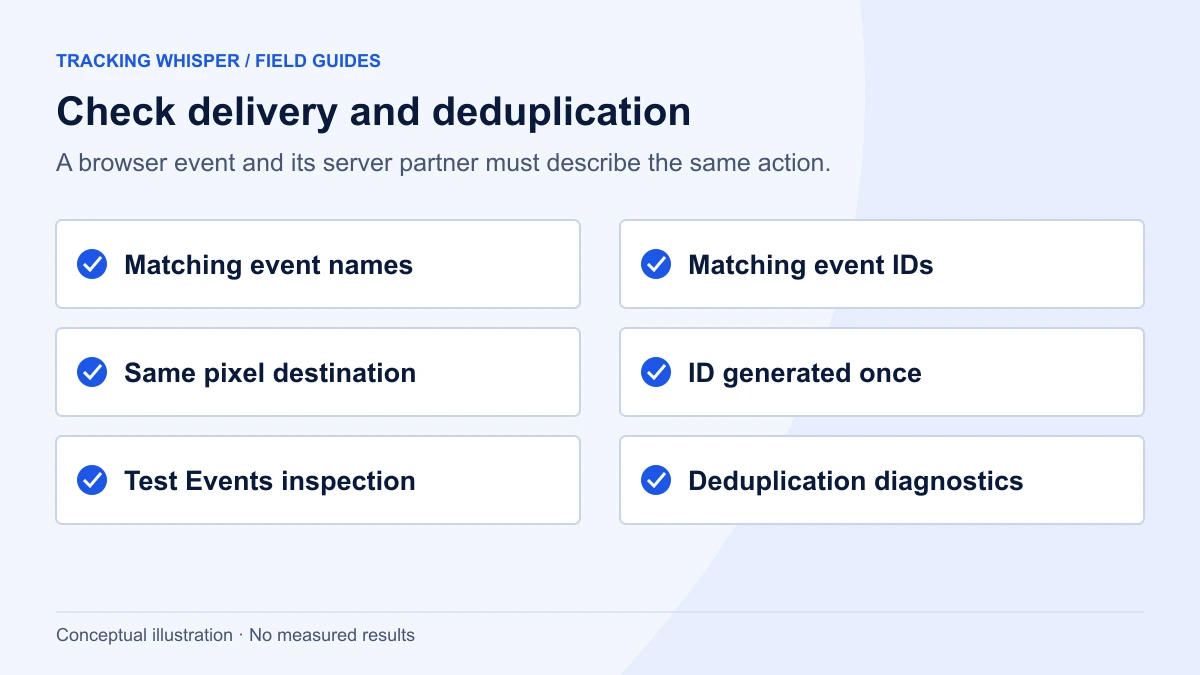
- Open Test Events in Events Manager, copy the test ID, and send it as
test_event_codewith your server events (in sGTM, through the server tag's configuration if it offers a test code field). Remove it after testing. - Make one test conversion on the site with Meta Pixel Helper or the browser's network tab open.
- Compare the two payloads. In the network tab, the pixel request to
facebook.com/trshows the event name and event ID among its query parameters; on the server side, checkevent_idandevent_namein your request log or sGTM Preview. They must match character for character. - Confirm both copies arrive in Test Events, one from the browser and one from the server, with the same event name and ID. If either is missing or the IDs differ, fix that before looking at any report.
- Check the Event Deduplication view for each event in Events Manager after a day of traffic. Meta's help notes that event counts such as Total Events are reported before deduplication, so a doubled total alone does not prove a problem; the deduplication view does.
- Check event coverage. Meta defines event coverage as the 7-day average percentage of pixel events that are covered by the Conversions API and share deduplication keys with it. The Dataset Quality API example shows 75 percent as the recommended goal. Since 28 May 2025, the Dataset Quality API also returns event coverage, event deduplication, data freshness, additional conversions reported and Event Match Quality diagnostics, so you can track these outside the interface.
- Watch data freshness. Meta recommends sending server events as soon as they occur, ideally within an hour. A nightly batch stays inside the 7-day
event_timelimit, but it delays the signal and, if it slips past 48 hours, falls outside the deduplication window.
What are the most common deduplication mistakes?
- Different event names.
Purchasein the pixel,purchaseor a custom name on the server. - ID generated twice. A random ID in a browser tag and another one in the backend.
- Different pixel IDs. A second pixel in the browser or a test dataset on the server.
- ID missing on some events. Coverage looks fine for Purchase but zero for Lead because only one tag was updated.
- Late server events. A queue that sends conversions two days later falls outside the 48-hour window.
- Hashed fbp or IP address. Breaks matching and, for the fbp method, deduplication.
- Browser-side double firing. A thank-you page reload or a second pixel installation is a separate problem from browser and server deduplication. Fix it at the source, as with duplicate purchase events in GA4.
Key takeaways
- Meta deduplicates when eventID equals event_id, the event names match exactly, the pixel ID is the same and both arrive within 48 hours.
- Create the ID once on the site (order ID for purchases, a UUID for other events) and pass it through the dataLayer to both channels.
- The fbp and external_id method is a fallback that only works browser first and server second.
- Verify a single conversion in Test Events, then monitor the Event Deduplication view, event coverage (75 percent goal) and data freshness.
- Event totals in Events Manager are counted before deduplication, so judge duplication with the deduplication view, not totals.
- In server-side GTM, confirm in Preview that
event_idactually reaches the Meta tag.
Tracking Whisper connects to Meta and Google Tag Manager, checks in a real browser that the pixel's eventID and the dataLayer ID match on key pages, and monitors event volumes so a broken ID or a doubled Purchase count is flagged before it reaches the monthly report.
Frequently asked questions
What is the deduplication window for Meta pixel and Conversions API events?
48 hours. Meta deduplicates events with the same event_id and event name sent to the same pixel within 48 hours of the first one being received. Events that arrive later are counted separately, so server events should be sent in real time or as close to it as possible.
Can I use the order ID as the event_id?
Yes. Meta's documentation names order numbers and transaction IDs as possible event_id values for purchases. The same order ID must then be passed as eventID in the pixel call. For events without a natural ID, such as AddToCart or Lead, generate a unique ID on the site for each action.
Why are my Meta events still counted twice after adding event_id?
The most common causes are an event name that differs between channels (Purchase versus purchase, or a custom name on one side), an event_id that is generated separately in the browser and on the server, or events sent to different pixel IDs. Check a single test conversion in the Test Events tool and compare the two payloads field by field.
Does Meta deduplicate using fbp or external_id?
It can, as an alternative to event_id: Meta compares event_name with fbp and/or external_id across browser and server events. Meta's documentation says this method generally only works when the browser event arrives first, and it does not deduplicate two events from the same source. event_id is the recommended method.
Does the Conversions API Gateway handle deduplication?
Yes. Meta's documentation says the Conversions API Gateway automatically generates and propagates the event_id key so pixel and server events can be deduplicated. It requires a cloud provider account to host the gateway, but no custom code.
Sources
- Handling Duplicate Pixel and Conversions API Events, Meta for Developers
- Meta Pixel API reference, Meta for Developers
- Using the API, Conversions API, Meta for Developers
- Customer Information Parameters, Conversions API, Meta for Developers
- Dataset Quality API, Conversions API, Meta for Developers
- Differences between event counts in Meta Ads Manager, Ads Reporting and Events Manager, Meta Business Help Centre
- Conversions API Gateway, Meta for Developers
- Official guide refers to x-fb-event_id but template expects event_id, Issue 26, facebookincubator/ConversionsAPI-Tag-for-GoogleTagManager, GitHub
Dimitris builds Tracking Whisper and writes about tracking, analytics and data from the work the agent does every day: GTM containers, GA4 properties, ad platforms and the numbers in between.