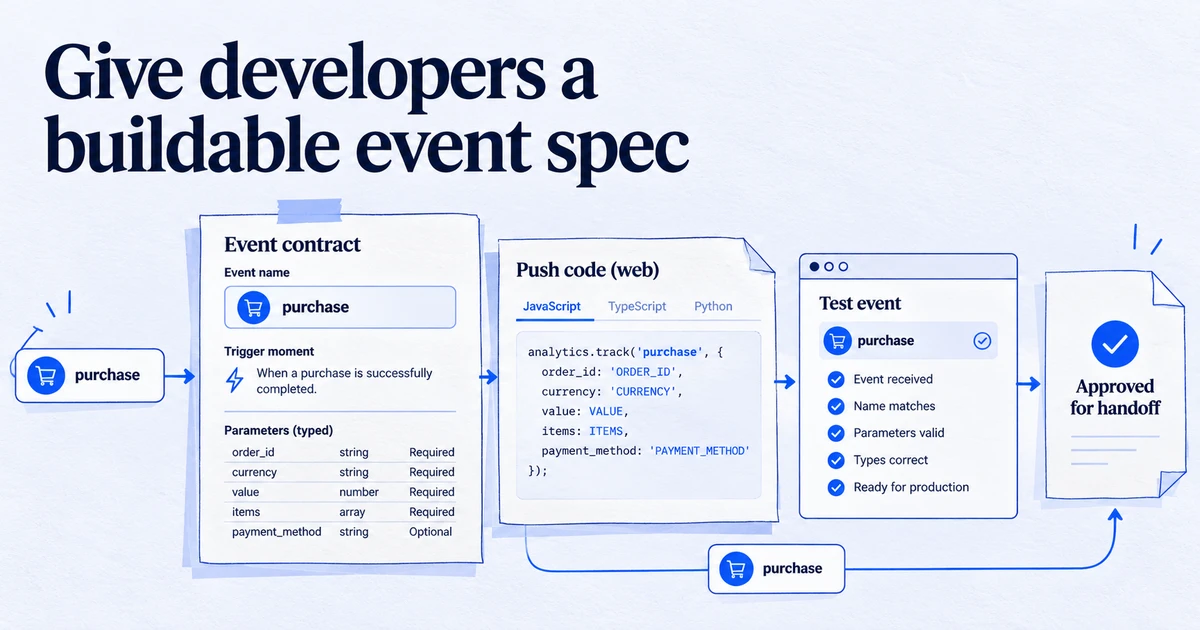
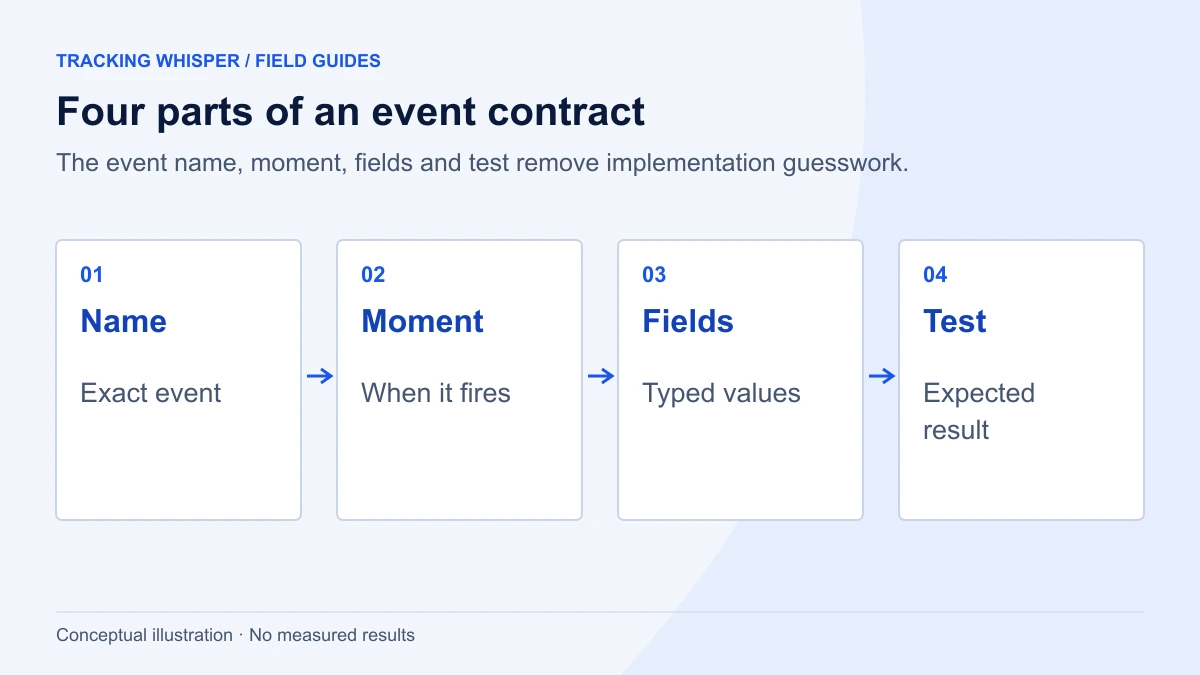
A dataLayer spec developers can build in a day lists each event with the exact moment it fires, a copy-paste dataLayer.push example, a typed list of keys with allowed values, and an acceptance test. It follows Google's rules for the data layer (initialise once above the GTM snippet, only push, never reassign, keep names consistent), uses GA4's recommended event shapes where they exist, and leaves out everything that does not serve a reporting need.
A good dataLayer is the difference between tracking that survives a redesign and tracking that breaks every time a CSS class changes. But developers only build what they are given, and the usual brief ("please add a dataLayer for GA4") leaves them guessing. The spec below is the format we use: short, exact and testable. A developer who knows the codebase can usually implement a typical lead-generation or shop spec in a day, because every decision has already been made.
What makes a dataLayer spec quick to implement?
Developers lose time on ambiguity, not on code. A spec is quick to build when:
- Every event has an exact firing moment. "When the form is submitted" is ambiguous. "When the server returns a success response for the demo form" is not.
- Every event has a copy-paste example. A complete
dataLayer.pushwith realistic values. - Every key has a type and allowed values.
priceis a number in major units, not a formatted string.lead_typeis one ofdemo,trial,contact. - Every event has an acceptance test. The developer knows what "done" looks like.
- Nothing is in it that nobody will use. Each event traces back to the measurement plan.
If a spec needs a meeting to explain, it is not finished.
Which rules from Google should the spec repeat?
Google's data layer guide for Tag Manager has a few rules that cause most implementation bugs when ignored. Put them at the top of the spec, word for word if you like:
- Initialise once, high in the page. Use
window.dataLayer = window.dataLayer || [];above the GTM container snippet. - Only push. Add data with
dataLayer.push(). Never reassign it withdataLayer = [...]after GTM has loaded, because that disconnects GTM from the array. - Mind the case. The object is
dataLayer, with a capital L.datalayer.push()does nothing for GTM. - Quote keys and keep names consistent. The same concept uses the same key on every page: not
visitorTypehere andvisitor_typethere, or tags fire in some places and not others. - Push page-level data before the container if tags need it at load. Values that tags read on the first page view go in a push above the snippet.
<script>
  window.dataLayer = window.dataLayer || [];
  window.dataLayer.push({
    "page_type": "product",
    "user_status": "logged_in",
    "site_language": "en"
  });
</script>
<!-- Google Tag Manager container snippet goes here -->
How should each event be written?
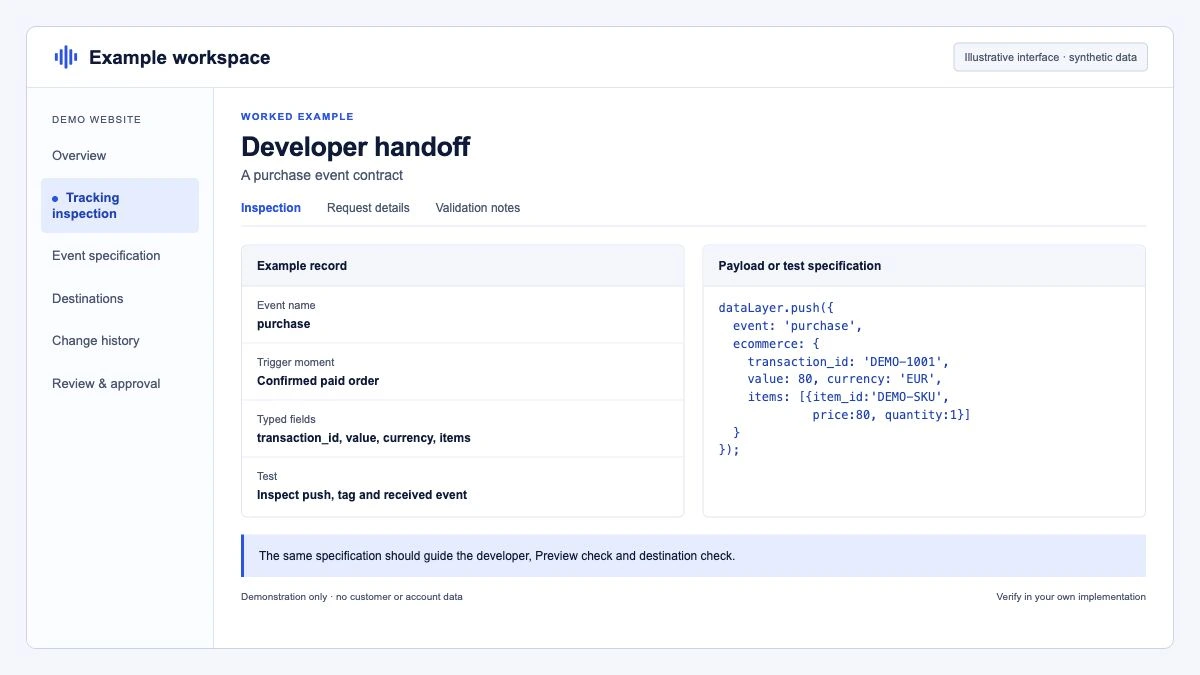
Use the same block for every event. Here is a complete example for a lead form.
Event: generate_lead
Fires when: the server confirms a successful submission of any lead form. Not on button click, not on client-side validation.
Pages: /demo, /contact, and any page with the embedded newsletter form.
window.dataLayer = window.dataLayer || [];
window.dataLayer.push({
  "event": "generate_lead",
  "value": 150,
  "currency": "EUR",
  "form_id": "demo_request",
  "lead_type": "demo"
});| Key | Type | Required | Allowed values / format | Example |
|---|---|---|---|---|
event | string | yes | generate_lead | generate_lead |
value | number | yes | Lead value from the value table, major units | 150 |
currency | string | yes | ISO 4217 code | EUR |
form_id | string | yes | demo_request, contact, newsletter | demo_request |
lead_type | string | yes | demo, trial, contact, newsletter | demo |
Acceptance test: on /demo, submit the form with valid test data. Exactly one object with event: "generate_lead" and the keys above appears in window.dataLayer. Submitting with a validation error produces no push.
Never include: name, email, phone or free-text fields from the form.
generate_lead with value and currency follows GA4's recommended events. The event name also follows GA4's naming rules: case sensitive, starting with a letter, only letters, numbers and underscores, 40 characters at most.
What does the ecommerce section look like?
For shops, copy GA4's recommended ecommerce events rather than inventing a structure. GTM's GA4 Event tag can then send the ecommerce object as is, with Send Ecommerce data ticked and the data source set to Data Layer. Google's guide clears the previous ecommerce object before each push, and your spec should require the same:
dataLayer.push({ ecommerce: null });  // Clear the previous ecommerce object.
dataLayer.push({
  event: "add_to_cart",
  ecommerce: {
    currency: "EUR",
    value: 59.8,
    items: [
      {
        item_id: "SKU_1042",
        item_name: "Merino crew sock",
        item_brand: "Northwind",
        item_category: "Socks",
        item_variant: "grey",
        price: 29.9,
        quantity: 2
      }
    ]
  }
});
The rules that belong in the spec, because they are the ones that go wrong:
valueis the sum ofpricetimesquantityfor the items, without shipping or tax.priceis the unit price after any discount; the discount goes indiscount.currencyis the currency the customer pays in, as a three-letter code.purchasecarriestransaction_id, the shop's real order number, and is pushed once per order after payment is confirmed.
Typical event list for a shop: view_item_list, select_item, view_item, add_to_cart, remove_from_cart, view_cart, begin_checkout, add_shipping_info, add_payment_info, purchase, and refund from the back office. Most shops start with view_item, add_to_cart, begin_checkout and purchase, and add the rest when someone will use them. The common errors on the purchase event are covered in GA4 ecommerce tracking mistakes.
How do consent and single-page apps fit in?
Two topics need their own short section in the spec, because they behave differently from ordinary events.
Consent. Consent state is not a plain object push. Google's consent mode uses the gtag command format, which pushes an arguments object to the dataLayer. The default must be set before any tag sends data:
window.dataLayer = window.dataLayer || [];
function gtag(){dataLayer.push(arguments);}
gtag('consent', 'default', {
  'ad_storage': 'denied',
  'ad_user_data': 'denied',
  'ad_personalization': 'denied',
  'analytics_storage': 'denied',
  'wait_for_update': 500
});
In most setups the consent management platform's GTM template sets the default and sends gtag('consent', 'update', {...}) when the user chooses, so the spec only needs to say which CMP is used and that nothing should fire before it. See the consent mode glossary entry.
Single-page apps. If routes change without a full page load, the spec should define a virtual page view. GA4's enhanced measurement can send page views on browser history changes (pushState, replaceState, popstate), but if GTM sends its own page view event on route change, that option must be turned off or page views are counted twice. Pick one approach and write it down. If the spec uses its own event:
window.dataLayer.push({
  "event": "virtual_page_view",
  "page_path": "/account/settings",
  "page_title": "Account settings"
});
Push it after the new route has rendered and the title has updated, so tags read the right values.
How do developers check their own work?
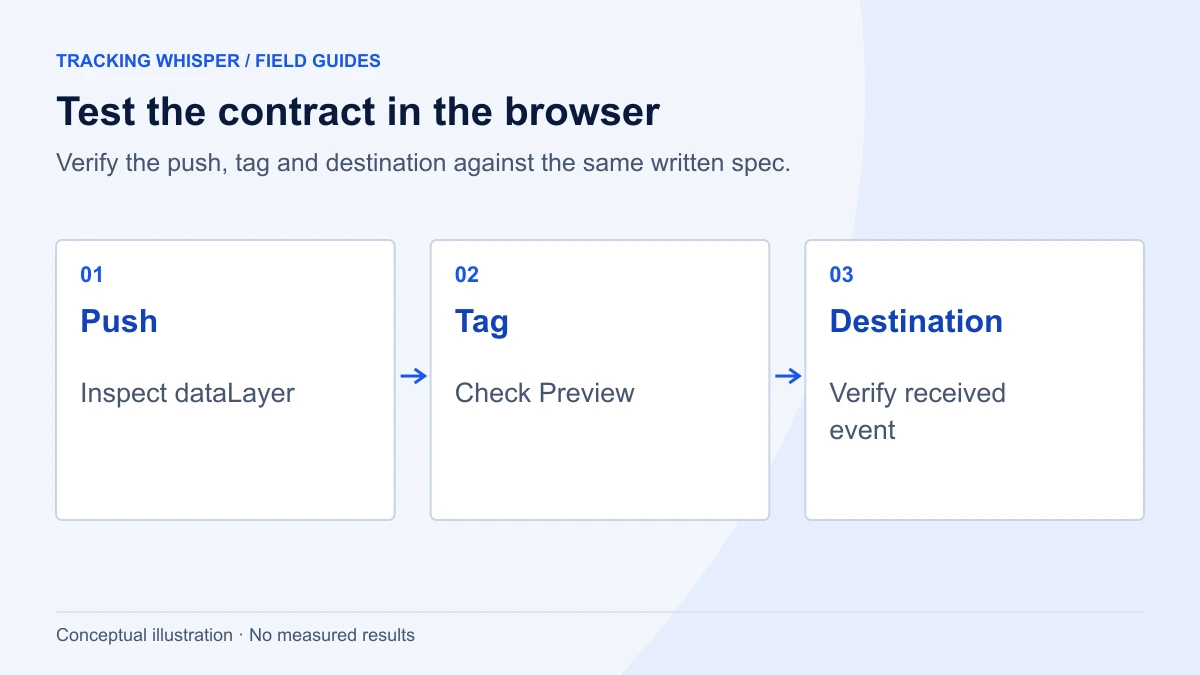
Give developers a way to see what they pushed without opening GTM. This console snippet logs every new push on the current page:
(function () {
  var dl = window.dataLayer = window.dataLayer || [];
  var originalPush = dl.push;
  dl.push = function () {
    for (var i = 0; i < arguments.length; i++) {
      console.log("[dataLayer]", JSON.parse(JSON.stringify(arguments[i])));
    }
    return originalPush.apply(dl, arguments);
  };
})();
Run it in the console after the page has loaded, then perform the action from the acceptance test. It wraps whatever push function is in place, including the one GTM installs, so tags keep working. It is a debugging aid for the browser console only, not something to ship.
The analyst then confirms the same events in GTM Preview mode, where the dataLayer tab shows the merged state after each push, and in Tag Assistant for the hits that tags send.
What does the full spec document contain?
| Section | Content | Who reads it |
|---|---|---|
| Rules | The five Google rules, naming convention, never-collect list | Developers |
| Page-level data | Keys pushed above the snippet on every page | Developers |
| Events | One block per event: firing moment, pages, example, key table, test | Developers, analyst |
| Ecommerce | GA4 ecommerce events with the value, price and currency rules | Developers, analyst |
| Consent and SPA | CMP used, default behaviour, virtual page views | Developers, analyst |
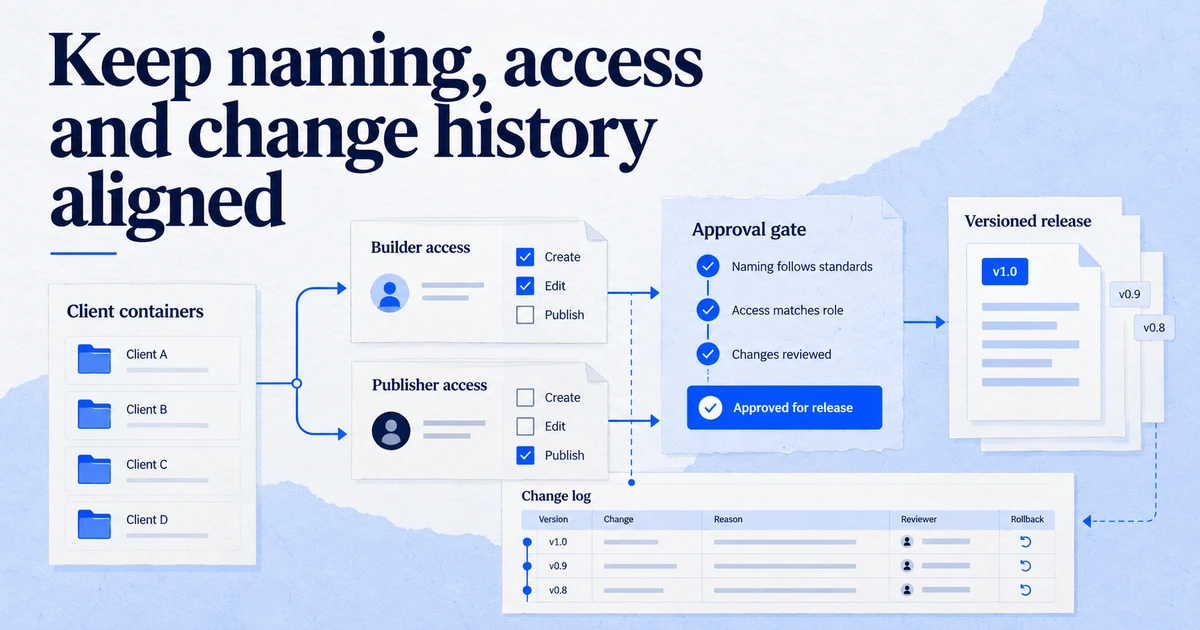
| Change log | Date, change, reason, version | Everyone |
Keep it in the same place as the measurement plan and version it. When the site changes, update the spec first and the code second.
Who signs off, and how do changes work?
Agree three roles before development starts. The analyst or agency writes the spec and owns it. A lead developer reviews it for feasibility before work begins, which is where questions like "the order number is not available on that page" surface cheaply. The marketing owner confirms that the events and values match what they will report on.
Once the spec is approved, changes go through the same route: the requester adds a line to the change log, the analyst updates the event block, the developer implements it, and the analyst confirms it in Preview mode before any GTM tag uses it. Releases that touch checkout, forms or routing should include the acceptance tests for the events on those pages, the same way they include other regression tests.
This sounds like process for its own sake, but it is what keeps a dataLayer stable for years. Broken tracking is often not a bad first implementation. It is an undocumented change made months later by someone who did not know a tag depended on it.
Key takeaways
- Write each event as a block: exact firing moment, pages, copy-paste push, typed key table, acceptance test.
- Repeat Google's rules at the top: initialise once above the snippet, only push, never reassign, consistent quoted keys.
- Use GA4 recommended event names and ecommerce shapes where they fit, and clear
ecommercebefore every push. - Treat consent and single-page apps as separate sections with their own rules.
- Give developers a console check and the analyst a Preview-mode check, and version the spec with the measurement plan.
Tracking Whisper can check the pushes in a spec on key pages in a real browser, comparing the dataLayer and the hits sent with what the spec says, and builds the matching GTM changes in its own workspace for a person to approve. See the dataLayer glossary entry and our Google Tag Manager integration.
Frequently asked questions
What is a dataLayer specification?
It is the document that tells developers which data to push into the dataLayer, when, and in what format, so that Google Tag Manager can send it to GA4, Google Ads, Meta and other tools. It sits between the measurement plan, which says what to measure and why, and the GTM container, which uses the data.
Should the dataLayer be declared before the GTM snippet?
Yes. Google's guidance is to initialise it with window.dataLayer = window.dataLayer || []; as high in the page as possible, above the container snippet, and to push any page-level data there if tags need it when the container loads. After that, only use dataLayer.push and never reassign the dataLayer variable.
Should I use GA4 event names in the dataLayer?
Where a GA4 recommended event fits, yes: purchase, add_to_cart, generate_lead, sign_up and so on. GTM can then pass ecommerce data to GA4 without remapping, and other tags can read the same structure. For actions with no recommended event, use your own lowercase snake_case names and document them.
How do I push consent to the dataLayer?
Use the gtag consent commands, not a plain object push: define function gtag(){dataLayer.push(arguments);} and call gtag('consent', 'default', {...}) before any tags fire, then gtag('consent', 'update', {...}) when the user chooses. In practice most sites let the consent management platform's GTM template do this.
How do developers test their dataLayer implementation?
Each event in the spec should have an acceptance test: a page, an action, and the exact object expected. Developers can check it in the browser console by inspecting window.dataLayer, and the analyst confirms it in GTM Preview mode and Tag Assistant before any tag is built on it.
Sources
Dimitris builds Tracking Whisper and writes about tracking, analytics and data from the work the agent does every day: GTM containers, GA4 properties, ad platforms and the numbers in between.