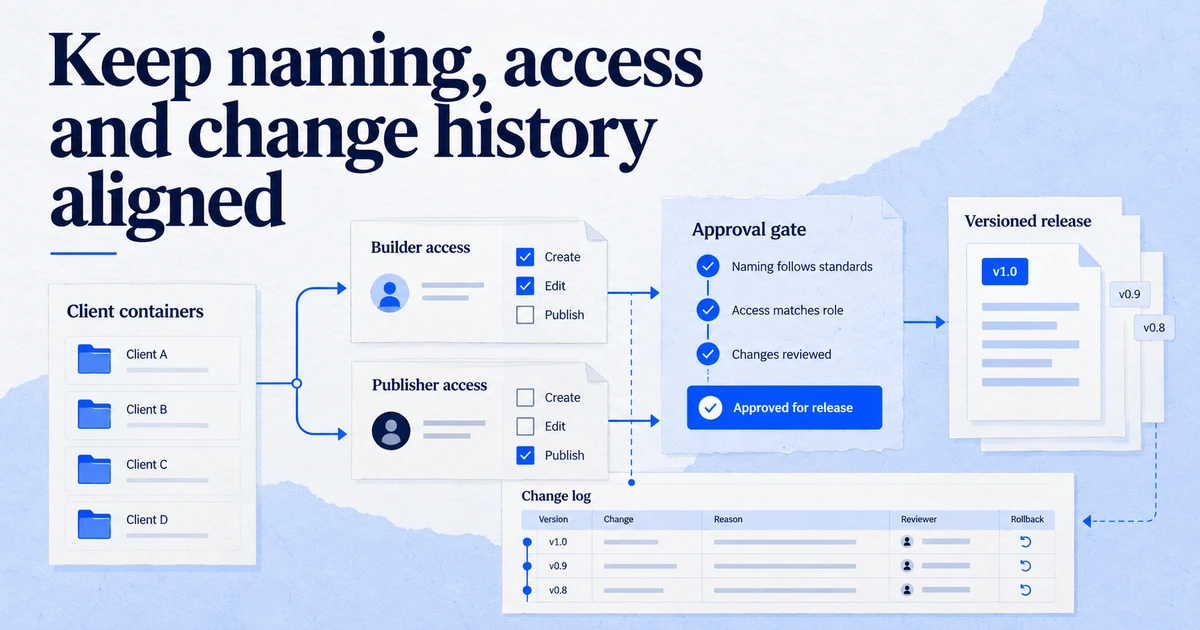
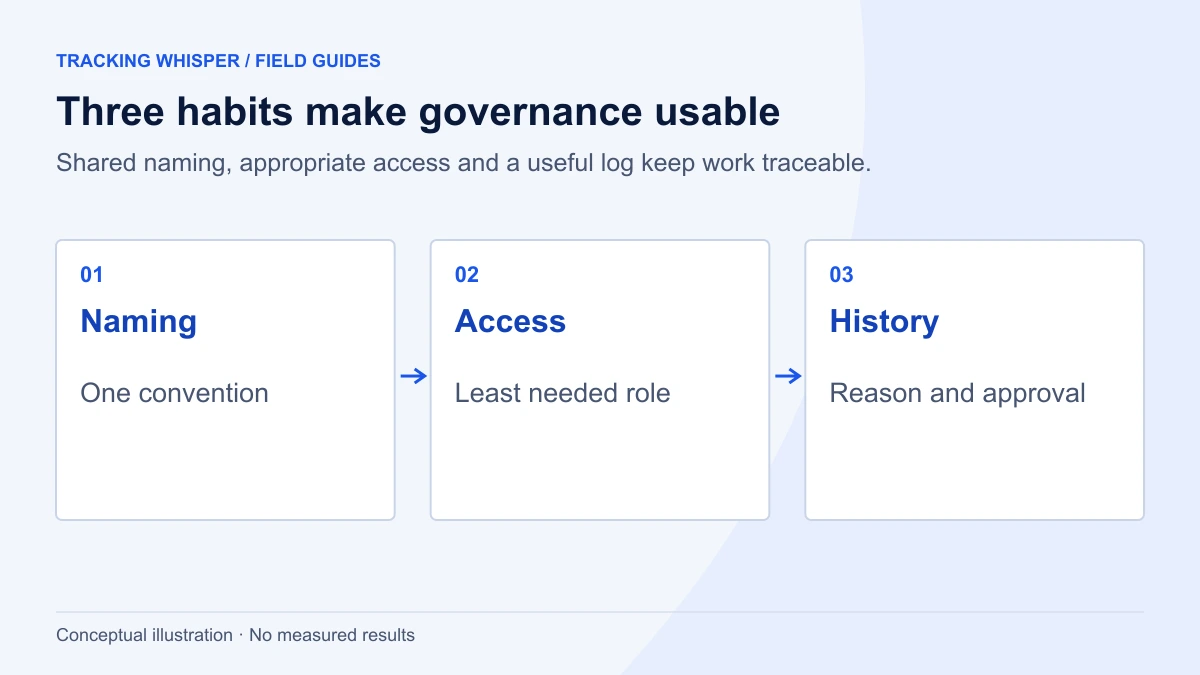
Tracking governance for an agency comes down to three habits: a naming convention every container and property follows, access that gives each person the lowest role that does the job (in GTM, Edit for builders and Publish for a small group), and a change log that records what changed, why and who approved it. GTM versions, GA4 change history and the Google Ads change history already capture much of the who and when; your log adds the why and the approval.
An agency with twenty clients has twenty GTM containers, twenty GA4 properties and as many ad accounts, touched by account managers, specialists, freelancers and sometimes the client's own developers. Without shared rules, every container drifts into its own style, former staff keep publish rights for years, and nobody can say why a conversion changed in March. Governance sounds like bureaucracy, but for an agency it is mostly three habits: consistent names, sensible access and a change log. This article sets out a version of each that works in practice.
Why does an agency need tracking governance at all?
Three reasons that show up in every agency sooner or later:
- Speed. When every container follows the same naming and folder structure, anyone on the team can find the purchase tag in seconds. Onboarding a new specialist takes days, not weeks.
- Risk. Tracking changes affect bidding, budgets and client reporting. A wrong publish on a Friday afternoon can cost a client real money before Monday. Clear permissions and a review step reduce that risk.
- Accountability. When a client asks why conversions dropped, you need to answer within the hour, with dates, names and reasons. That is only possible if changes were recorded when they were made.
What should a naming convention cover?
Pick one convention for the whole agency and apply it to every new container. Retrofit old containers when you next work on them, not all at once.
GTM tags, triggers and variables
A format that sorts well and reads at a glance is Platform - Type - Detail:
| Item | Pattern | Example |
|---|---|---|
| Tag | Platform - Type - Detail | GA4 - Event - purchase |
| Tag | Platform - Type - Detail | Google Ads - Conversion - Purchase |
| Tag | Platform - Type - Detail | Meta - Event - Purchase |
| Trigger | Type - Condition | CE - purchase (custom event) |
| Trigger | Type - Condition | Click - CTA - book demo |
| Variable | Type - Name | DLV - ecommerce.value |
| Variable | Type - Name | Const - GA4 measurement ID |
| Folder | Platform or purpose | GA4, Google Ads, Meta, Consent, Utilities |
Rules that make the convention stick:
- Use the platform first, so tags for one platform group together in the list.
- Use the same abbreviations everywhere: DLV for data layer variable, CE for custom event, CJS for custom JavaScript, Const for constants, LT for lookup tables.
- Never put a client name, a person's name or a date in a tag name. Those belong in notes and in the change log.
- Use folders for every tag, trigger and variable. Unfiled items are the first sign of drift.
- Mark anything temporary with a prefix such as
TEMP -and a removal date in the notes field.
GA4 events and parameters
For events, use lower case with underscores, and use Google's recommended event names, such as purchase, wherever one fits, because GA4's ecommerce reports depend on them. For custom events, use an object and action pattern such as form_submit, video_complete or file_download, and keep a central list per client. Custom parameters follow the same style. Document every custom event and parameter in the client's measurement plan and dataLayer specification, so developers and marketers use the same names.
Versions, workspaces and conversion actions
- GTM workspaces: name them after the change, for example
2026-10 consent banner update. Standard Tag Manager allows only three concurrent workspaces per container (the default plus two custom), so close workspaces promptly. Tag Manager 360 allows unlimited workspaces. - GTM versions: every container version has a display name and a description field. Use a ticket or change log ID in the name (
CHG-0142 add enhanced conversions) and a one-line summary in the description. - Google Ads conversion actions:
Source - Action, for exampleGA4 - purchaseorTag - Purchase, so it is obvious which conversions are imported from GA4 and which come from the Google Ads tag.
Who should have which access?
The principle is least privilege: each person gets the lowest role that lets them do their job, on only the clients they work on. Review access every quarter, and remove people on the day they leave.
Google Tag Manager
Tag Manager has two levels of permissions. At account level, a user is either a User or an Admin. Admins inherit Read access to every container in the account and can grant themselves more. Users have no container access until an Admin assigns it.
At container level there are four permissions:
| Permission | What it allows | Who in an agency |
|---|---|---|
| Read | Browse tags, triggers and variables; no changes | Account managers, analysts, client stakeholders |
| Edit | Create workspaces and make changes; cannot create versions or publish | Tracking specialists, freelancers |
| Approve | Create versions, workspaces and edits; cannot publish | Senior specialists who review work |
| Publish | Everything above, plus publish | Two or three named people per client |
This structure gives you a built-in four-eyes rule: a specialist with Edit builds the change in a workspace, a reviewer with Approve or Publish checks it in Preview and creates the version, and only a small group can make it live. Keep account-level Admin to very few people, because of the inherited access.
GA4
The Google Analytics Admin API lists the predefined roles that can be granted at account or property level: viewer, analyst, editor and admin, plus two data restrictions, no-cost-data and no-revenue-data. Practical defaults for an agency:
- Viewer for client stakeholders and account managers who only read reports.
- Analyst for people who build explorations and shared assets.
- Editor for tracking specialists who manage events, key events and settings.
- Admin for one or two people at the agency, and always at least one person at the client.
- The no-revenue-data and no-cost-data restrictions for freelancers or partners who do not need to see financial figures.
Google Ads
The Google Ads API defines four access roles for users: Admin (owns the account and can control other users), Standard (can modify campaigns but cannot affect other users), Read only (can view campaigns and changes but cannot edit) and Email only (receives emails, not a real user). For agencies, most campaign managers need Standard. Keep Admin to the people who manage users and links, which is where most security problems start.
Meta and other platforms
The same principles apply: client-owned assets, agency access granted to the agency's business rather than to personal profiles where possible, the lowest role that does the job, and a quarterly review. Check each platform's current role names before you write them into your process, because they change more often than Google's.
Ownership
The client should own the GTM account, the GA4 account and the ad accounts. The agency is added as a user. When the relationship ends, the client removes the agency and keeps every asset. Contracts should state this, and onboarding should check it.
What should the change log record?
Each platform already records part of the story:
- GTM keeps every version, with who published it and when. You can set any earlier version as the latest and publish it to roll back.
- GA4 keeps a change history of account and property changes, with the time and the email of the user who made each change. The Admin API exposes it through
searchChangeHistoryEvents, which returns the subset of changes the API supports. - Google Ads keeps a change history in the interface, and the API's
change_eventresource includes changes from the past 30 days, with previous and new values for changed fields.
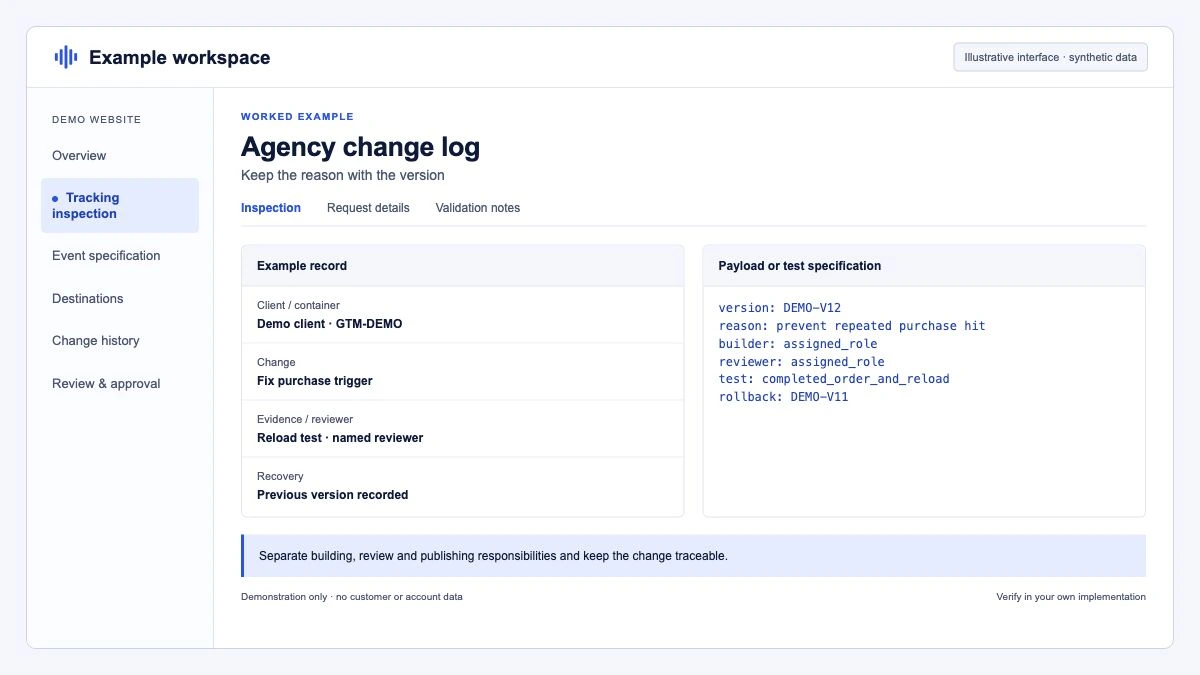
What none of them record is why the change was made, who asked for it, what was tested and whether it was approved. That is your change log. Keep it in a shared sheet or ticket system with these columns:
| Field | Example |
|---|---|
| ID | CHG-0142 |
| Date and time | 2026-10-20 14:10 CET |
| Client and platform | Client A, GTM container GTM-XXXXXXX |
| What changed | Added user-provided data to Google Ads purchase tag |
| Why | Enable enhanced conversions, requested by client on 14 Oct |
| Built by | Specialist name |
| Tested how | GTM Preview and Tag Assistant on checkout, 3 test orders |
| Approved by | Reviewer name |
| Version or reference | GTM version 87 |
| Rollback | Set version 86 as latest and publish |
The ID in the GTM version name connects the two records. When someone asks about version 87 a year later, the log tells the full story.
Google Ads changes made by many people across many accounts are the hardest to track by hand. A scheduled export of change_event keeps a record longer than the 30 days the API provides. This GAQL query returns the last three weeks of changes for one account:
SELECT
  change_event.change_date_time,
  change_event.user_email,
  change_event.client_type,
  change_event.change_resource_type,
  change_event.resource_change_operation,
  change_event.changed_fields
FROM change_event
WHERE change_event.change_date_time >= '2026-10-02'
  AND change_event.change_date_time <= '2026-10-22'
ORDER BY change_event.change_date_time DESC
LIMIT 1000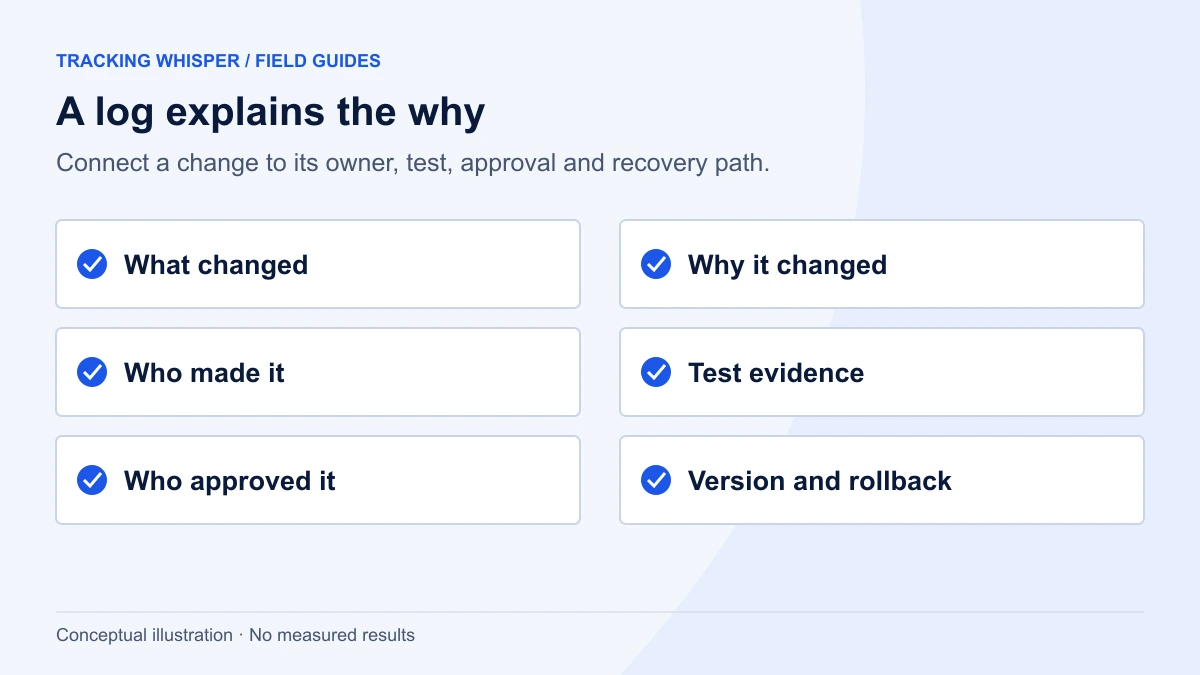
How do you roll this out without stopping client work?
- Write the standard once. One page each for naming, access and the change log. Keep it short enough that people read it.
- Audit access first. List every user on every GTM container, GA4 property and ad account. Remove leavers and reduce over-privileged roles. This alone usually removes the biggest risks.
- Apply naming to new work immediately. Retrofit old containers when you next touch them, starting with the most active clients. A GTM audit is a good moment.
- Start the change log on a fixed date. Do not try to reconstruct the past. From that date on, nothing gets published without a log entry.
- Review monthly for the first quarter. Check a sample of GTM versions against the log. Missing entries show where the process is too heavy or unclear.
Key takeaways
- Use one naming convention across all clients, platform first, with folders for everything and no names or dates in tag names.
- In GTM, give most people Edit, reviewers Approve, and a few named people Publish; keep account Admin to very few.
- In GA4 and Google Ads, use the lowest role that does the job, data restrictions for people who do not need revenue or cost data, and keep ownership with the client.
- GTM versions, GA4 change history and Google Ads change history record who and when; your change log adds why, testing and approval.
- Put the change log ID in the GTM version name, and export Google Ads change history if you need more than 30 days.
Tracking Whisper follows a similar model by design: it builds changes in its own GTM workspace and publishes only after a person approves, and its monitoring alerts when tracking stops after a change. Agencies can use it alongside their own change log.
Frequently asked questions
What GTM permissions should agency staff have?
Give most people Edit on the containers they work on, so they can build in workspaces but cannot create versions or publish. Give Approve to reviewers, who can create versions but not publish, and Publish to a small named group. Keep account-level Admin to two or three people, because Admins inherit Read on every container and can raise their own permissions.
Who should own the GTM container and GA4 property, the agency or the client?
The client should own the accounts and the agency should be added as a user. That keeps the client in control when the agency relationship ends. Make sure at least one client employee has admin rights in each platform, and document who they are.
How many GTM workspaces can I use?
Standard Tag Manager allows up to three concurrent workspaces per container: the default workspace and two custom ones. Tag Manager 360 allows an unlimited number. Agencies with several people working on one free container should coordinate who uses which workspace.
Is GTM version history enough as a change log?
It records what changed and who published it, which is a good start. It does not record why, who requested it, what was tested or what was changed outside GTM, such as GA4 settings or Google Ads conversion actions. A short change log alongside version history fills that gap.
How long does Google Ads keep change history in the API?
The Google Ads API change_event resource includes changes made through the interface or API in the past 30 days, with the previous and new values of changed fields. If you need a longer record, export it regularly to your own storage.
Sources
- Managing users and permissions, Tag Manager Help
- Workspaces, Tag Manager Help
- Publishing, versions, and approvals, Tag Manager Help
- Tag Manager API v2 discovery document, Google
- Google Analytics Admin API resources.proto (AccessBinding, ChangeHistoryEvent), googleapis on GitHub
- Google Ads API v23 access_role.proto, googleapis on GitHub
- Google Ads API v23 change_event.proto, googleapis on GitHub
Dimitris builds Tracking Whisper and writes about tracking, analytics and data from the work the agent does every day: GTM containers, GA4 properties, ad platforms and the numbers in between.