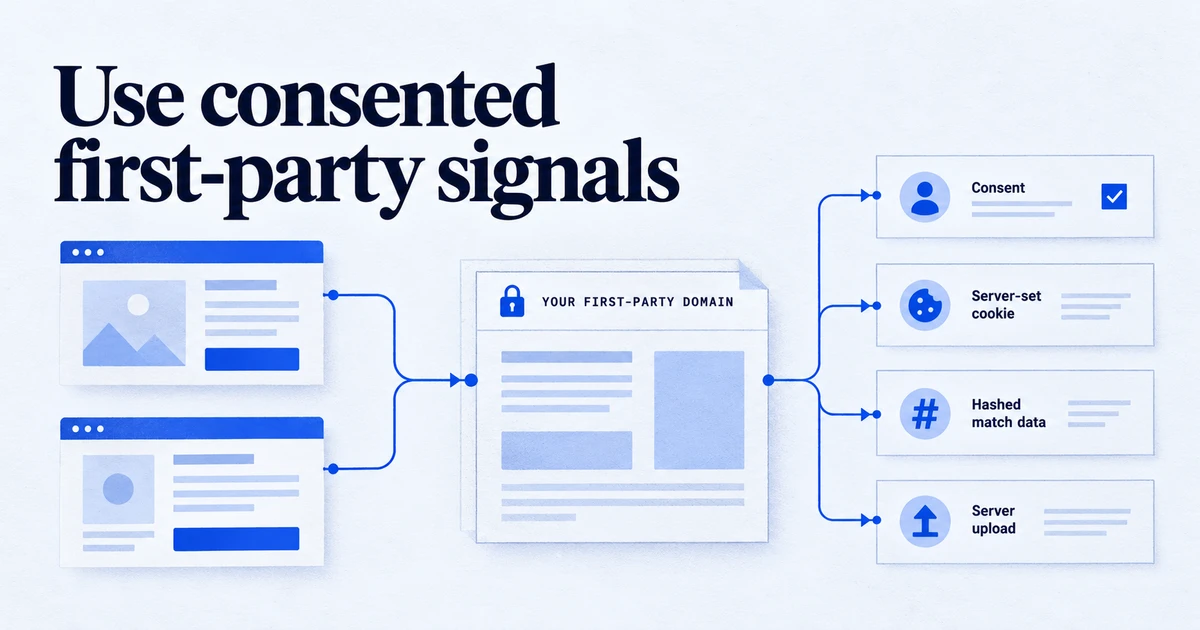
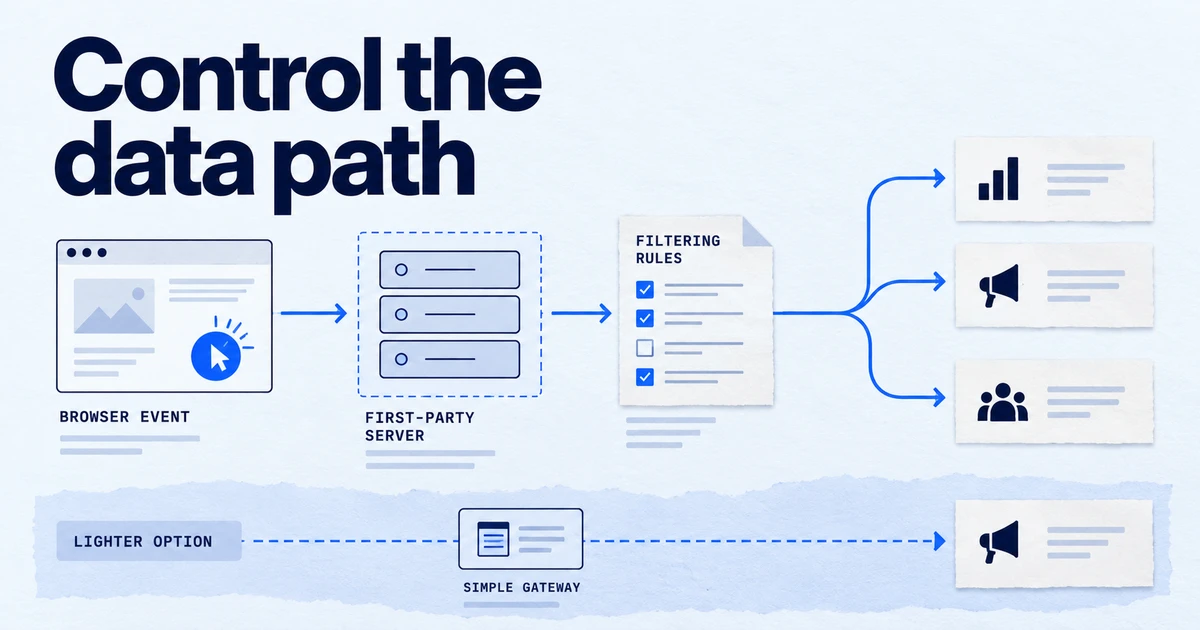
Server-side tagging is a setup in which the browser or app sends measurement data to a tagging server you control, usually a Google Tag Manager server container, and that server forwards the data to analytics and advertising platforms. It moves tag processing off the website, so you decide what each vendor receives.
In a classic setup, every marketing tag runs in the visitor's browser and talks to its own vendor. Server-side tagging adds a step in the middle: one stream of data goes from the page to a server you run, and that server decides what to forward, to whom, and in what shape.
How it works
The Google Tag Manager version has three parts:
- Web container or Google tag. On the page, the tag sends events to your tagging server URL, for example
https://sgtm.example.com, instead of to Google. - Clients. In the server container, a client recognises the format of an incoming request (GA4, for instance), claims it and turns it into an event data object. A container can have many clients, but only one client claims each request.
- Tags. Server tags read that event data and send it on to GA4, Google Ads, the Meta Conversions API or another endpoint. Triggers and variables work much as they do in a web container.
The server container runs on infrastructure you pay for. Google's documented options include Cloud Run on Google Cloud, and you can also host it elsewhere or use a managed provider.
Why it matters in 2026
Three practical reasons drive most projects:
- Data control. You can remove or hash fields before a vendor sees them, and keep one record of what was sent.
- First-party context. With the server on a subdomain of your site, cookies it sets are first-party, which Google notes can improve data quality because browsers restrict third-party cookies more.
- Fewer scripts in the page. Replacing several vendor scripts with one stream can help page performance.
It also has a cost. Google's planning guide estimates roughly 45 to 50 US dollars per Cloud Run instance per month and recommends a minimum of two instances in production to reduce the risk of data loss, with autoscaling of 2 to 10 servers handling about 35 to 350 requests per second depending on the tags. Someone also has to maintain it. Our article on when server-side tagging pays off works through the trade-off.
How to check it
- Open Preview in the server container and load your site in another tab.
- In the left panel, each incoming request should appear with the client that claimed it. A request with no claiming client is being dropped.
- Select the event under the request and check Event Data: page location, client ID, consent state and any user data you expect.
- Check the Tags tab: which tags fired, and the outgoing HTTP requests with their response codes.
- In the browser network panel, confirm that hits go to your subdomain and not to the vendor directly, and that cookies are set on your domain.
Common mistakes
- One instance in production. A single Cloud Run instance is fine for testing, not for live traffic.
- No custom domain. Using the default
run.appaddress gives up the first-party benefit. - Consent lost on the way. The server forwards events without checking the consent state carried in the request.
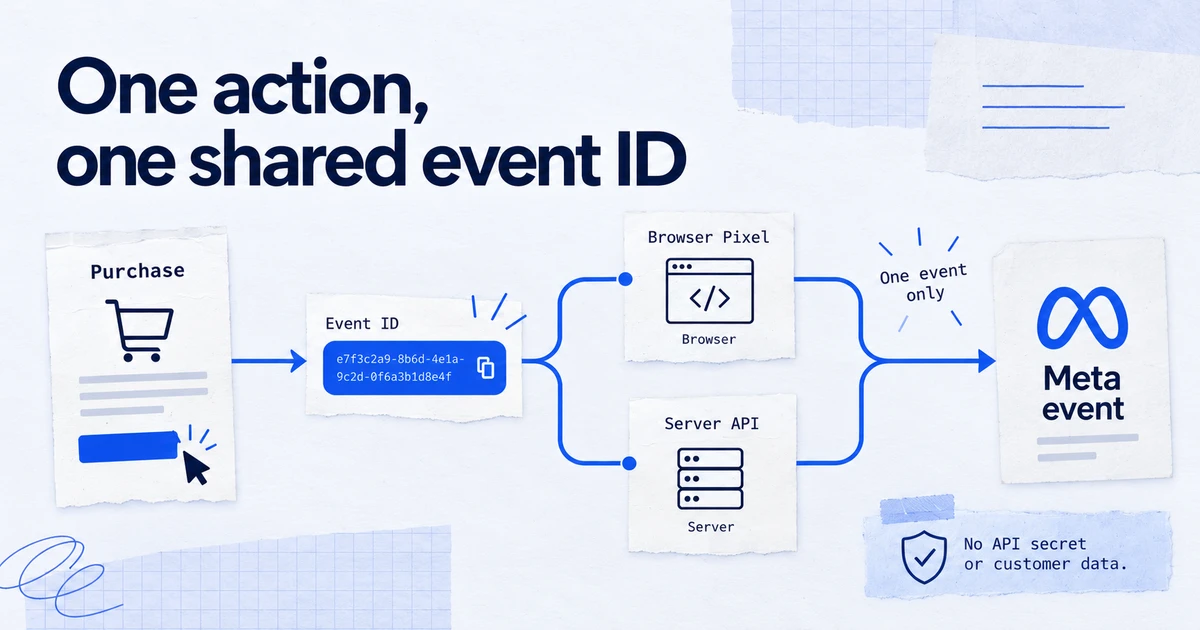
- Double sending. The browser Meta pixel and a server Conversions API tag both send purchases without a shared event ID, so Meta counts twice.
- No monitoring. A server that stops scaling or returns errors fails silently from the marketer's point of view.
Related terms: Consent Mode, dataLayer, Measurement Protocol.
Frequently asked questions
Does server-side tagging replace the browser tag?
Usually not. In the common setup a browser tag, such as the Google tag, still collects the event and sends it to your tagging server instead of straight to Google. The server then processes it and forwards it. Fully server-to-server collection is possible but needs your own event source.
How much does server-side GTM cost?
Google's planning guide puts a Cloud Run instance at roughly 45 to 50 US dollars a month and recommends at least two instances in production, so the floor is about 90 to 100 dollars a month before traffic grows. Managed hosting providers price differently.
Does server-side tagging get around consent requirements?
No. Moving processing to a server does not change what you need consent for. Consent signals should travel with each event and be respected by the server tags, the same as in the browser.
Do I need a custom domain for the tagging server?
It is strongly recommended. Serving the tagging server from a subdomain of your site puts it in a first-party context, so cookies it sets are first-party cookies, which browsers restrict less than third-party ones.
Sources
Dimitris builds Tracking Whisper and writes about tracking, analytics and data from the work the agent does every day: GTM containers, GA4 properties, ad platforms and the numbers in between.