Server-side tagging pays off when you need to control what each vendor receives, add data the browser must not see, or feed several platforms from one stream, and when someone will run the server. On Cloud Run, Google's documentation puts each instance at roughly USD 45 to 50 a month with two or three instances recommended, before logging and egress. If the goal is only to load Google tags from your own domain, Google tag gateway for advertisers does that with far less to operate.
Server-side tagging has gone from an agency speciality to something clients ask for by name. The pitch is familiar: better data, faster pages, longer cookies, more conversions. Some of that is true for some sites. The rest depends on how the server is set up and who looks after it. This article sets out what a server container actually changes, what it costs on Google Cloud in 2026, and the cheaper alternatives that now cover part of the same ground.
What does server-side tagging actually change?
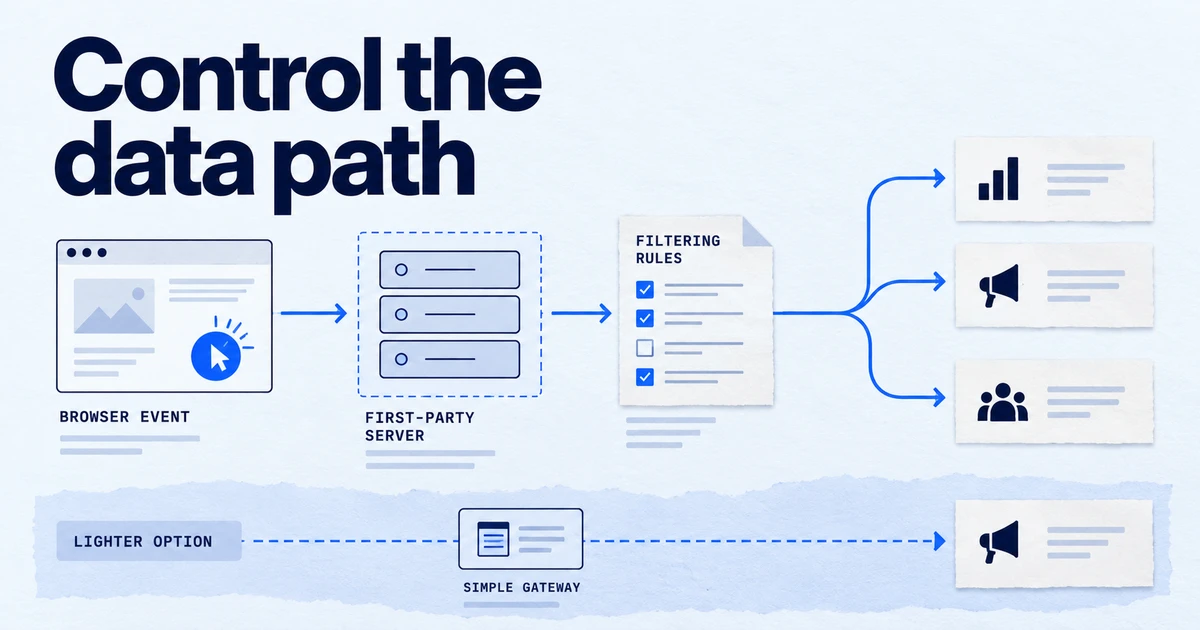
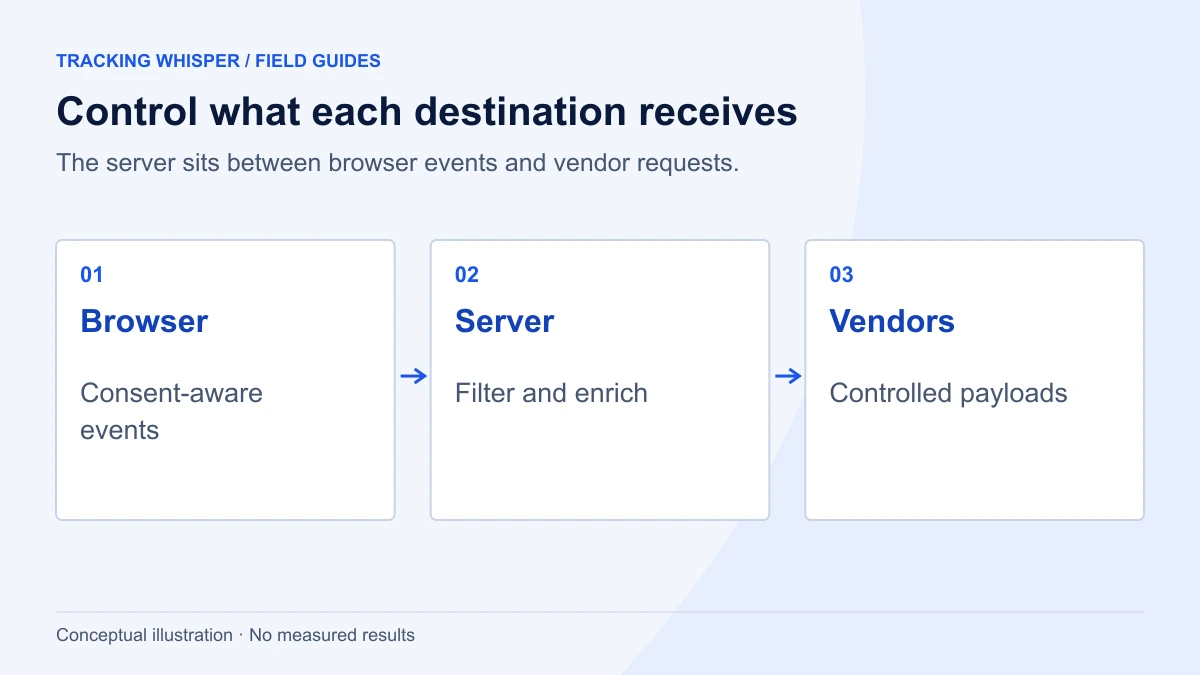
In a standard setup, the browser loads each vendor's script and each script sends its own requests to its own domain. With server-side Google Tag Manager, the browser sends one stream of events to a tagging server you control. A server container then reads those requests through clients, and server tags pass the data on to GA4, Google Ads, Meta and others.
Google's server-side documentation lists the benefits in plain terms:
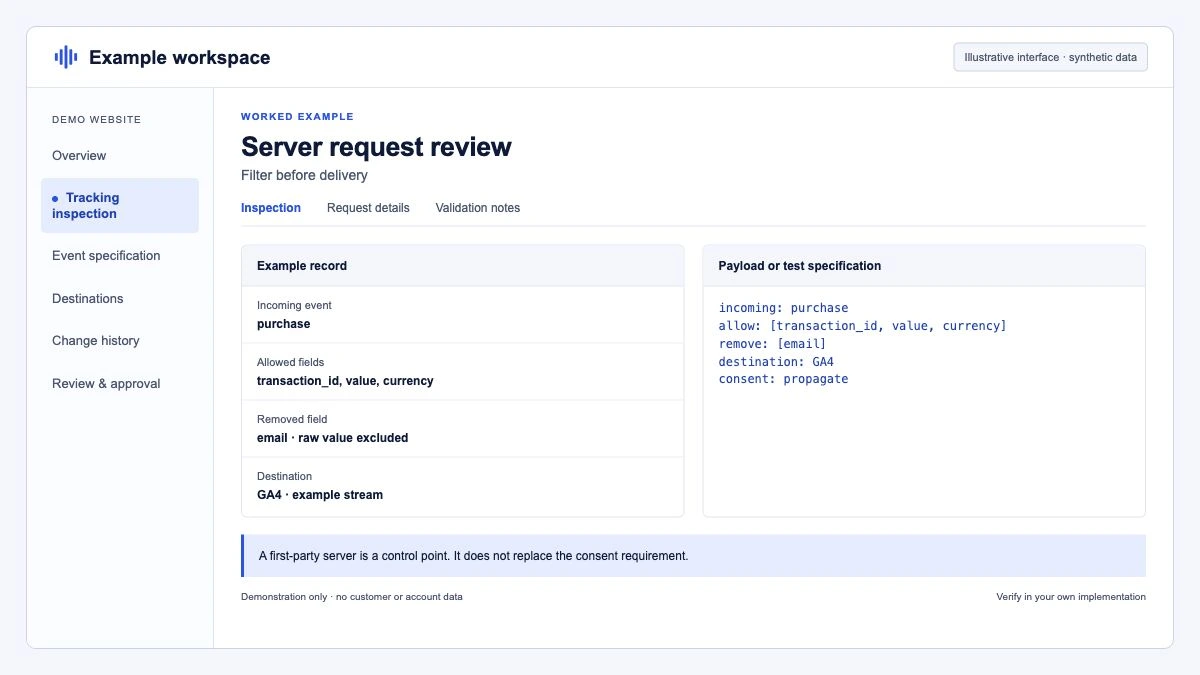
- Control over data. The server sits as a buffer between the user and vendors. You decide which parameters each vendor receives, and Transformations let you include, exclude or modify event parameters before tags see them.
- Enrichment. Because the server runs outside the browser, it can add data the page must not expose, such as API secrets, margin data or hashed user data.
- Fewer scripts on the page. One stream to the server replaces several almost identical requests to different vendors.
- First-party context. When the tagging server runs on your own domain, it can set HttpOnly cookies that page scripts cannot read.
What it does not change: what the user consented to, how GA4 or Google Ads attribute conversions, or the quality of the events your site sends. A server container fed by a broken dataLayer forwards broken data, faster.
See the server-side tagging glossary entry for the vocabulary (clients, server tags, tagging server, preview server).
What does a server container cost to run?
On Cloud Run, the default route, the cost has three parts: compute, network egress and logs.
Compute. Google's Cloud Run setup guide describes each server as a Cloud Run instance with 1 vCPU and 0.5 GB memory on the CPU always allocated model, at roughly USD 45 a month. It recommends a minimum of two instances to reduce the risk of data loss in an outage, and says autoscaling from 2 to 10 servers should handle about 35 to 350 requests per second, depending on the tags. Google's server-side fundamentals course uses about USD 50 per instance and recommends three instances for redundancy. Either way, the floor is roughly USD 90 to 150 a month before any traffic.
Egress. Every outgoing byte counts: requests to vendors and responses to browsers. It grows if the tagging server also serves JavaScript libraries.
Logs. This is the cost people forget. Google's guide warns that above about a million requests a month, request logs can bring significant Cloud Logging charges, and recommends excluding them. In Cloud Logging, add an exclusion filter to the _Default sink:
LOG_ID("run.googleapis.com/requests")Setting the minimum instance count is one command:
gcloud run services update server-side-tagging \
  --region=europe-west1 \
  --min-instances=2 \
  --max-instances=10
Then add the cost nobody invoices: someone has to update the tagging server image, watch error rates, renew domains and debug when a vendor changes its API. If no one owns that, the monthly bill is the smaller problem.
When does server-side tagging pay off?
It earns its cost when at least two of these are true:
- You send conversions to several ad platforms. One purchase event can feed GA4, Google Ads and the Meta Conversions API from the same request, with the same transaction ID. That makes deduplication and reconciliation simpler.
- You need to control what vendors receive. For example, removing IP addresses or URL parameters before data reaches a non-Google vendor, or sending a vendor only the events it needs.
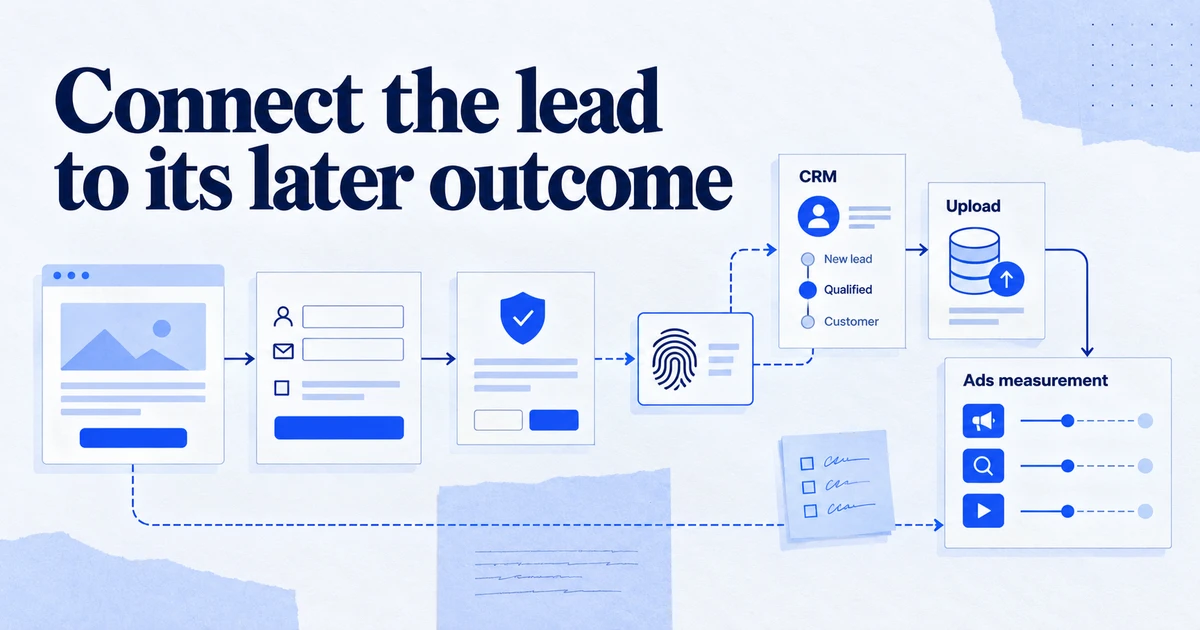
- You want to add data the browser must not see. Profit margin for value-based bidding, a CRM customer tier, or a lead score looked up on the server.
- You have meaningful Safari and iOS traffic and a proper first-party setup. Server-set cookies on your own origin last longer than cookies written by JavaScript, if the domain setup passes WebKit's checks (see below).
- Page weight is a measured problem. If third-party scripts show up in your Core Web Vitals diagnostics, moving vendor tags to the server removes code from the page.
- There is an owner. An in-house analyst, an agency on retainer or a managed host that will keep the server running.
A mid-size online shop running Google Ads and Meta with a developer available usually meets this bar. So does a lead-generation business that wants to send CRM-qualified leads back to ad platforms.
When doesn't it pay off?
Server-side tagging is often the wrong first project:
- Low traffic, one ad platform. A site with a few thousand sessions a month and only Google Ads gets little that enhanced conversions and the Google tag do not already provide.
- The client-side setup is broken. Duplicate purchase events, missing transaction IDs or a consent banner that fires late will all be copied to the server. Fix those first; our GTM audit checklist is a good start.
- The expected gain is "more conversions". A server does not create conversions. It may recover some measurement that browsers or blockers drop, but nobody can promise a figure in advance for your site.
- No one will maintain it. An unmonitored tagging server that quietly scales to zero or runs an outdated image loses data without telling anyone.
- The goal is only first-party loading of Google tags. That now has a lighter option.
Is Google tag gateway a cheaper alternative?
For Google tags, often yes. Google tag gateway for advertisers loads the Google tag or GTM container from your own domain and sends measurement requests to your domain, where they are forwarded to Google. There is no server container to run and no tags to configure on the server.
Google announced it at Google Marketing Live 2025, with a documented Cloudflare setup. Since then the Tag Manager release notes list more routes: Akamai in January 2026, a streamlined Akamai and Fastly setup from the Google tag interface on 14 May 2026, and in June 2026 Amazon CloudFront through Tag Assistant and a generally available Google Cloud integration using the Global external Application Load Balancer. Google Ads Help states that advertisers who configured the gateway saw an 11 percent uplift in signals, measured on Google tag script loads between 9 and 16 April 2025. That is Google's own aggregate, not a forecast for any single site.
The trade-off is scope. The gateway only covers Google's tags. It does not let you strip parameters, enrich events or feed Meta. Google documents a combined setup in which the gateway runs in front of a server container, for teams that want both.
| Need | Client-side only | Google tag gateway | Server-side GTM |
|---|---|---|---|
| Load Google tags from your own domain | No | Yes | Yes |
| Filter or modify data per vendor | No | No | Yes |
| Add server-only data (margin, CRM fields) | No | No | Yes |
| Feed Meta CAPI from the same event | No | No | Yes |
| Monthly infrastructure | None | CDN or load balancer you may already pay for | About USD 90 to 150 on Cloud Run, plus logs and egress |
| Ongoing maintenance | Low | Low | Medium to high |
How do Safari and WebKit affect the decision?
Longer cookie lifetime in Safari is one of the most cited reasons for going server-side, and the one most often configured wrongly.
WebKit's tracking prevention documentation says ITP detects third-party CNAME cloaking and third-party IP address cloaking, and caps the expiry of cookies set in those HTTP responses to 7 days. In practice, a subdomain such as sgtm.example.com pointed via CNAME at a cloud provider, or resolving to an IP range unrelated to your main site, may be treated as third-party, which removes the benefit you were paying for.
Google's custom domain guide calls same-origin serving the best practice: route a path on your main domain, such as example.com/metrics, to the tagging server through your CDN or load balancer. A subdomain is the second option. If you choose it, test in Safari: set a cookie from the tagging server, then check its expiry in Web Inspector under Storage.
For the wider picture on what still works in each browser, see First-party data in 2026: what still works in Chrome and Safari.
How does consent work with a server container?
Consent does not move to the server; it travels with the data. The web container sets the default and updated consent state as usual (see the Consent Mode v2 checklist and consent mode glossary). The Google tag sends that state with each request, and Google's server tags respect it. For non-Google tags in the server container, you have to read the consent state yourself and block or trim the tag accordingly.
A practical rule: any server tag that sends data to a vendor should have the same consent requirement it would have had in the browser. The server makes it easier to send less, not to send more.
How should you roll it out?
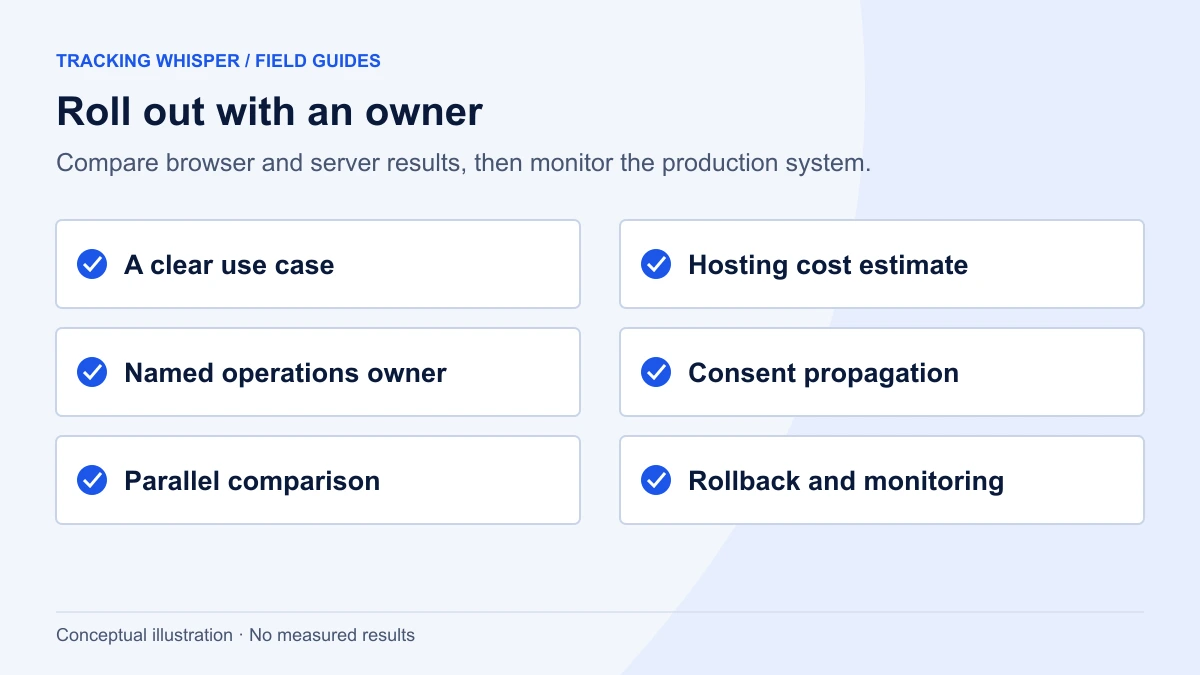
If the case holds up, a careful rollout looks like this:
- Fix the client side first. One event per action, stable transaction IDs, consent default before any tag.
- Provision on Cloud Run from the Tag Manager interface or manually, in an EU region if your users are in the EU.
- Set up same-origin serving on a path of your main domain, and a separate preview server.
- Exclude request logs and set minimum and maximum instances before traffic arrives.
- Move GA4 first. Point the Google tag to the server URL, keep the existing setup as a comparison for two weeks, and reconcile event counts.
- Add ad platforms one at a time. Google Ads, then Meta Conversions API with a shared event ID, as covered in Meta Conversions API and the pixel: deduplication done right.
- Monitor. Watch request counts, 4xx and 5xx rates on Cloud Run and event volumes in each platform. Alert on drops, not just errors.
Key takeaways
- Server-side GTM gives you control over what each vendor receives and lets you add server-only data. It does not fix a broken client-side setup.
- On Cloud Run, plan for about USD 45 to 50 per instance per month with two or three instances, plus egress and logs; exclude request logs early.
- Google tag gateway for advertisers covers first-party loading of Google tags with much less to run, and since 2026 works with Cloudflare, Akamai, Fastly, CloudFront and Google Cloud load balancers.
- Safari's 7-day cap on cookies from cloaked third-party hosts means the domain setup decides whether cookies actually last longer; same-origin serving on a path is the safer choice.
- Consent applies on the server exactly as in the browser.
- Without a named owner and monitoring, a server container is a liability.
Tracking Whisper works in the web GTM container, where most of the groundwork for server-side tagging happens: it audits events and consent, builds fixes in its own workspace for a person to approve, and checks in a real browser that hits and consent signals go where they should. If you are weighing the move, the tracking setup page describes how that preparation works.
Frequently asked questions
How much does server-side Google Tag Manager cost per month?
Google's Cloud Run setup guide estimates about USD 45 per instance per month (1 vCPU, 0.5 GB memory, CPU always allocated) and recommends a minimum of two instances; its server-side fundamentals course uses about USD 50 per instance and recommends three. That gives a floor of roughly USD 90 to 150 a month before network egress and Cloud Logging. Logging can become a large cost above about a million requests a month unless request logs are excluded.
Does server-side tagging get around ad blockers?
It can reduce some losses when the tagging server runs on your own domain, but it is not designed as a way around user choices and gives no guarantee. Blockers that recognise request paths or scripts can still block them. Consent still applies: a server container should only send data to vendors when the user's consent state allows it.
Is Google tag gateway the same as server-side tagging?
No. Google tag gateway for advertisers loads Google tags from your own domain and forwards measurement requests to Google through your CDN or load balancer. It does not give you a server container where you can filter, enrich or route data to other vendors. Google documents a combined setup where the gateway and a server container work together.
Does server-side tagging make cookies last longer in Safari?
Only if the setup is truly first-party. WebKit caps cookies set in responses from third-party CNAME-cloaked hosts, and from IP addresses that look third-party, to 7 days. Serving the tagging server from a path on your main domain, as Google recommends, avoids most of that risk; a subdomain pointed at a cloud provider's IP range may not.
Do I still need consent mode with server-side tagging?
Yes. Moving tags to a server does not change what the user agreed to. The web container sets the consent state, the Google tag passes it to the server container with each request, and server tags must respect it. The server makes it easier to strip data for vendors, but it is not a legal basis in itself.
Sources
- Set up server-side tagging with Cloud Run, Google Tag Platform
- Planning infrastructure requirements and costs, Google Tag Platform
- Why and when to use server-side tagging?, Google Tag Platform
- Custom domain configuration, Google Tag Platform
- Google tag gateway for advertisers, Google Tag Platform
- Enhance your conversion measurement and ad performance with Google tag gateway for advertisers, Google Ads Help
- Release notes, Tag Manager Help
- Tracking Prevention in WebKit, WebKit
Dimitris builds Tracking Whisper and writes about tracking, analytics and data from the work the agent does every day: GTM containers, GA4 properties, ad platforms and the numbers in between.