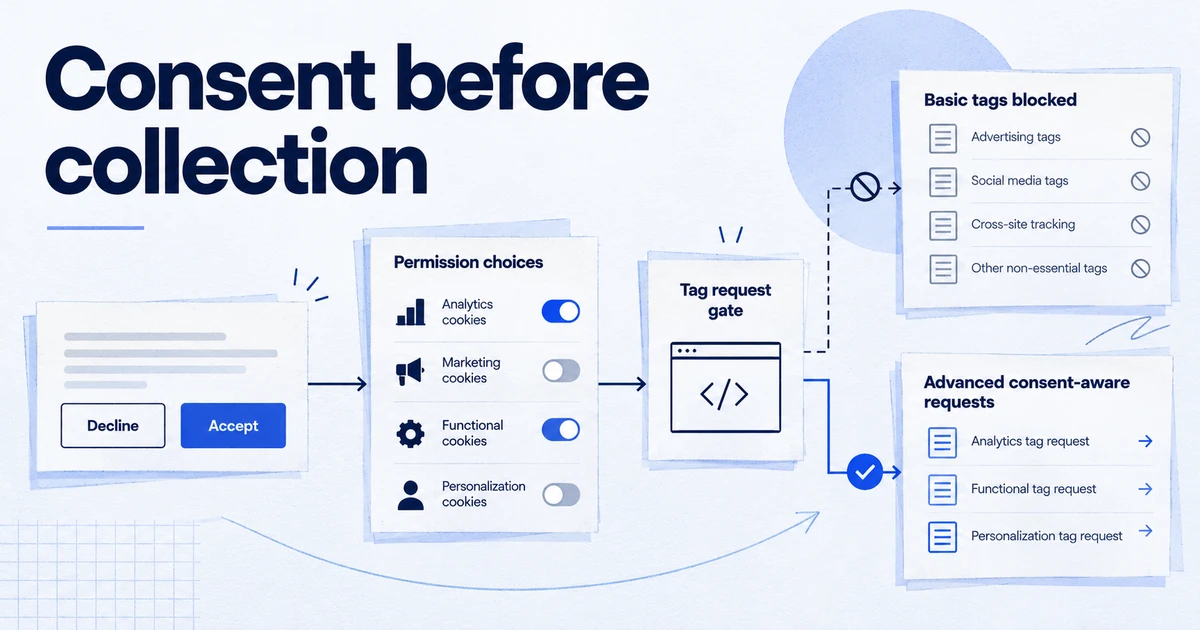
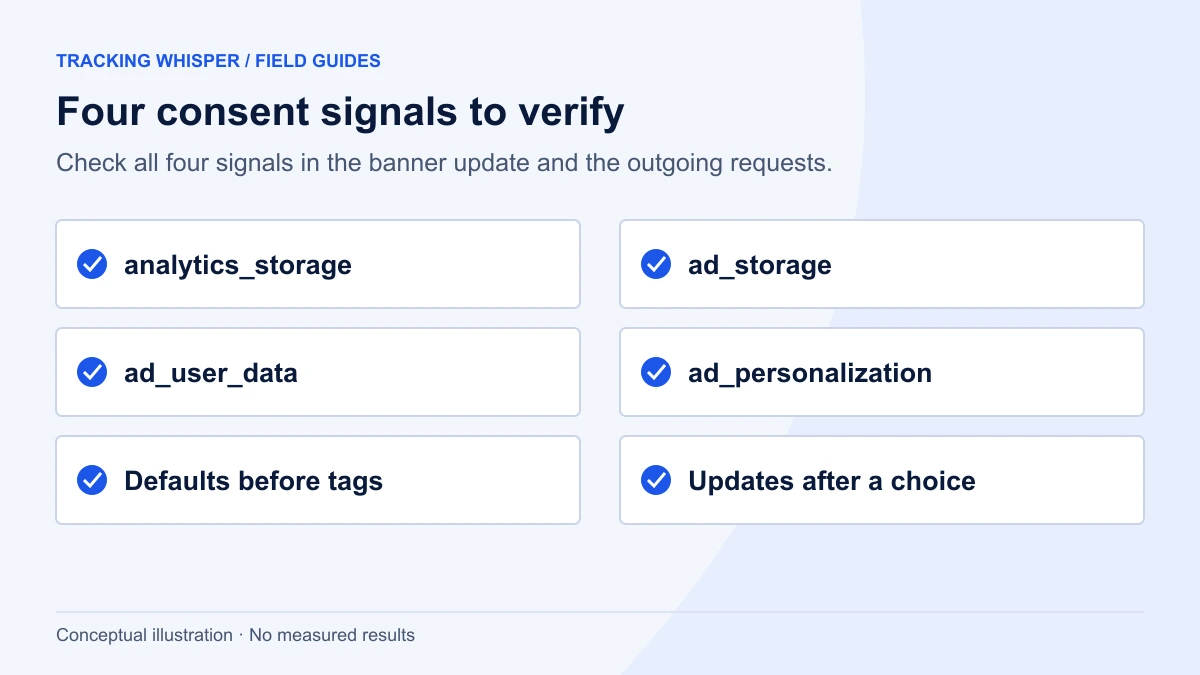
For EEA traffic, Google requires you to collect consent and pass it to Google tags through Consent Mode, including the two v2 parameters ad_user_data and ad_personalization. In 2026 two things changed around it: since 15 June 2026 Consent Mode, not the GA4 Google signals setting, controls the collection of Google Ads cookies and IDs in Google Analytics, and CMPs using the IAB framework had to move to TCF v2.3 by 28 February 2026. A setup holds up when defaults are set before any tag fires, all four parameters update from the banner, and you verify it in Tag Assistant and in the requests themselves.
Google has required consent signals, including the two Consent Mode v2 parameters, for EEA traffic for some time, so most sites have something in place. The problems that remain are quieter: defaults set too late, a v2 parameter that never updates, or a CMP that still writes old consent strings. On top of that, 2026 changed how consent signals govern GA4 data. This checklist covers what Google currently requires, what changed this year and how to verify a setup in a way that will stand up to a client or an auditor.
What does Google require for EEA traffic?
Google's page "Updates to consent mode for traffic in European Economic Area (EEA)" sets the baseline. If you measure EEA users with Google tags, you must collect consent for the use of personal data and pass it to Google. This applies to measurement and to ad personalisation and remarketing. Google ties it to stricter enforcement of its EU user consent policy (EU UCP).
The consent mode API carries four parameters, each granted or denied:
| Parameter | What it controls | Effect when denied |
|---|---|---|
ad_storage | Cookies and device identifiers for advertising | No advertising cookies are read or written |
analytics_storage | Cookies and device identifiers for analytics | No analytics cookies are read or written |
ad_user_data | Sending user data to Google for advertising | Uses based on user_id and user-provided data are disabled |
ad_personalization | Personalised advertising | Remarketing and personalised ads in Google Ads, DV360 and SA360 get no data |
The last two are the "v2" additions. Google's consent mode reference says ad_user_data is needed for measurement use cases such as enhanced conversions and tag-based conversion tracking. Both ad_user_data and ad_personalization must be granted for personalised advertising.
Basic or advanced: which one are you running?
Google describes two implementations, and many sites don't know which one they have.
- Basic. Google tags are blocked until the user interacts with the banner. Nothing is sent to Google before that, not even the default consent state.
- Advanced. Google tags load on every page, before the banner, and adjust their behaviour to the consent state. When consent is denied they set no cookies and send cookieless pings with the consent state and limited functional information.
Google says the cookieless pings contain items such as timestamp, user agent and referrer, plus aggregate signals like whether an ad click happened. Ad click identifiers such as GCLID are redacted. The pings go through a different domain so that previously set third-party cookies are not sent.
The practical difference is modelling. Google says advanced mode supports an advertiser-specific conversion model, while basic mode relies on a general model. In GA4, behavioural modelling uses the behaviour of consenting users to estimate the behaviour of users who declined analytics cookies.
Which one to use is partly a legal question, because advanced mode sends pings before consent. Decide it with whoever owns privacy for the site, write the decision down, and make sure the implementation matches it.
What changed in 2026?
Two changes this year affect consent setups, and a third is still to come.
GA4 now follows Consent Mode for Google Ads identifiers (15 June 2026). Google's page "Updates to Google Analytics Data Controls" says that from 15 June 2026, Google Analytics uses Consent Mode as the single control for collecting Google Ads cookies and IDs. From the same date, the Google signals setting in GA4 admin and the Google signals API only control whether GA4 data is associated with signed-in user information for behavioural reporting. If you relied on switching off Google signals to limit advertising data, that switch no longer does what it did. Your consent signals do.
Ads personalisation for linked properties (later in 2026). The same page says that, later in 2026, the ad_personalization consent signal will exclusively control whether GA4 data in a linked Google Ads account is used for personalisation. Google's stated principle is that for linked properties Google Ads settings govern Ads data, and GA4 settings govern data used for behavioural reporting in GA4. Check the help page for the current status before you change property settings.
TCF v2.3 (28 February 2026). If your consent platform uses the IAB Europe Transparency and Consent Framework, Google's help pages say TCF v2.3 is mandatory for TC strings generated from 28 February 2026. A v2.3 string must contain the Disclosed vendors section, and Google expects to find Google Advertising Products (vendor ID 755) there. On the publisher side, Google reports a missing, malformed or Google-less section as error 1.4, and such ad requests may fall back to Limited Ads.
The checklist
Work through it on a staging copy if you can, otherwise in a Tag Manager workspace with Preview mode.
Defaults and timing
- A default state is set before any Google tag fires. In GTM, the tag that sets defaults (usually the CMP template) fires on the Consent Initialization - All Pages trigger, which each web container has by default and which runs before all other triggers.
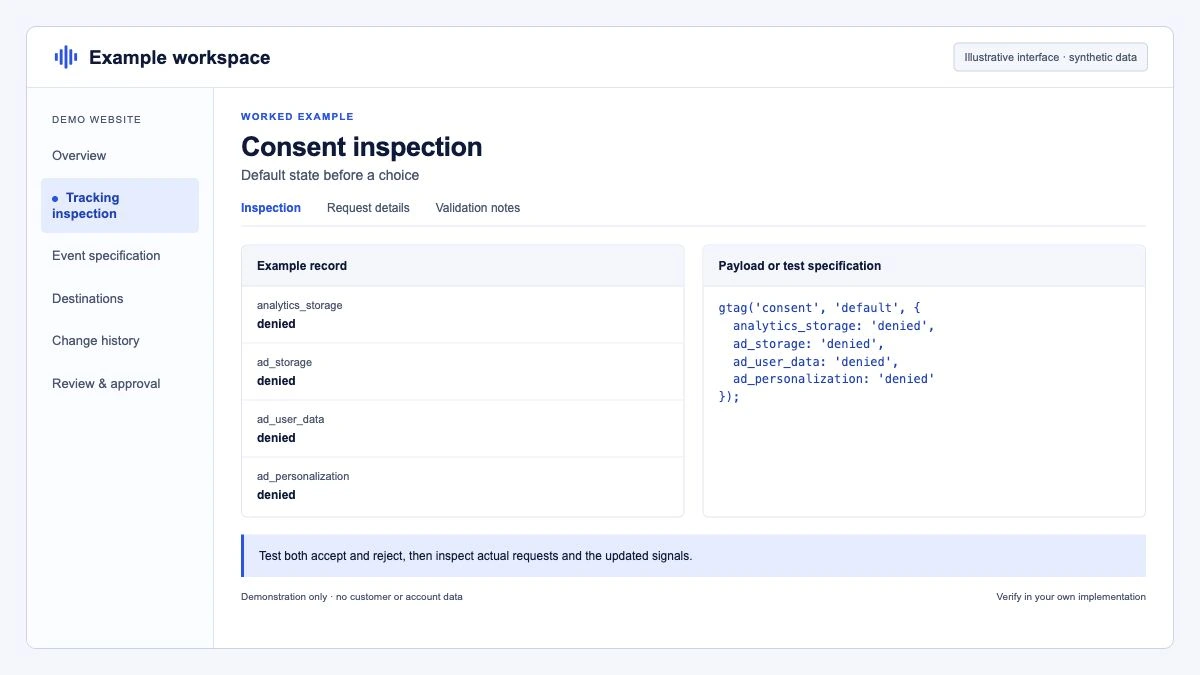
- Defaults cover all four parameters. A default that only sets
ad_storageandanalytics_storageleaves the v2 parameters unset. - EEA defaults are
denied. Unless you have a documented legal basis for something else, all four parameters default todeniedfor EEA visitors. - The default comes before the config. In a gtag.js setup, the
consent defaultcall appears above the Google tag snippet.
<script>
  window.dataLayer = window.dataLayer || [];
  function gtag(){dataLayer.push(arguments);}
  gtag('consent', 'default', {
    'ad_storage': 'denied',
    'analytics_storage': 'denied',
    'ad_user_data': 'denied',
    'ad_personalization': 'denied'
  });
</script>
<!-- Google tag (gtag.js) snippet goes after this block -->
Updates from the banner
- Every banner choice sends an update. Accept all, reject all and each granular save push a
consent update. Rejecting is a choice too and should be recorded asdenied, not skipped. - The v2 parameters are mapped. Check how your CMP maps its categories (often "marketing" or "advertising") to
ad_user_dataandad_personalization. A mapping that only updatesad_storageis the most common v2 gap. - Returning visitors get their stored choice at once. On a second page view, the CMP should set the stored state before tags fire, not after a delay.
// What a CMP should run when the user accepts advertising and analytics
gtag('consent', 'update', {
  'ad_storage': 'granted',
  'analytics_storage': 'granted',
  'ad_user_data': 'granted',
  'ad_personalization': 'granted'
});
Tag configuration in GTM
- No tag sits under "Consent Not Configured". Open Tags > Consent Overview. Google tags have built-in consent checks. Every other tag should require the additional consent it needs, under Advanced Settings > Consent Settings.
- Non-Google marketing tags are gated. Meta, LinkedIn and similar pixels don't read Google's consent state by themselves. Require
ad_storage(and, where your policy says so,ad_user_data) as additional consent, or trigger them on a consent event from your CMP. - Basic mode really blocks. If you chose basic mode, check that no Google tag fires before the banner interaction, including tags hard-coded in the theme.
Verification
- Check Tag Assistant. Google's troubleshooting guide uses Tag Assistant to check the consent state per event. You should see the default on the first event and the update after the banner interaction.
- Check the requests. Consent state travels in request parameters.
gcscarries thead_storageandanalytics_storagestate, andgcdencodes the full consent choice and is sent whether or not consent mode is active. Compare the values before and after accepting. - Check the reports. In Google Ads and GA4, look at the consent status shown for your tags and properties. After the June 2026 change, review GA4's consent settings page and make sure it reflects what your banner does.
Downstream
- Enhanced conversions follow
ad_user_data. If user-provided data is sent whilead_user_datais denied, that is a mismatch to fix in the tag or the trigger. - Offline and server-side uploads carry consent. Data you send outside the browser, such as Customer Match lists or imported conversions, needs its own consent handling. Google publishes separate consent guidance for Customer Match.
How do you keep it from breaking again?
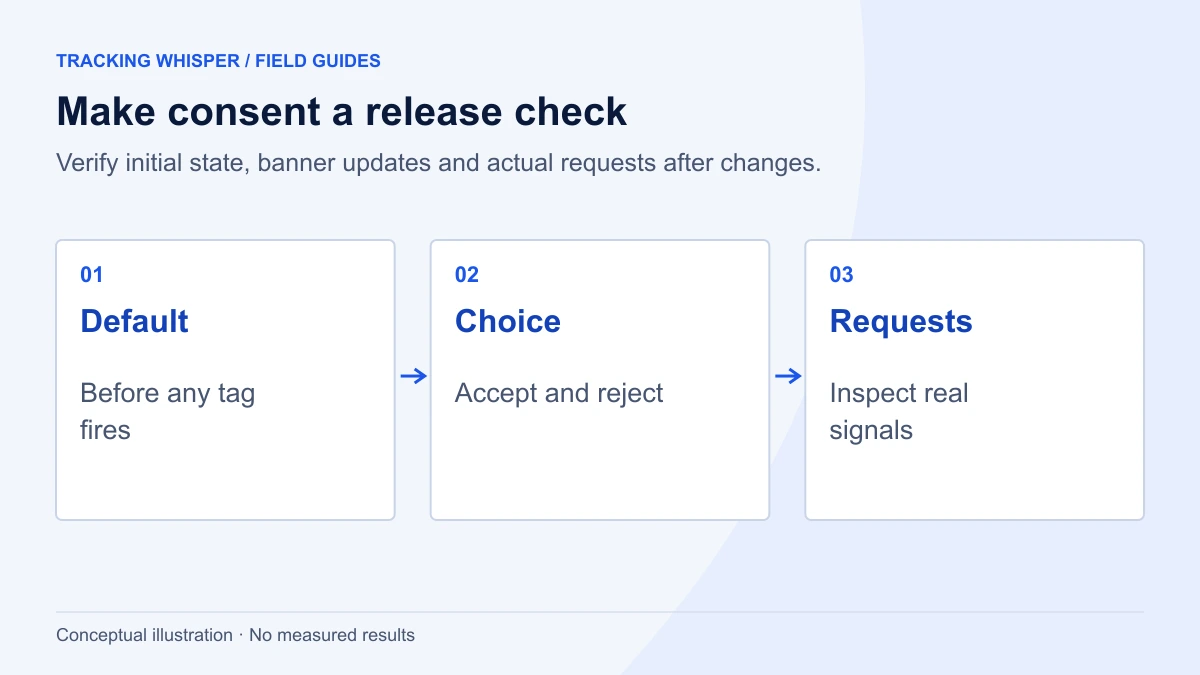
Consent setups rarely fail at launch. They fail months later when someone updates the CMP, adds a tag without consent settings, or the theme changes and the default call moves below the Google tag. Three habits help:
- Re-test after every CMP or theme release. Run the verification steps 11 to 13 on your key templates.
- Review Consent Overview at every container publish. Any new tag under "Consent Not Configured" should block the publish.
- Monitor consent rates. A sudden drop in the share of granted analytics consent, or a jump to 100%, usually means a broken mapping rather than a change in users. Automated tracking monitoring catches this faster than a monthly report.
If you are also looking at the new Google tag setup in Tag Manager, read our note on Google tag and GTM destinations: optimising a container is a good moment to re-check consent settings on every Google tag. The consent mode glossary entry has the short definitions.
Key takeaways
- EEA traffic needs all four consent parameters, including
ad_user_dataandad_personalization, set by default before any tag fires and updated from the banner. - Basic mode sends nothing before consent. Advanced mode sends cookieless pings and supports advertiser-specific modelling. Choose deliberately and document it.
- Since 15 June 2026, Consent Mode, not the Google signals setting, controls the collection of Google Ads cookies and IDs in GA4. Ads personalisation for linked properties follows
ad_personalizationlater in 2026. - CMPs using IAB TCF had to move to v2.3 by 28 February 2026, with Google (vendor 755) in the Disclosed vendors section.
- Verify in Tag Assistant and in the
gcsandgcdrequest parameters, and re-test after every CMP or theme update.
Tracking Whisper checks key pages in a real browser, including the consent state, the dataLayer and the hits that leave the page. It also monitors tracking and raises an alert when something stops working.
Frequently asked questions
What are the four Consent Mode v2 parameters?
ad_storage and analytics_storage control cookies and device identifiers for advertising and analytics. ad_user_data controls sending user data to Google for advertising, and ad_personalization controls personalised advertising. Each takes the value 'granted' or 'denied'.
Is basic or advanced Consent Mode better for the EU?
Both are accepted ways to pass consent. Basic blocks Google tags until the user interacts with the banner, so nothing is sent before consent. Advanced loads tags on every page and sends cookieless pings when consent is denied, which Google says supports advertiser-specific modelling instead of a general model. The choice is a legal and business decision as much as a technical one.
What changed in GA4 on 15 June 2026?
Google's page on Analytics data controls says that from 15 June 2026 Consent Mode is the single control for collecting Google Ads cookies and IDs in Google Analytics. The Google signals setting now only controls associating GA4 data with signed-in user information for behavioural reporting. Google said ads personalisation for linked Ads accounts would move to the ad_personalization signal later in 2026.
Does ad_user_data affect enhanced conversions?
Yes. Google's consent mode reference says ad_user_data is needed for measurement use cases such as enhanced conversions and tag-based conversion tracking. When it is denied, uses based on user_id and user-provided data are disabled.
Do I need TCF v2.3 if I use Consent Mode?
Only if your CMP uses the IAB Transparency and Consent Framework. Google's publisher help pages say TCF v2.3 is mandatory for TC strings generated from 28 February 2026, and that strings must include the Disclosed vendors section with Google Advertising Products (ID 755).
Sources
- Updates to consent mode for traffic in European Economic Area (EEA), Google Ads Help
- Consent mode reference, Google Ads Help
- About consent mode, Google Ads Help
- Consent mode overview, Google for Developers
- Updates to Google Analytics Data Controls, Analytics Help
- Tag Manager consent mode support, Tag Manager Help
- Troubleshooting IAB EU TCF v2.3 implementation, Google AdSense Help
- Troubleshoot consent mode, Tag Manager Help
Dimitris builds Tracking Whisper and writes about tracking, analytics and data from the work the agent does every day: GTM containers, GA4 properties, ad platforms and the numbers in between.