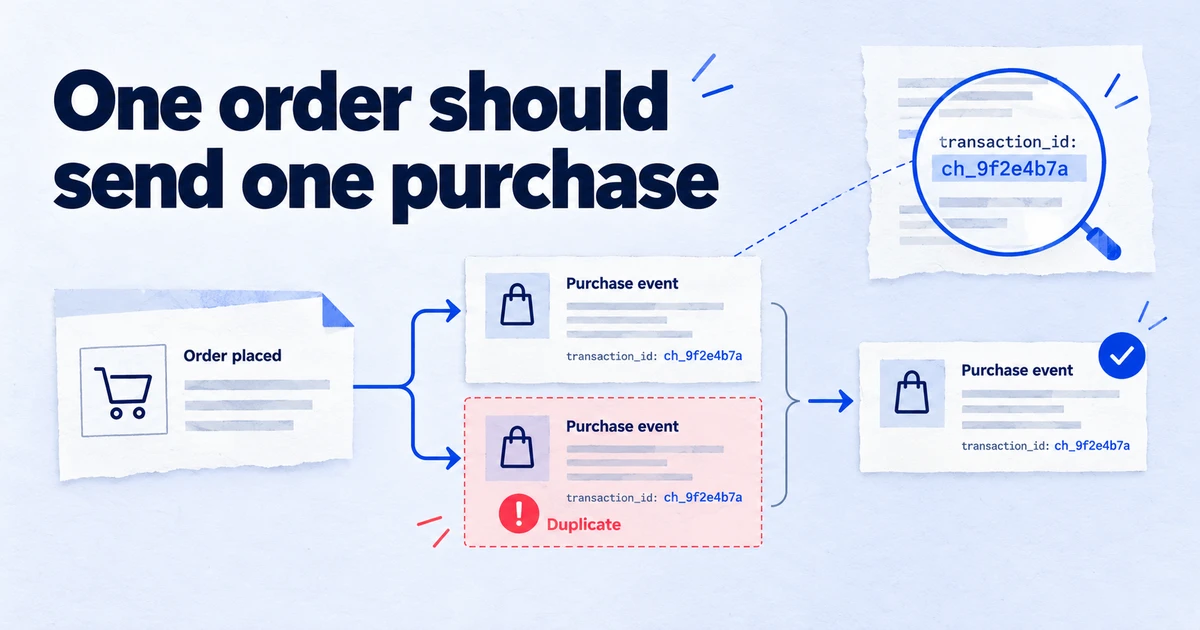
Duplicate purchases in GA4 come from a short list of causes: a confirmation page that fires on every load, two tags or installations sending the same order, browser and server sending as different users, and GA4 settings that copy the purchase event. Find them by matching transaction IDs in an exploration or BigQuery and by reloading the confirmation page in Tag Assistant, then fix the cause at the source. GA4 only deduplicates purchases with the same transaction ID from the same user on web streams, so it cannot be relied on to clean up after the site.
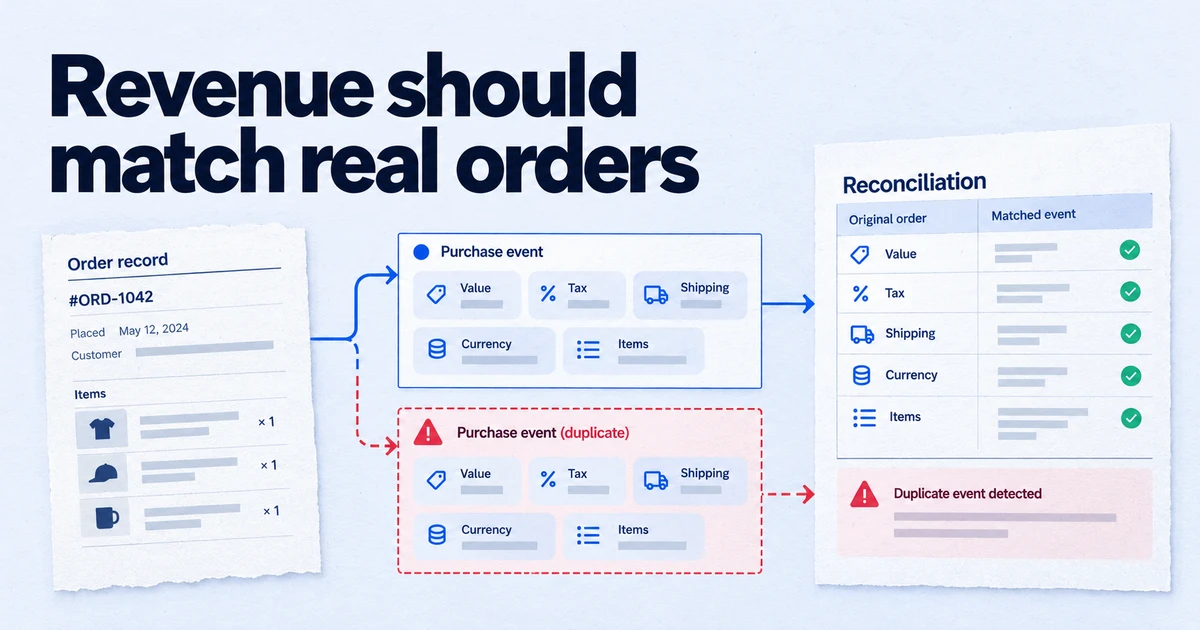
A duplicate purchase is the most expensive tracking bug a shop can have, because it inflates revenue, conversion rate and ROAS at the same time, and often feeds straight into Google Ads bidding. It is also one of the easiest to miss: GA4 reports look plausible, just a little too good. This guide covers how to find duplicates, how to fix each cause, and how to keep them from coming back. For the wider list of revenue errors, see GA4 ecommerce tracking: 12 mistakes that inflate revenue.
Doesn't GA4 deduplicate purchases already?
Only in a narrow case. Google's help says GA4 deduplicates purchase events with the same transaction ID, that the ID is needed "to deduplicate transactions from the same user", and that this only works for web streams, not app streams. In practice that leaves these duplicates untouched:
- The two events carry different IDs for the same order, for example
1001from one tag and#1001orORD-1001from another. - The two events come from different users as GA4 sees them, typically a browser event and a server event with a different
client_id. - The event has no transaction ID at all.
- The purchase comes from an app stream.
There is also the opposite problem. If the transaction ID is an empty string, GA4 deduplicates all of those purchases together and you undercount. Both are reasons to fix the source rather than lean on GA4.
What causes duplicate purchase events?
| Cause | Typical signature |
|---|---|
| Confirmation page fires on every load | Same ID, same user, minutes or days apart |
| Two installations (platform integration plus GTM, or gtag.js plus GTM) | Same order, two events seconds apart, IDs may differ in format |
| Two triggers on one tag | Two purchase events in one Preview timeline, same ID |
| Browser plus server (Measurement Protocol) | Same ID, two different users |
| GA4 "Create event" copying purchase | A second event named purchase (or similar) created in Admin |
| Payment provider returns to the thank-you page twice | Same ID, seconds apart, after an offsite payment step |
How much can a small duplicate rate distort?
A worked example with made-up round numbers shows why a few percent matters. A shop takes 1,000 orders a month at an average of 80, so 80,000 in revenue, and spends 10,000 on ads. If 6 percent of orders are sent twice, GA4 shows 1,060 purchases and 84,800 in revenue. Reported ROAS rises from 8.0 to 8.48, and conversion rate rises by the same 6 percent.
None of that looks wrong on a dashboard. But if the GA4 purchase is a primary conversion in Google Ads, Smart Bidding sees more conversions per click than there really are and bids accordingly. And because duplicates cluster on certain payment methods or devices, the error is not spread evenly: one segment can look much better than it is. That is why the check below works at the level of individual transaction IDs rather than totals.
How do you find duplicates in GA4?
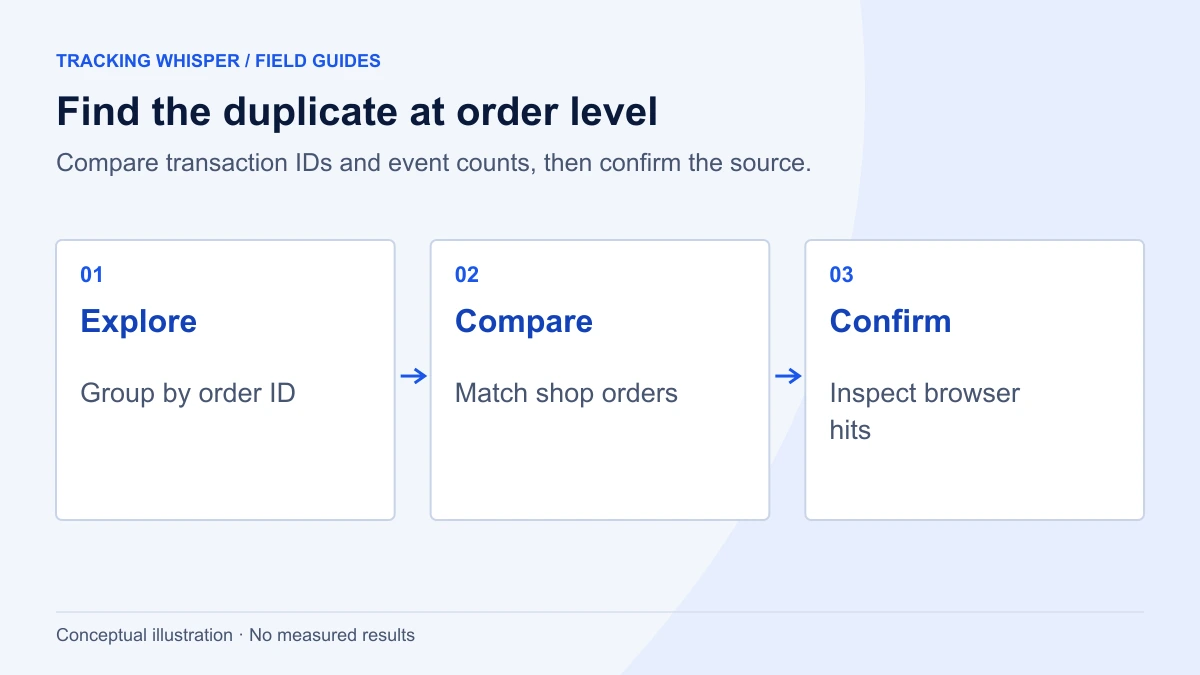
Start in the interface, then confirm in the browser.
- In GA4, open Explore and create a Free form exploration.
- Add the dimension Transaction ID and the metrics Event count and Purchase revenue.
- Add a filter: Event name exactly matches
purchase. - Set the date range to a recent full week and sort by Event count, descending.
- Export the transaction IDs and match them against the shop's order export. IDs with more than one event, and IDs that do not exist in the shop, go on your list.
Treat this as a view of what got through. Duplicates GA4 already merged for the same user will not stand out here, and that is fine: they are not inflating the reports. The ones that remain are the ones costing you.
How do you confirm the cause in the browser?
- Open the GTM container in Preview and connect Tag Assistant to the shop.
- Place a test order (with the developer traffic filter in place, so it stays out of reports).
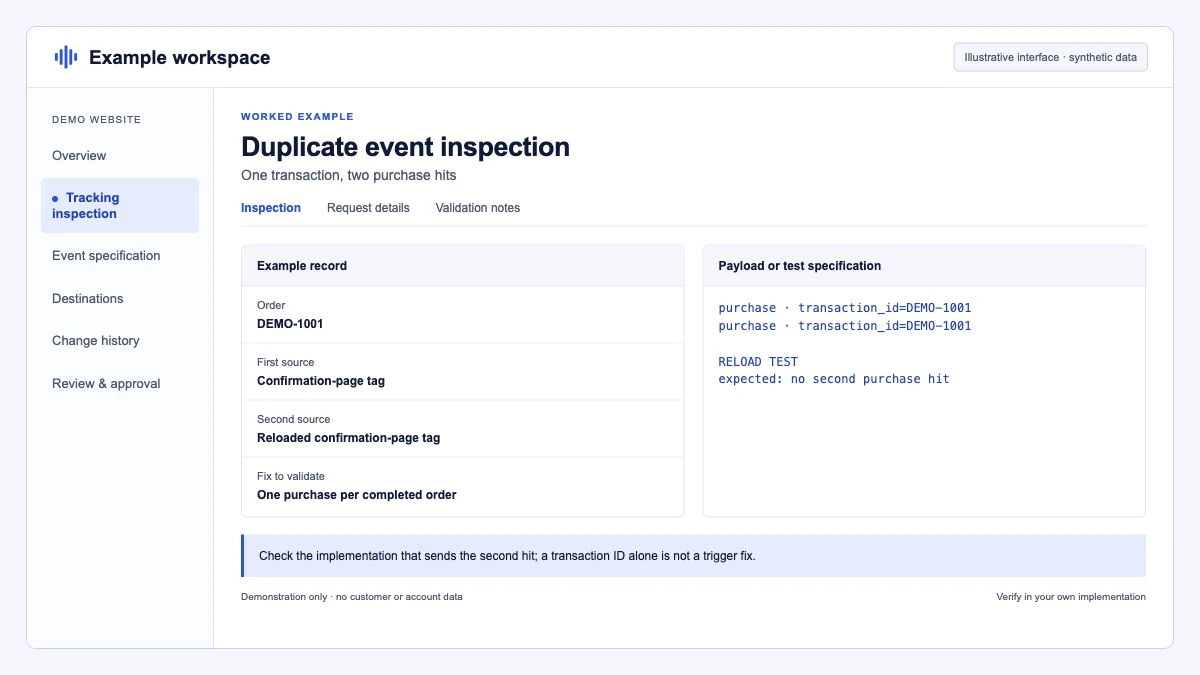
- On the confirmation page, look at the event timeline. Count the
purchaseevents in the dataLayer and the GA4 hits sent. One of each is correct. - Reload the page. If a second purchase appears, the page fires on load without a guard.
- Check the page source and network requests for a second Google tag or a platform integration sending its own purchase.
- Repeat with the slowest payment method you offer (bank redirect, PayPal), because offsite payments are where double returns happen.
Tag Assistant shows hits from every Google tag on the page, not only those from GTM, which is what makes step 5 possible.
How do you find duplicates in BigQuery?
The BigQuery export makes it possible to look for near-duplicates the interface cannot show: the same order sent with two different IDs. This query finds pairs of purchases from the same user, with the same revenue, less than two minutes apart:
WITH p AS (
  SELECT
    user_pseudo_id,
    ecommerce.transaction_id AS tid,
    ecommerce.purchase_revenue AS revenue,
    TIMESTAMP_MICROS(event_timestamp) AS ts
  FROM `my-project.analytics_123456789.events_*`
  WHERE _TABLE_SUFFIX BETWEEN '20260928' AND '20261004'
    AND event_name = 'purchase'
)
SELECT
  a.user_pseudo_id,
  a.tid AS first_id,
  b.tid AS second_id,
  a.revenue,
  a.ts AS first_ts,
  b.ts AS second_ts
FROM p AS a
JOIN p AS b
  ON a.user_pseudo_id = b.user_pseudo_id
  AND a.tid < b.tid
  AND a.revenue = b.revenue
  AND ABS(TIMESTAMP_DIFF(a.ts, b.ts, SECOND)) <= 120
ORDER BY first_ts;
Pairs like 1001 and #1001 point to two installations with different ID formats. For exact repeats across users, group by ecommerce.transaction_id and count DISTINCT user_pseudo_id; more than one user per ID points to browser plus server sending. Replace the project and dataset with yours. More queries like this are in our BigQuery integration notes.
How do you fix each cause?
- Confirmation page fires on every load. Best: the shop renders the purchase push only the first time the order is displayed (a flag on the order in the database). Fallback: a browser guard that stores the sent transaction ID in localStorage and skips the push if it is already there. Keep the real transaction ID either way, so GA4's same-user deduplication catches what slips through.
- Two installations. Decide on one source. If the shop's native Google integration sends GA4 purchases, remove the GTM purchase tag, or switch the integration's GA4 purchase off and keep GTM. Do not keep both "for safety".
- Two triggers on one tag. Use one trigger: a Custom Event trigger on the
purchaseevent that the site pushes. Remove page view triggers on the thank-you URL. In the tag's Advanced Settings, Tag firing options offer Unlimited, Once per event and Once per page. Once per page stops a second firing on the same page load, but not on a reload, so it is a safety net, not the fix. - Browser plus server. If you send purchases server-side as a backup, send the browser's
client_idwith the order and use it in the Measurement Protocol call, together with the same transaction ID. Otherwise GA4 sees two users and keeps both. Simpler still: send from one place. - GA4 created events. In Admin, under Data display, Events, check Create event rules. A rule that matches
purchaseand generates another event keeps the original as well, so a rule that creates a new event namedpurchasefrom, say,order_completedoubles any order that sends both. Delete or narrow the rule. - Payment returns. Fire the purchase only when the order status is confirmed, and use the same guard as in point 1 so a second return to the page sends nothing.
The canonical push, from Google's ecommerce guide, clears the ecommerce object first and carries the transaction ID:
dataLayer.push({ ecommerce: null });  // Clear the previous ecommerce object.
dataLayer.push({
  event: "purchase",
  ecommerce: {
    transaction_id: "T_12345",
    value: 72.05,
    tax: 3.60,
    shipping: 5.99,
    currency: "USD",
    items: [
      { item_id: "SKU_12345", item_name: "Stan and Friends Tee", price: 10.01, quantity: 3 },
      { item_id: "SKU_12346", item_name: "Google Grey Women's Tee", price: 21.01, quantity: 2 }
    ]
  }
});
What about Google Ads?
Duplicates in GA4 matter twice if the purchase key event is imported into Google Ads and set as a primary conversion action, because primary actions feed bidding. Two rules keep Google Ads clean:
- Pass the transaction ID to the Google Ads conversion tag. Google Ads treats a second conversion for the same conversion action with the same transaction ID as a duplicate and does not count it.
- Count each purchase once as primary. If you have both the Google Ads tag and an imported GA4 purchase, make one primary and the other secondary. Secondary actions are reported in All conversions but not used for bidding.
How do you prevent duplicates from coming back?
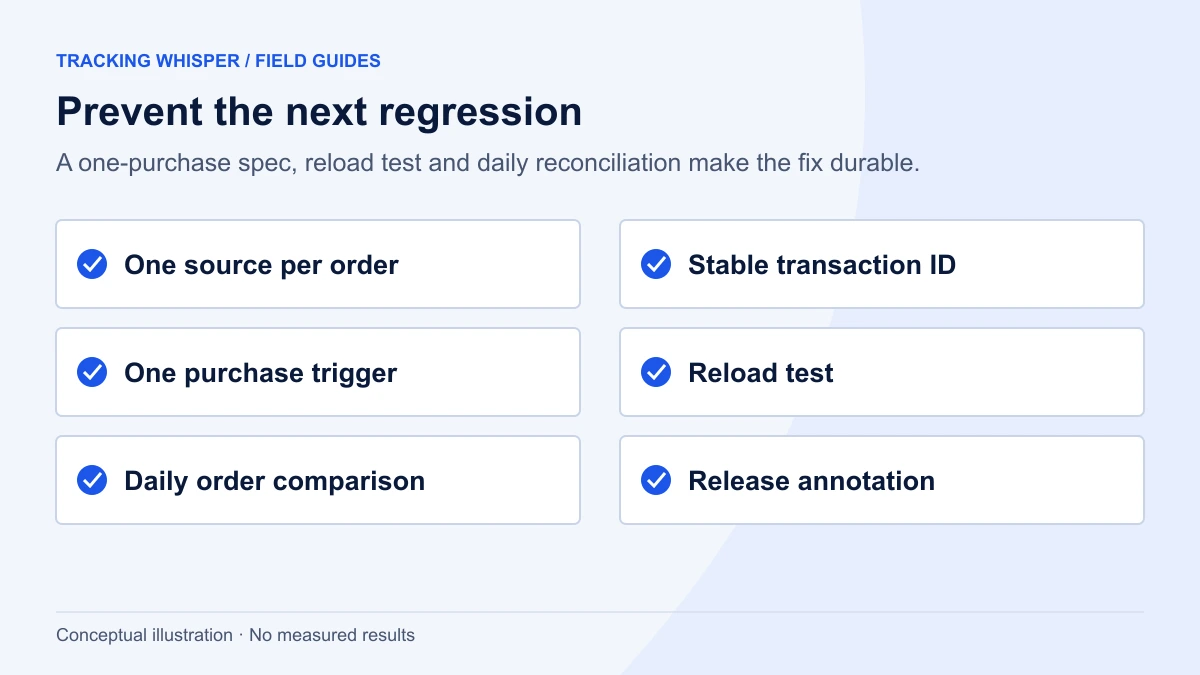
Duplicates usually return with a site release, a new plugin or a theme change. Prevention is a routine, not a one-off fix:
- Write it down. The dataLayer spec should say: purchase is pushed once per order, with the order number as
transaction_id, after payment is confirmed. - Test after every release. Place a test order and reload the confirmation page. It takes five minutes.
- Monitor the ratio. Compare GA4 purchases with orders in the shop every day. A ratio that jumps from 0.92 to 1.4 overnight is a duplicate, not a sales record.
- Annotate history. GA4 offers no way to correct individual events after collection, so note the affected dates and, for analysis in BigQuery, keep one row per transaction ID.
Key takeaways
- GA4 deduplicates only same-user purchases with the same transaction ID on web streams; everything else gets through.
- Find duplicates by transaction ID in an exploration, confirm in Tag Assistant by reloading the confirmation page, and use BigQuery for IDs in two formats or two users.
- Fix the source: one installation, one trigger, one push per order, the browser's client ID for server events.
- Check GA4 "Create event" rules and Google Ads primary actions so the same purchase is not counted twice downstream.
- Prevent regressions with a written spec, a reload test after releases and a daily orders-to-purchases ratio.
Tracking Whisper's monitoring watches the purchase event and alerts when it stops or changes pattern, and its browser checks show the dataLayer and hits on the confirmation page, which covers the reload test described above.
Frequently asked questions
Does GA4 automatically deduplicate purchase events?
Partly. On web streams, GA4 deduplicates purchase events that come from the same user with the same transaction ID. It does not deduplicate across different users or client IDs, when the ID is formatted differently, or on app streams. Fix duplicates at the source rather than relying on it.
Why does my GA4 purchase tag fire twice in GTM?
Usually because two triggers match the same moment (for example a page view on the thank-you URL and a custom purchase event), or because the site pushes the purchase event twice. Check the Preview timeline for two purchase events, and set the tag's firing option to Once per event or Once per page where that matches the design.
Can duplicate GA4 purchases affect Google Ads?
Yes, if a GA4 key event imported into Google Ads is used as a primary conversion action, duplicates flow into bidding. A Google Ads conversion tag with a transaction ID is deduplicated by Google Ads within the same conversion action. Avoid counting the same purchase as primary from both GA4 and the Google Ads tag.
How do I find duplicate transactions in GA4?
Build a free-form exploration with Transaction ID as the dimension and Event count as the metric, filtered to the purchase event, and sort by event count. With the BigQuery export, group purchase events by transaction ID and count rows and distinct users. Any ID with more than one event, or more than one user, needs investigating.
Can I remove duplicate purchases from GA4 history?
Not in a practical way. GA4 has no option to edit or remove individual purchase events after collection; its data deletion requests are meant for removing personal data, not for correcting counts. You can correct analysis in BigQuery by keeping one row per transaction ID, and annotate the affected period in reports. The fix only applies to data collected after it goes live.
Sources
- [GA4] Minimize duplicate key events with transaction IDs, Analytics Help
- Measure ecommerce, Google Analytics developers
- Tag firing options, Tag Manager Help
- [GA4] Rename and generate new events, Analytics Help
- Use a transaction ID to minimize duplicate conversions, Google Ads Help
- About primary and secondary conversion actions, Google Ads Help
Dimitris builds Tracking Whisper and writes about tracking, analytics and data from the work the agent does every day: GTM containers, GA4 properties, ad platforms and the numbers in between.