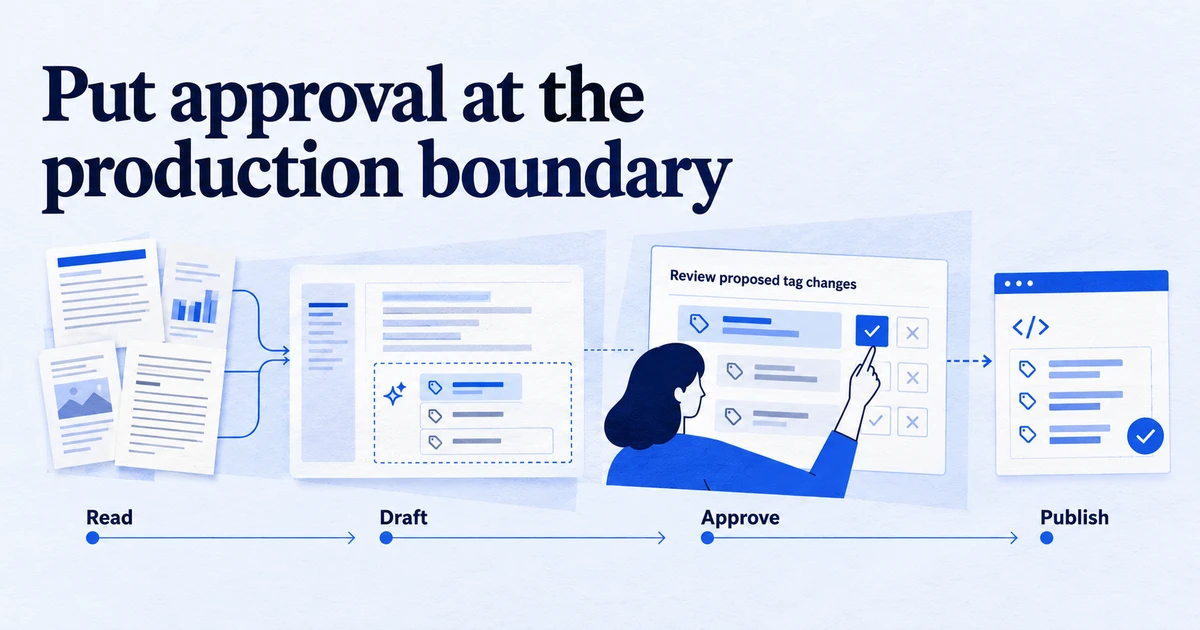
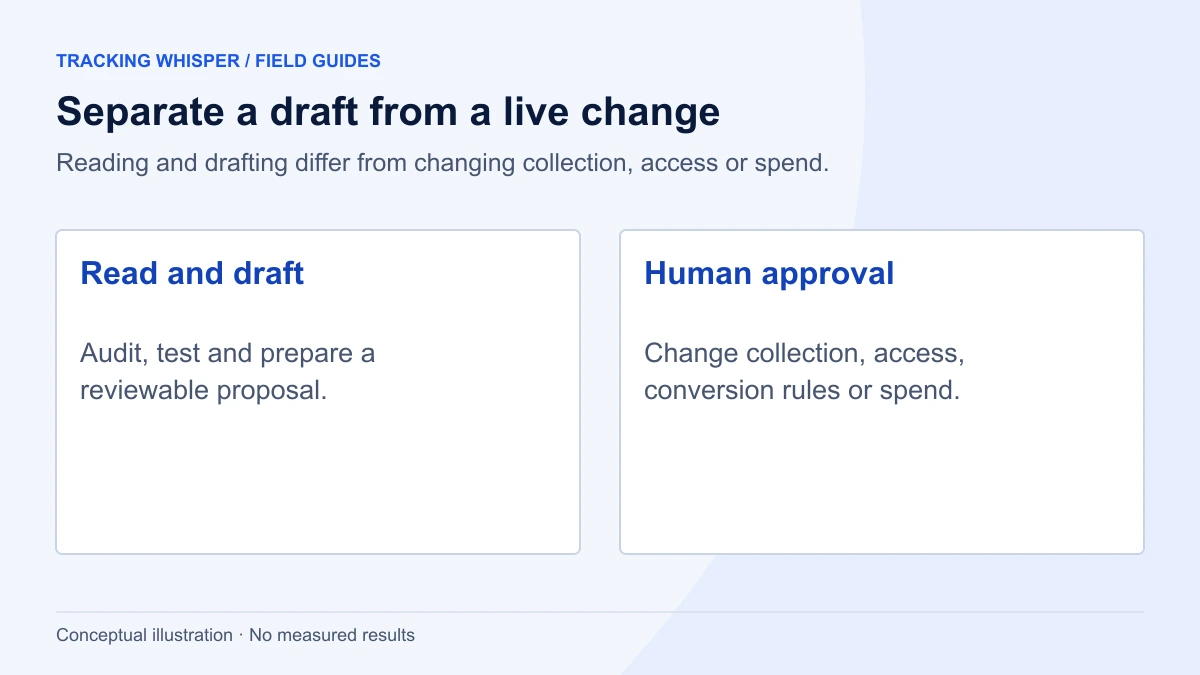
An AI agent can safely read, audit, test and draft changes in analytics tools, because those actions are reversible or leave production untouched. Anything that changes what is collected, how conversions are counted, who has access or how money is spent should wait for a named person to approve it. The line holds only when platform permissions enforce it: Edit but not Publish in GTM, read-only scopes where possible, and change history you actually review.
AI agents now do real work in analytics stacks: they read GA4, inspect Tag Manager containers, query BigQuery and draft changes. The question teams ask is no longer whether an agent can do a task but whether it should do it alone. This article draws the line in practical terms, by action type, and shows how to make platform permissions enforce it, so the policy does not depend on the agent behaving well.
What makes an analytics action safe to automate?
Three properties decide it.
- Reversibility. Can the action be undone fully, without data loss? A report can be rerun. A published tag that dropped purchase events for a weekend cannot recover those events.
- Blast radius. Does it affect only a draft, or production data, spend, or other people's access?
- Visibility to others. Does the output leave the team, for example to a client, an ad platform's bidding, or a vendor?
An action that is reversible, contained and internal can run without approval. If any one of the three fails, a person approves first. This is the same principle OWASP sets out in LLM06:2025 Excessive Agency: limit an agent's functionality, permissions and autonomy, and require human approval for high-impact actions, ideally enforced outside the language model itself.
Which tasks can an agent run without approval?
These tasks only read data or work in an isolated draft:
| Task | Why it is safe | Typical permission |
|---|---|---|
| Container and property audits | Reads configuration, changes nothing | GTM Read, GA4 Viewer |
| Reporting and analysis | Reads data; output reviewed before sharing | GA4 Viewer or Analyst, Ads Read-only |
| Browser checks of dataLayer, hits and consent | Observes the live site, changes nothing | None in the platforms |
| Monitoring and alerting | Reads data and raises alerts | GA4 Viewer, BigQuery read |
| Drafting changes in a GTM workspace | Workspace is isolated until published | GTM Edit |
| Writing SQL or a dataLayer spec | A document, not a deployment | None |
Two notes. First, analysis is safe to run but not safe to send. A wrong date range or a filter that excludes a channel produces a confident, wrong answer. The agent should state its definitions, and a person should read the conclusion before a client does. Second, drafting in GTM is safe precisely because GTM keeps a workspace separate from the live container until someone creates a version and publishes it.
Google's own official Google Analytics MCP server is a useful reference point here. It is designed for read requests only, requires the analytics.readonly scope, and cannot edit GA4 configuration.
Which actions need a human to approve?
Anything that changes collection, counting, access or money:
- Publishing a GTM container version. It changes what fires on every page for every visitor.
- Changing key events, conversion actions or attribution settings. These alter what Smart Bidding optimises toward and what every past and future report means.
- Changing consent behaviour, such as Consent Mode defaults or tag consent settings. Errors here are a legal problem, not only a data problem.
- Adding a new data destination: a new pixel, a new server-side endpoint, a new BigQuery export. Data that has been sent cannot be recalled.
- Budgets, bids and campaign status in ad platforms. These spend money in real time.
- User and access management in any platform.
- Deletions of tags, properties, data streams, audiences or user data.
For each of these, approval should name one accountable person and happen before the change, not as a review afterwards.
How do you set GTM permissions for an agent?
Tag Manager makes the boundary easy to enforce. At container level, Google documents four rights:
- Read: browse tags, triggers and variables, no changes.
- Edit: create workspaces and make edits, but not create versions or publish.
- Approve: create versions, workspaces and edits, but not publish.
- Publish: full rights including publishing.
Give an agent that works unattended Edit. It can build and test in its workspace, and a person with Publish rights reviews and publishes. In Tag Manager 360 containers, the built-in approval workflow adds a formal step: a user with Edit access clicks Submit, then Request Approval, and anyone with Approve or Publish access can approve, send back or withdraw the request from the Approvals tab.
The Tag Manager API mirrors this split with separate OAuth scopes, including tagmanager.readonly, tagmanager.edit.containers, tagmanager.edit.containerversions, tagmanager.publish and tagmanager.manage.users. A tool that never requests tagmanager.publish or tagmanager.manage.users cannot publish or change users through the API, whatever it is told to do.
How do you set GA4 and Google Ads access?
GA4 has five roles, each grantable at account or property level:
| GA4 role | Can do | Agent use |
|---|---|---|
| Viewer | See settings and data, build explorations | Reporting, audits |
| Analyst | Viewer plus sharing explorations | Shared analysis |
| Marketer | Analyst plus audiences, events, key events, attribution settings | Only with approval for changes |
| Editor | Full property settings, no user management | Only with approval for changes |
| Administrator | Full control including users | Not for an agent |
GA4 also offers data restrictions on cost and revenue metrics. If an agent only needs traffic and engagement, restrict those metrics and it will see zeros instead.
Google Ads has five access levels: Email-only, Billing, Read-only, Standard and Admin. Read-only lets a user view campaigns and run performance reports. Standard adds editing campaigns, which includes budgets and bids. For analysis, Read-only is enough. If an agent prepares bid or budget changes, have it write them as a proposal that a person applies, or grant Standard only to a workflow that applies changes after explicit sign-off.
Why does prompt injection matter in analytics?
Analytics data is full of text that strangers control: page titles, internal site search terms, UTM parameters, referrer URLs, form field names, even product names in an ecommerce feed. An agent that reads a report and treats a string such as an odd utm_campaign value as an instruction has been manipulated through its data. OWASP describes exactly this pattern, indirect prompt injection triggering actions through an agent's tools, as a common cause of excessive agency.
Three defences work together:
- Least privilege, so a manipulated agent cannot do much. The permission choices above are the main control.
- Approval outside the model, so a high-impact action waits for a person regardless of what the agent decided.
- Data treated as data. The agent's instructions come from the operator, never from the content of a report, a page or a tag.
What should an approval request contain?
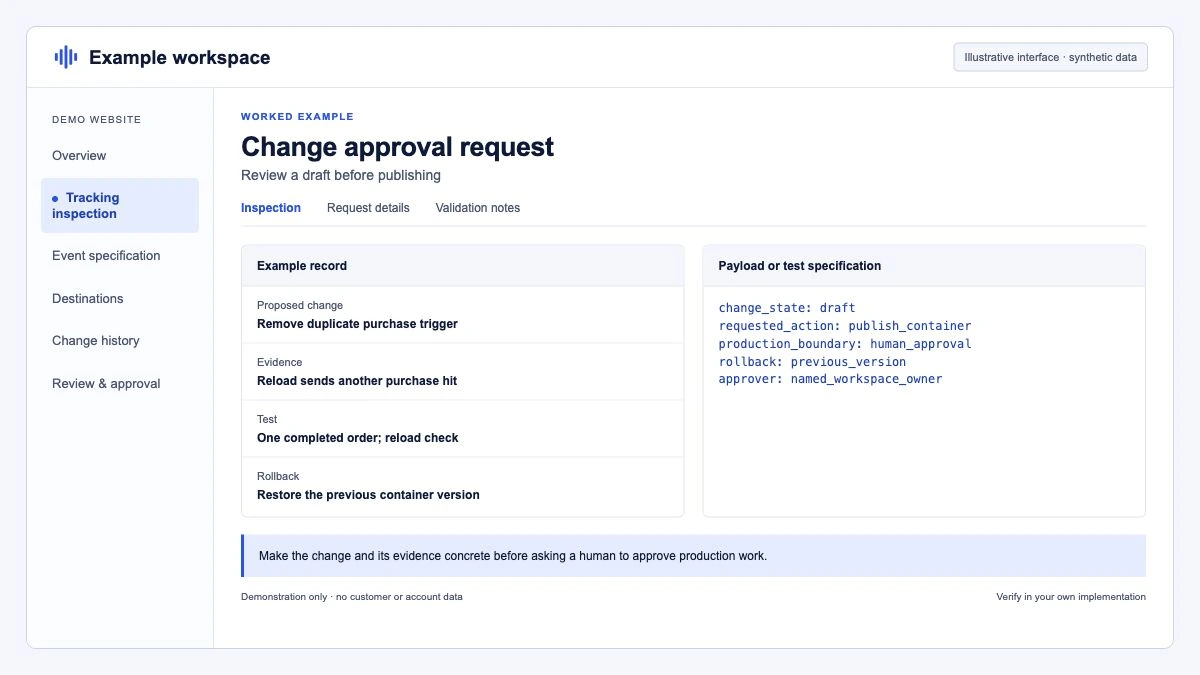
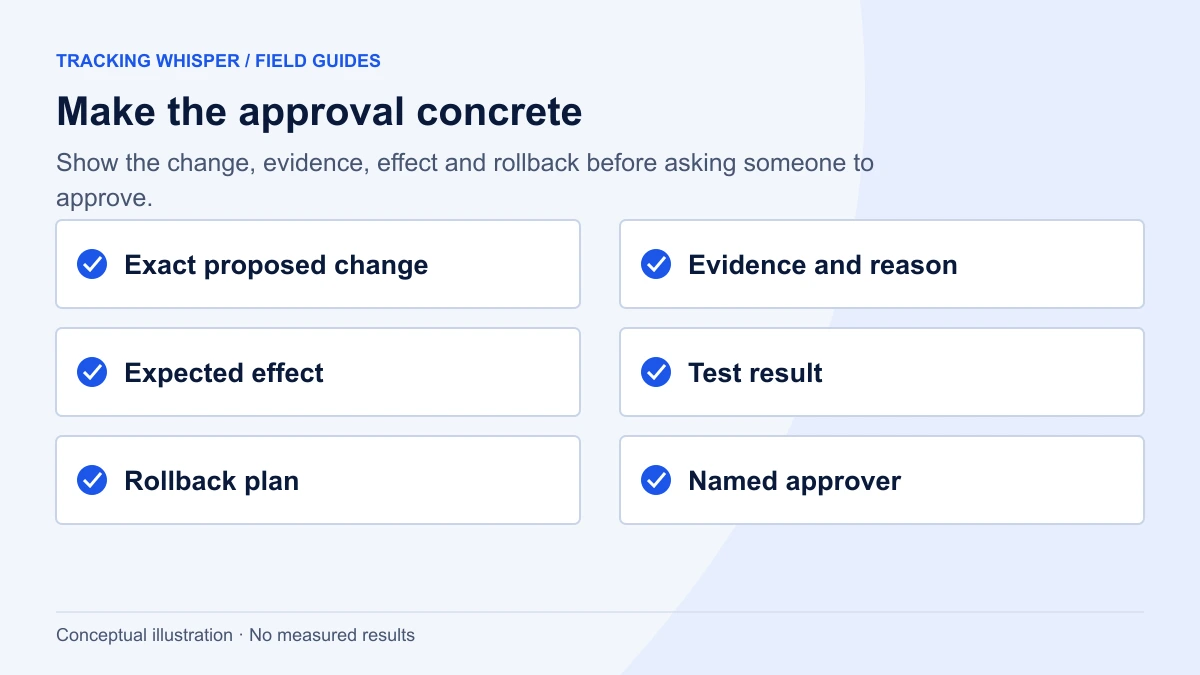
An approval is only as good as what the approver sees. "Agent wants to publish version 87" invites a reflex click. A useful request has five parts:
- What changes, as a diff: tags, triggers and variables added, modified or removed.
- Why, linked to the audit finding or ticket that prompted it.
- Evidence it works: which pages were tested, which events fired, with which parameters, in which consent states.
- Expected effect on reports, for example "purchase events from the new checkout will start reporting from publish time".
- Rollback plan: the version number to republish if something breaks.
A structured request makes this easy to log and to review on a phone:
{
  "change_id": "chg-2026-10-19-014",
  "platform": "gtm",
  "container": "GTM-XXXXXXX",
  "workspace": "agent-checkout-fix",
  "summary": "Fire GA4 purchase on new checkout confirmation route",
  "diff": {
    "added": ["Trigger - CE - purchase_v2"],
    "modified": ["GA4 - Event - purchase"],
    "removed": []
  },
  "evidence": {
    "pages_tested": ["/checkout/confirmation"],
    "consent_states": ["granted", "denied"],
    "events_seen": ["purchase with transaction_id, value, currency, items"]
  },
  "rollback_version": 86,
  "requested_by": "analytics-agent",
  "approver": "named.person@example.com"
}
Rollback in GTM is a standard operation: open Versions, select the previous version, and choose Publish. Put that version number in the request so the approver does not have to find it under pressure.
How do you keep an audit trail?
Use the platforms' own records, and make sure the agent's actions are attributable.
- GTM: every published version is kept with its name and notes. Require the agent to write a clear version name and description, including the change ID.
- GA4: Admin shows Account change history and Property change history, a record of changes over the last two years, including who made each one. Viewing it requires the Editor role.
- Google Ads: change history lists changes from the past two years, including those made through the Google Ads API.
Give the agent its own user or service identity. If it acts through a person's login, the change history says that person did it, and the trail loses its value. Review the histories on a schedule, for example a short weekly check of anything changed by the agent's identity. For broader rules on naming and access across clients, see Tracking governance for agencies.
Key takeaways
- Automate actions that are reversible, contained and internal: audits, analysis, monitoring, browser checks and drafts.
- Require named human approval before anything changes collection, counting, consent, destinations, spend, access or data.
- Enforce the line with permissions: GTM Edit not Publish, the narrowest API scopes, GA4 Viewer or Analyst, Google Ads Read-only.
- Treat analytics data as untrusted text; OWASP's Excessive Agency guidance applies directly.
- Make approvals concrete, with a diff, evidence and a rollback version, and keep the trail in GTM versions and GA4 and Google Ads change history.
Tracking Whisper is built on this split: it audits containers and checks key pages in a real browser on its own, builds changes in its own GTM workspace, and publishes only after a person approves.
Frequently asked questions
Should an AI agent have Publish permission in Google Tag Manager?
Not as a standing permission for unattended work. GTM separates Edit, Approve and Publish rights at container level, so an agent can build and test changes in a workspace while a person publishes. If a tool must publish through the API, it should do so only as the final step of an explicit human approval.
What is the biggest security risk of AI agents in analytics?
Excessive agency combined with untrusted input. OWASP lists Excessive Agency (LLM06:2025) as a top risk: an agent with too many functions, permissions or autonomy can take damaging actions after a manipulated prompt. Analytics data contains user-controlled text such as page titles, search terms and UTM values, so an agent must treat that data as content, never as instructions.
Which GA4 role should an AI agent have?
The lowest role that covers the task. Viewer or Analyst is enough for reporting and audits. Marketer or Editor allows changes to key events, audiences or property settings, and those changes should go through approval rather than happen automatically.
How do I keep an audit trail of what an AI agent changed?
Use the platforms' own records. GTM keeps every published version with its notes, GA4 has account and property change history covering the last two years, and Google Ads change history also lists changes made through the API. Give the agent its own identity so its changes are attributable.
Can an AI agent be trusted with reporting and analysis on its own?
Largely yes, because reading data does not change it. The checks that matter are that the agent states its date ranges, filters and definitions, and that a person reviews any conclusion before it goes to a client or drives a budget decision.
Sources
- LLM06:2025 Excessive Agency, OWASP Gen AI Security Project
- Managing users and permissions, Tag Manager Help
- Publishing, versions, and approvals, Tag Manager Help
- Tag Manager API authorization, Google for Developers
- [GA4] Roles, Analytics Help
- View the history of account/property changes, Analytics Help
- About access levels in your Google Ads account, Google Ads Help
- Google Analytics MCP server, googleanalytics on GitHub
Dimitris builds Tracking Whisper and writes about tracking, analytics and data from the work the agent does every day: GTM containers, GA4 properties, ad platforms and the numbers in between.