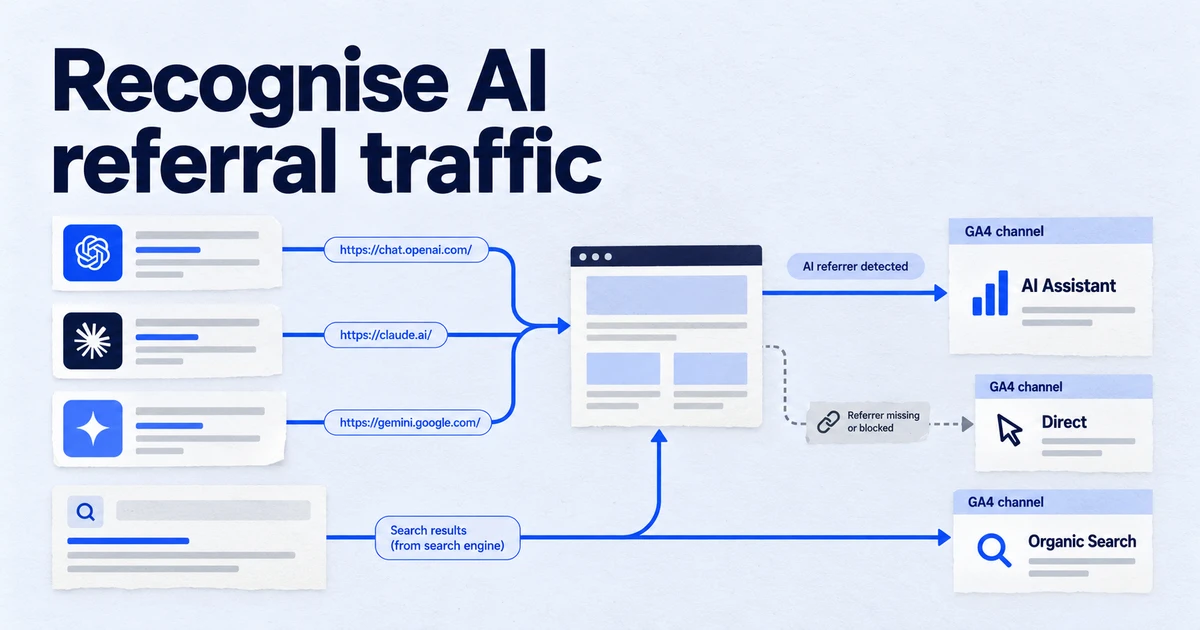
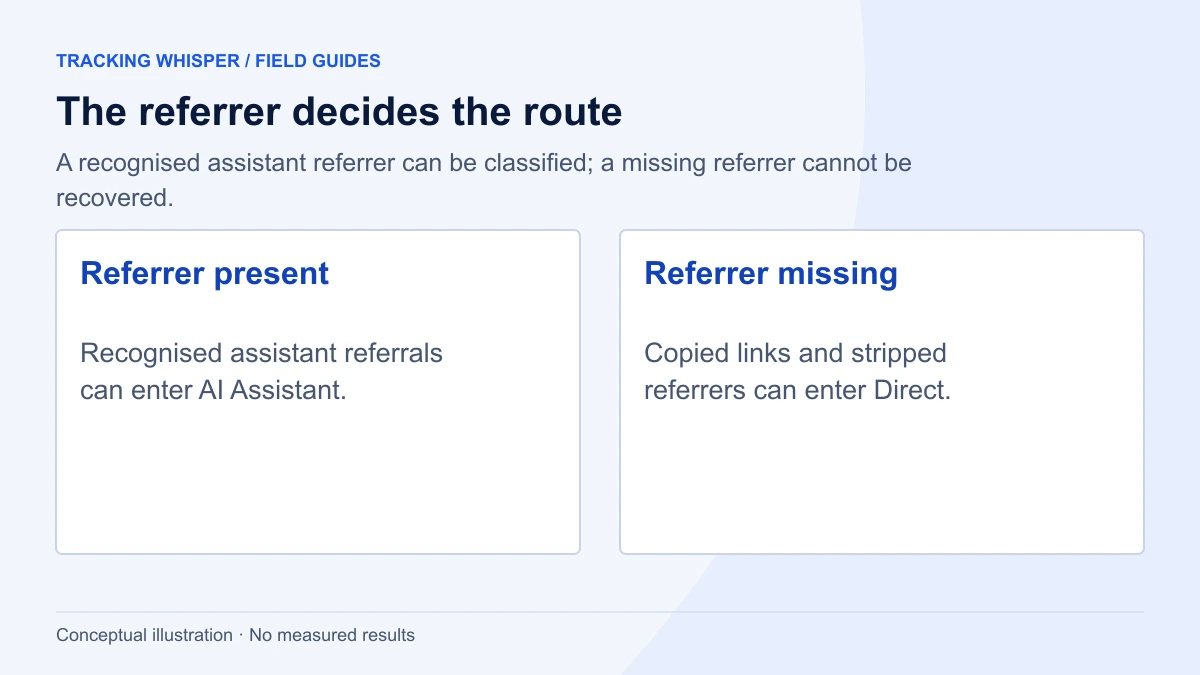
Since May 2026, GA4 classifies sessions referred by recognised AI assistants such as ChatGPT, Gemini and Claude into a new AI Assistant channel, with medium ai-assistant and campaign (ai-assistant). It works without configuration but only sees visits that arrive with a referrer from a listed assistant, so copied links and stripped referrers still land in Direct, and Google's AI Overviews and AI Mode stay in Organic Search.
For two years, measuring visits from ChatGPT and other chatbots in GA4 meant building your own regex and hoping it held. In May 2026 Google added a native AI Assistant channel to the Default Channel Group. It is a real improvement, but it measures one specific thing: sessions that arrive with a referrer from a recognised assistant. This article explains what the channel does, where it stops, and how to set up reporting that survives a client asking awkward questions.
What did Google change in GA4 in May 2026?
Google's "What's new in Google Analytics" page announced, in May 2026, a dedicated way to measure traffic from popular AI assistants. You can now see visits from chatbots like ChatGPT, Gemini and Claude in a new AI Assistant channel in the Default Channel Group reports.
The change touches three traffic-source dimensions at once:
| Dimension | Value for matching sessions |
|---|---|
| Medium | ai-assistant |
| Default channel group | AI Assistant |
| Campaign | (ai-assistant) |
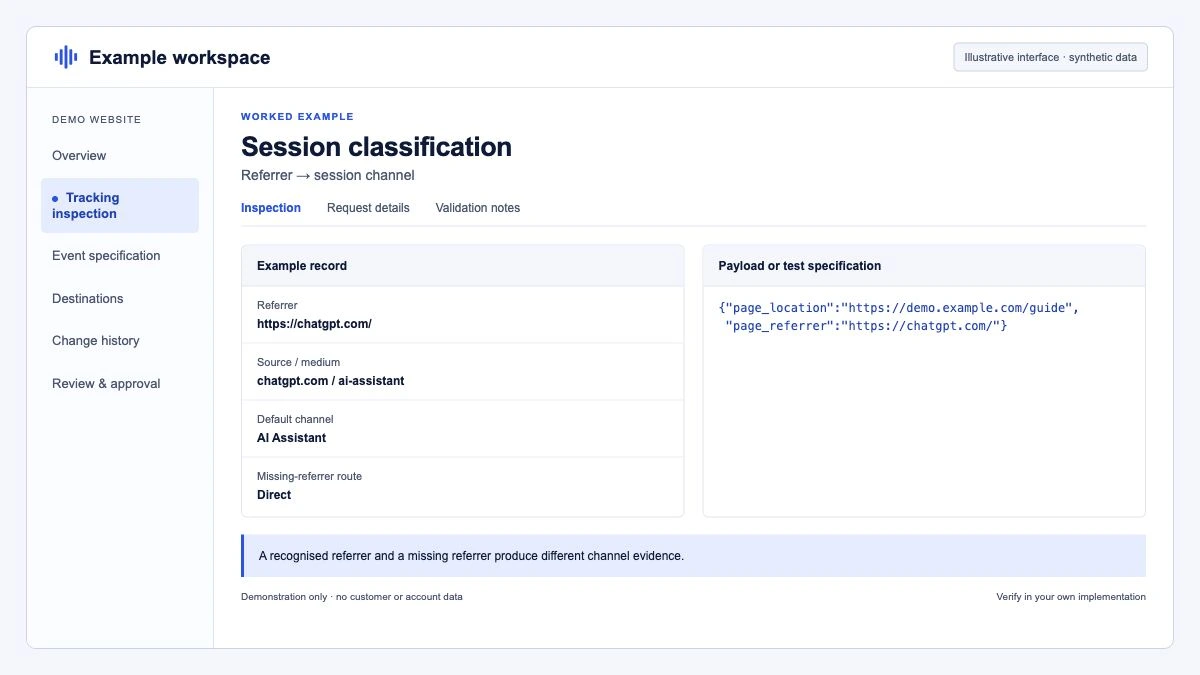
The channel definition in the Default Channel Group documentation is short: medium exactly matches ai-assistant. GA4 sets that medium, and the campaign (ai-assistant), when the session's referrer matches Google's list of AI assistants. No tag change, no admin setting, nothing to publish.
Which assistants does GA4 recognise?
Google does not publish the full referrer list. Two primary pages give examples, and they are not identical:
- The May 2026 launch note names ChatGPT, Gemini and Claude.
- The Default Channel Group definition describes AI Assistant as traffic "from sources like ChatGPT, Gemini, Deepseek, Copilot, or Grok".
"Like" means the list is illustrative. In practice, the only reliable way to know what GA4 classifies is to look. Open Reports > Acquisition > Traffic acquisition, set the primary dimension to Session default channel group, filter to AI Assistant, and add Session source as a secondary dimension. The sources you see there are the ones GA4 recognised for your property.
Perplexity is not named on either page. If it sends you traffic, check where it lands. A session with a referrer that does not match AI Assistant or any other rule falls through to Referral, which is how the Default Channel Group treats ordinary links.
What does the AI Assistant channel not measure?
Three gaps matter more than any others.
Google's own AI surfaces. The Default Channel Group definition is explicit: Organic Search includes clicks from Google's AI Overviews and AI Mode, and AI Assistant excludes them. A visitor who clicks a citation in AI Mode is Organic Search in GA4. For those surfaces, the reporting lives in Search Console, which we cover in Search Console's generative AI report.
Sessions without a referrer. The classification depends on the HTTP Referer header. MDN's documentation of Referrer-Policy shows how a no-referrer policy, or a rel="noreferrer" link, removes it entirely. Add the common cases where no referrer exists at all: a user copies a URL out of a chat and pastes it into a new tab, or opens a link from a desktop or mobile app that does not pass one. All of these become Direct. No channel rule can recover a referrer that was never sent.
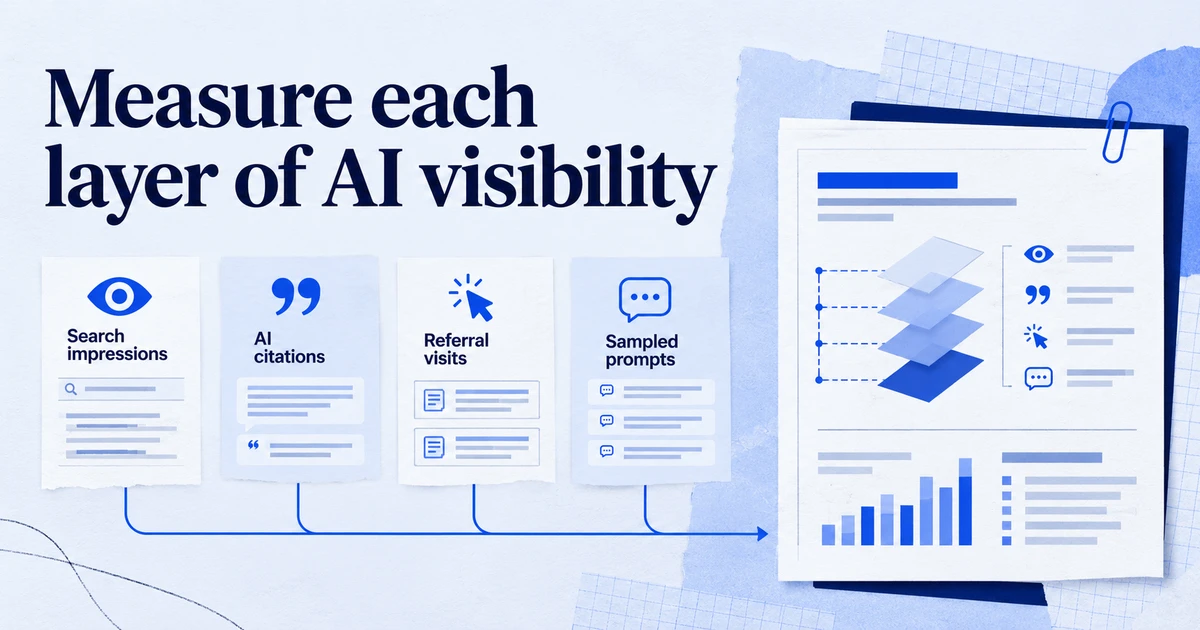
Visits that never happen. An assistant can recommend your brand, summarise your pricing page and answer the user's question without a click. GA4 only measures visits to your site, so this influence is invisible to any channel report. Measuring it needs a different method, which we describe in GEO vs SEO: measuring citation share and AI visibility.
How do UTM parameters from ChatGPT interact with the channel?
OpenAI's Publishers and Developers FAQ states that ChatGPT adds utm_source=chatgpt.com to referral URLs from ChatGPT search, so publishers can identify the traffic in analytics tools such as Google Analytics.
That helps when the referrer is missing, because the source survives in the landing page URL. Google's documentation does not spell out how a link that carries utm_source=chatgpt.com without a utm_medium interacts with the referrer-based AI Assistant rule. Do not assume. Run this check in your own property:
- Open Explore and create a free-form exploration.
- Add the dimensions Session source / medium and Session default channel group, and the metric Sessions.
- Add a filter: Session source contains
chatgpt. - Read which combinations of medium and channel appear for the last 30 days.
If you see chatgpt.com / (not set) sitting in a different channel from chatgpt.com / ai-assistant, you know you need a custom channel group to join them.
When should you still build a custom channel group?
The Default Channel Group cannot be edited. A custom channel group is the right tool in four situations:
- You want Perplexity, or another assistant Google does not recognise, grouped with the rest.
- You want UTM-tagged chatbot visits and referrer-detected ones counted together.
- You need a trend line that starts before May 2026. Google documents that custom channel groups can be applied to reports retroactively, which the new default channel was not described as doing.
- You report to clients on a fixed definition and do not want it to shift when Google updates its list.
Standard properties allow 2 custom channel groups and 360 properties allow 5, each with up to 50 channels. Google's custom channel group article includes a sample AI regex, but it starts with ^.*ai|, which matches any source containing the letters "ai", such as mail.yahoo.com. Write a tighter one.
How do you set up a reliable custom AI channel?
- In GA4, go to Admin, and under Data display click Channel groups. You need the Editor role or above.
- Click Create new channel group, which starts from a copy of the default group. Name it something like "Channels incl. AI".
- Add a new channel named AI assistants with two conditions joined by OR. The first is Medium exactly matches
ai-assistant. The second is Source matches regex, with a pattern such as the one below. - Click Reorder, drag AI assistants above Referral, and above Organic Search if any assistant domain could match a search rule, then click Apply.
- Click Save group and select the new group as the primary dimension in Traffic acquisition.
^(chatgpt\.com|chat\.openai\.com|gemini\.google\.com|claude\.ai|perplexity\.ai|www\.perplexity\.ai|copilot\.microsoft\.com|chat\.deepseek\.com|grok\.com)$Treat that list as a starting point. Before you save it, export the last 90 days of Session source values from your property and check which AI domains actually appear. Order matters because GA4 places each session in the first channel whose definition it matches.
How do you report AI assistant traffic in BigQuery?
Custom channel groups are not available in the BigQuery export, so use the raw fields. The session_traffic_source_last_click record carries the session's last-click source and medium in cross_channel_campaign. This query counts sessions and purchases by AI source per day, using the GA4 medium where it is set and a domain match as a fallback:
WITH sessions AS (
  SELECT
    PARSE_DATE('%Y%m%d', event_date) AS day,
    user_pseudo_id,
    (SELECT value.int_value FROM UNNEST(event_params) WHERE key = 'ga_session_id') AS session_id,
    session_traffic_source_last_click.cross_channel_campaign.source AS source,
    session_traffic_source_last_click.cross_channel_campaign.medium AS medium,
    event_name
  FROM `my-project.analytics_123456789.events_*`
  WHERE _TABLE_SUFFIX BETWEEN '20260801' AND '20260831'
)
SELECT
  day,
  source,
  COUNT(DISTINCT CONCAT(user_pseudo_id, CAST(session_id AS STRING))) AS sessions,
  COUNTIF(event_name = 'purchase') AS purchases
FROM sessions
WHERE medium = 'ai-assistant'
   OR REGEXP_CONTAINS(source, r'^(chatgpt\.com|chat\.openai\.com|gemini\.google\.com|claude\.ai|perplexity\.ai|copilot\.microsoft\.com|chat\.deepseek\.com|grok\.com)$')
GROUP BY day, source
ORDER BY day, sessions DESC;
Replace the project, dataset and dates with your own. Expect small differences from the GA4 interface, so compare trends rather than single numbers.
What should a sensible AI traffic report contain?
AI assistant traffic is usually small next to Organic Search, so the risk is overreading it. A monthly view that holds up has five parts:
- Sessions by assistant, from your custom channel group, with the month-on-month change.
- Engagement: engaged sessions and engagement rate, compared with Organic Search for the same landing pages.
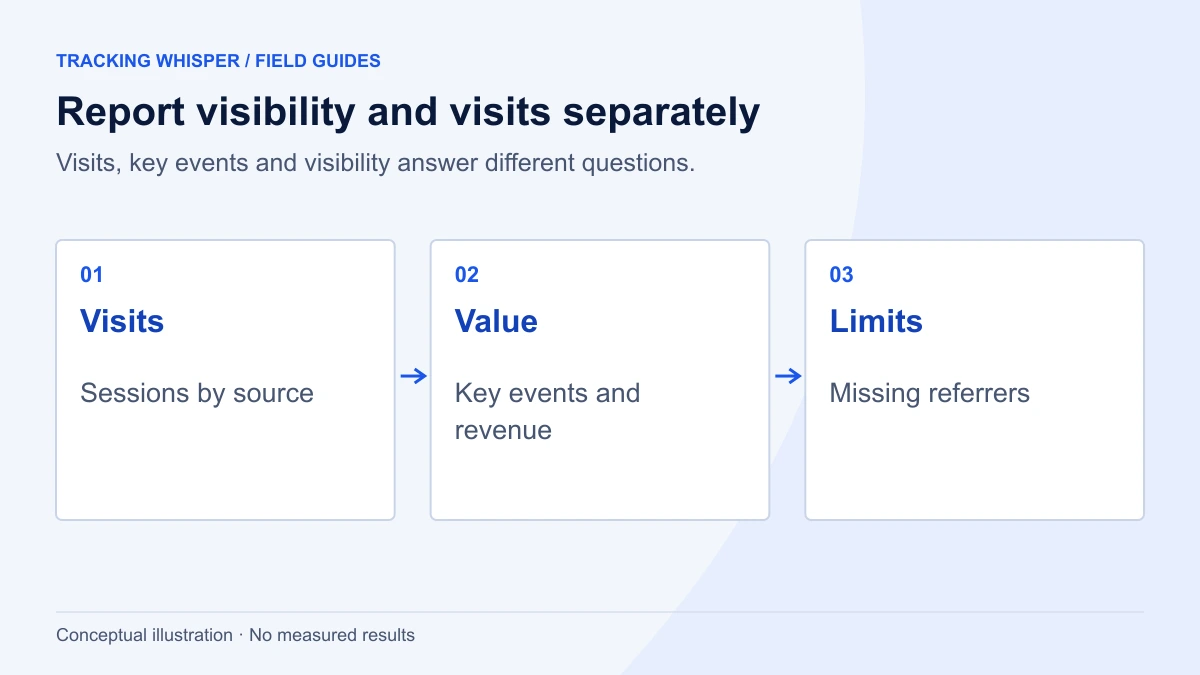
- Key events and revenue, with a note that last-click attribution undercounts assistants that influence a purchase finished later through another channel.
- Top landing pages from AI assistants, which tells you which content gets cited and clicked.
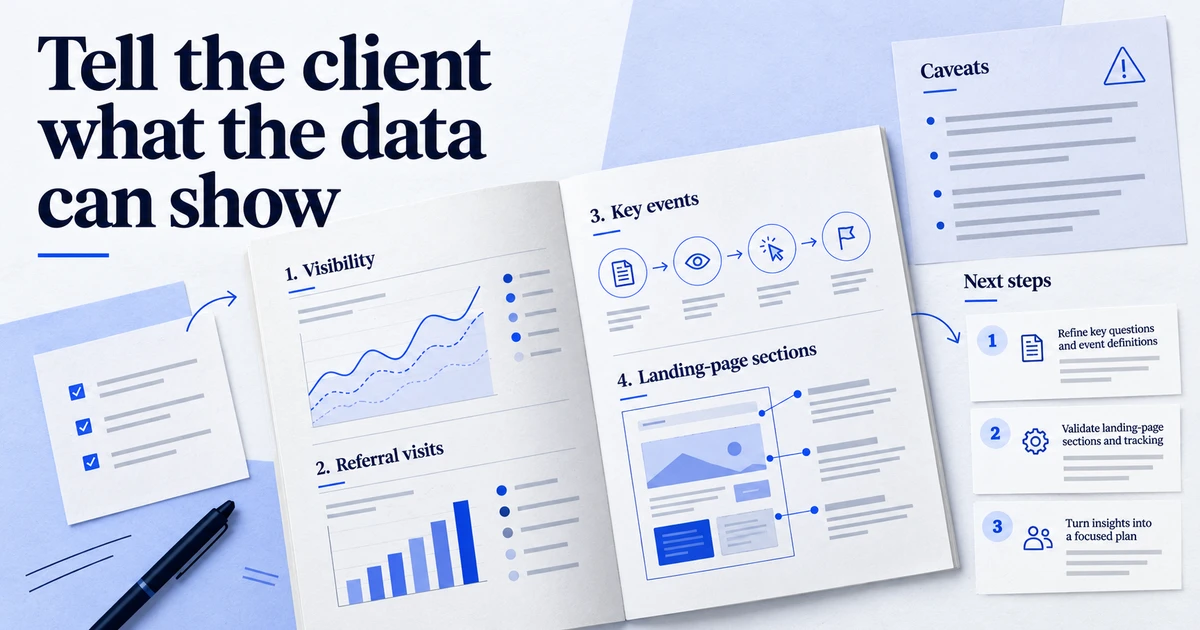
- A Direct caveat: a line stating that copied links and apps without referrers land in Direct, so the numbers are a floor, not a total.
If you manage several properties, define the channel once and copy the same rules to each, so the reports compare like with like. For a full monthly layout, see Reporting AI traffic to clients.
Key takeaways
- Since May 2026, GA4's Default Channel Group includes AI Assistant, with medium
ai-assistantand campaign(ai-assistant), set when the referrer matches Google's list. - Google names ChatGPT, Gemini, Claude, Deepseek, Copilot and Grok as examples; Perplexity is not named, so check your own source data.
- AI Overviews and AI Mode count as Organic Search, not AI Assistant.
- Sessions without a referrer still go to Direct, so treat AI Assistant figures as a minimum.
- Use a custom channel group for stable client reporting, history before the change and assistants Google does not recognise.
Tracking Whisper can build the custom channel group and check its order in your GA4 property, and its analysis reports can break AI assistant sessions out by source and landing page alongside your other channels.
Frequently asked questions
Do I need to configure anything to get the AI Assistant channel in GA4?
No. Google added AI Assistant to the Default Channel Group, so it appears in the Traffic acquisition and User acquisition reports without any setup. The Default Channel Group itself cannot be edited, so if you want different rules you build a custom channel group instead.
Is traffic from Google AI Overviews and AI Mode counted as AI Assistant?
No. Google's channel definitions place clicks from AI Overviews and AI Mode in Organic Search, and the AI Assistant channel explicitly excludes them. To see those surfaces you need Search Console, not GA4 channels.
Why is some ChatGPT traffic still showing as Direct in GA4?
The AI Assistant channel relies on the referrer. When a user copies a link out of a chat, opens it from a desktop or mobile app that does not pass a referrer, or the link carries a no-referrer policy, GA4 has nothing to match and the session becomes Direct. No channel rule can recover a referrer that was never sent.
Is Perplexity included in the AI Assistant channel?
Google's channel definition names ChatGPT, Gemini, Deepseek, Copilot and Grok as examples, and the launch note names ChatGPT, Gemini and Claude. Perplexity is not among the named sources, so check the Session source dimension in your own property. If you want it grouped with the others, add it in a custom channel group.
Does the AI Assistant channel change my historical data?
Google has not stated that the Default Channel Group reclassifies sessions from before the rollout, so treat earlier months as recorded under the old rules. If you need a consistent trend line across the change, use a custom channel group, which Google documents as applying to reports retroactively.
Sources
Dimitris builds Tracking Whisper and writes about tracking, analytics and data from the work the agent does every day: GTM containers, GA4 properties, ad platforms and the numbers in between.