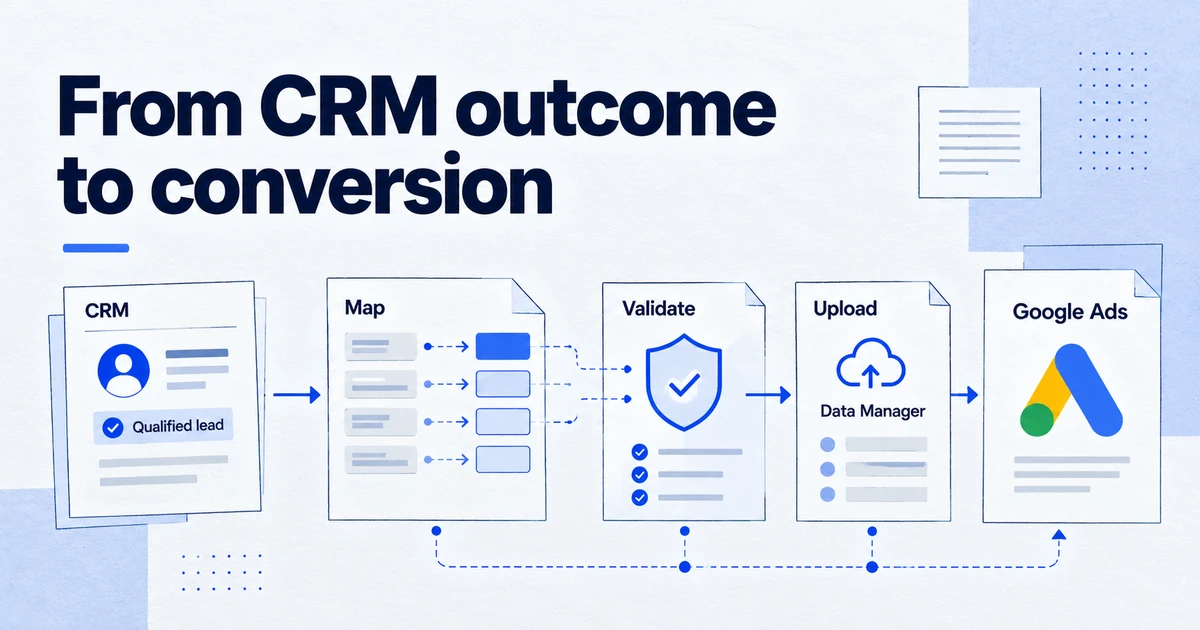
Since 15 June 2026 the Google Ads API no longer accepts new users of offline conversion imports, including enhanced conversions for leads: only integrations that uploaded between 17 December 2025 and 15 June 2026 kept legacy access, and Google points everyone to the Data Manager API. Migrating means mapping UploadClickConversions fields to an IngestEventsRequest, switching to the datamanager OAuth scope, and adapting to an all-or-nothing validation model.
If you send CRM outcomes back to Google Ads, such as qualified leads, signed contracts or phone sales, the plumbing changed this year. Google has moved offline conversion imports and enhanced conversions for leads from the Google Ads API to the Data Manager API. Existing integrations were given a grace period, new ones were not. This guide covers what happened, who is affected and how to migrate an upload job without losing conversions.
What changed, and when?
Three dates matter.
- Version 1.2 of the Data Manager API added support for sending offline conversions and enhanced conversions for leads to Google Ads through the
IngestEventsmethod. The same release made an event source field required for these events, with values such asWEB,APP,IN_STORE,PHONEandOTHER. - 15 June 2026. According to the Google Ads Developer Blog post on changes to offline click conversion import support, the Google Ads API stopped accepting new adopters of offline conversion imports from this date, including enhanced conversions for leads. Integrations that sent no offline conversion upload requests between 17 December 2025 and 15 June 2026 lost access, and their
UploadClickConversionsrequests returnCUSTOMER_NOT_ALLOWLISTED_FOR_THIS_FEATURE. Integrations that did upload in that window kept legacy access. - 28 May 2026 (v1.7). The Data Manager API added offline conversions for Campaign Manager 360, Search Ads 360 and Display & Video 360, plus a
conversion_countfield on events. If you run conversions across Google Ads and Google Marketing Platform, one integration can now feed both.
The legacy allowlist was defined in terms of developer tokens. Developer tokens themselves were sunset on 9 September 2026 (see our article on the Google Ads API after developer tokens). Google has not, in the pages we checked, described how the offline conversion allowlist maps to Cloud projects after that change. Treat legacy access as temporary and plan the move now.
Who needs to migrate?
| Your setup | Affected | What to do |
|---|---|---|
Custom script or warehouse job calling UploadClickConversions | Yes | Migrate to the Data Manager API |
| Custom job uploading enhanced conversions for leads via the Google Ads API | Yes | Migrate to the Data Manager API |
| Third-party tool (CRM connector, call tracking, lead platform) | Through the vendor | Ask which API it uses and its migration date |
| Google Ads Data Manager connection to Google Sheets, HubSpot or Salesforce | No API work | Check the connection is healthy |
| Manual file uploads in the Google Ads interface | No API work | Consider a scheduled connection instead |
If you only use the built-in Google Ads Data Manager connections, this migration is not yours to run. Google lists Google Sheets, HubSpot and Salesforce among the supported data sources for offline conversions and Customer Match.
Why move rather than ride legacy access?
Google's upgrade guide lists concrete differences in favour of the Data Manager API:
- One data model. The same request shape covers all Google Ads conversion use cases, and since v1.7 also Google Marketing Platform. The Google Ads API used different models per use case.
- Session attributes and IP addresses. Available to every Data Manager API user. In the Google Ads API they were limited to specific users.
- Encryption. The Data Manager API supports encrypting user data in the request. The Google Ads API did not.
- No developer token. Authentication is OAuth with the
https://www.googleapis.com/auth/datamanagerscope.
How do the fields map?
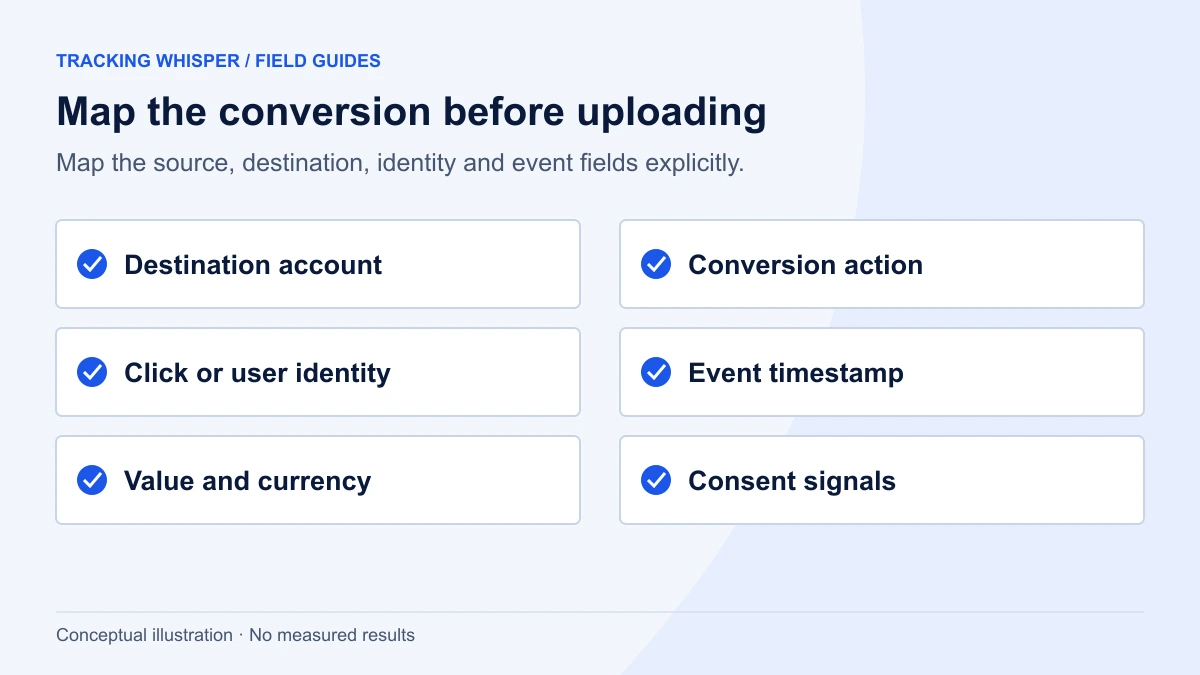
Google publishes a field-by-field mapping from UploadClickConversionsRequest to IngestEventsRequest. These are the mappings that cause most bugs in practice:
| Google Ads API | Data Manager API | Watch out for |
|---|---|---|
customer_id, login-customer-id header, linked-customer-id header | destinations (operatingAccount, loginAccount, linkedAccount) | Accounts move from headers into the request body |
conversion_action (resource name) | productDestinationId on the destination | Numeric conversion action ID, not the resource name |
conversion_date_time | eventTimestamp | RFC 3339 in JSON, a slightly different format from the Google Ads API |
order_id | transactionId | Keep the same IDs so restatements and deduplication still line up |
gclid, gbraid, wbraid | adIdentifiers | Same click IDs, new location |
user_identifiers | userData.userIdentifiers | Encoding declared once per request |
partial_failure | None | Fast-fail: one bad field rejects the whole request |
job_id | None | Use the requestId in the response to retrieve diagnostics |
The loss of partial failure is the change that bites hardest. A nightly job that used to upload 5,000 rows and log 12 failures will, unchanged, upload nothing when one row has a malformed timestamp. Validate before sending, and split large uploads into batches so one bad row costs you one batch rather than the night.
What does a request look like?
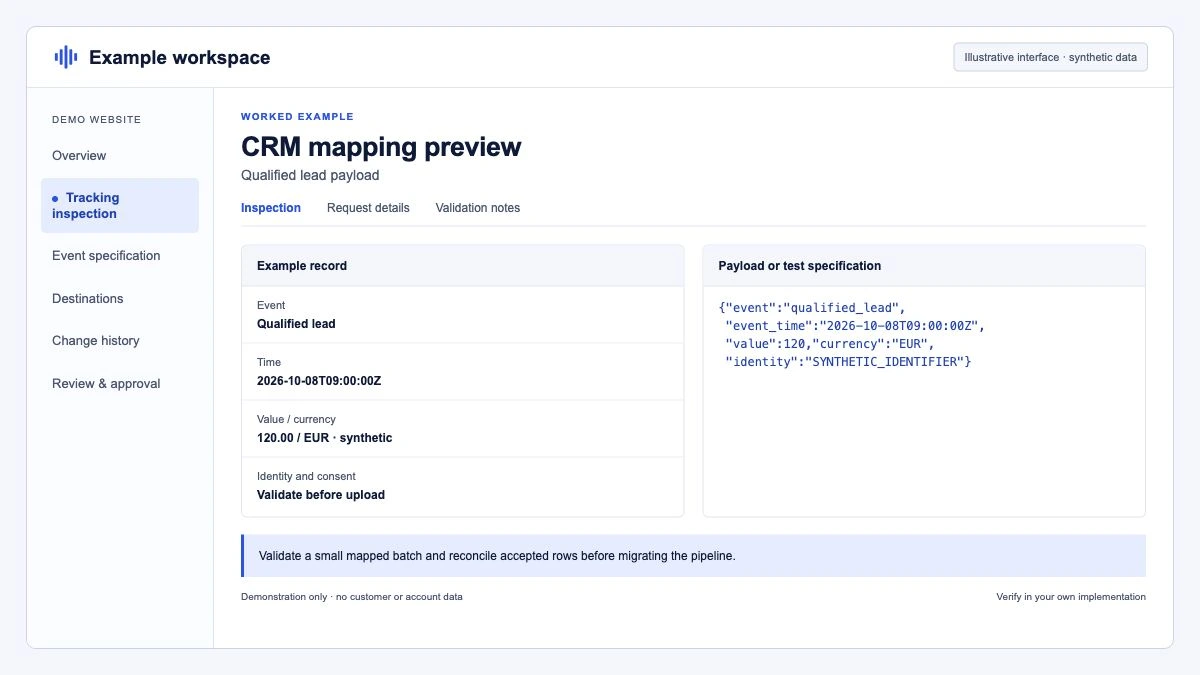
The endpoint is POST https://datamanager.googleapis.com/v1/events:ingest. A request carries destinations, events, request-level consent, the encoding of user identifiers and an optional validateOnly flag. Each event needs at least one identifier: a click ID in adIdentifiers, session attributes, userData, or an IP address.
{
  "destinations": [
    {
      "operatingAccount": { "accountType": "GOOGLE_ADS", "accountId": "1234567890" },
      "loginAccount": { "accountType": "GOOGLE_ADS", "accountId": "9876543210" },
      "productDestinationId": "555123456"
    }
  ],
  "encoding": "HEX",
  "consent": {
    "adUserData": "CONSENT_GRANTED",
    "adPersonalization": "CONSENT_GRANTED"
  },
  "validateOnly": true,
  "events": [
    {
      "transactionId": "CRM-10482",
      "eventTimestamp": "2026-09-28T14:05:00+02:00",
      "eventSource": "WEB",
      "conversionValue": 1250.0,
      "currency": "EUR",
      "adIdentifiers": { "gclid": "EAIaIQobChMI-example" },
      "userData": {
        "userIdentifiers": [
          { "emailAddress": "223ebda6f6889b1494551ba902d9d381daf2f642bae055888e96343d53e9f9c4" }
        ]
      }
    }
  ]
}
Notes on this example:
operatingAccountis the Google Ads account that owns the conversion action.loginAccountis the manager account you authenticate through, if any.productDestinationIdis the numeric conversion action ID.- Request-level
consentapplies to every event. You can set consent on an individual event instead, and event-level consent overrides the request level. Send the consent you actually collected: if a user deniedad_user_data, do not upload their hashed email as granted. Our Consent Mode v2 checklist covers how to carry consent state from the website into your CRM. - Keep
validateOnlyset totrueuntil the payload passes, then remove it.
How should user data be normalised and hashed?
Google's formatting guide for the Data Manager API is specific. For email addresses: trim whitespace, lowercase, and for gmail.com and googlemail.com only, remove dots before the @ and drop a plus sign and everything after it in the local part. Phone numbers go to E.164 format, for example +18005550100. Hash with SHA-256 and encode as hex or Base64, matching the request's encoding value.
import hashlib

def normalise_email(raw: str) -> str:
    email = "".join(raw.split()).lower()
    local, _, domain = email.partition("@")
    if domain in ("gmail.com", "googlemail.com"):
        local = local.split("+", 1)[0].replace(".", "")
    return f"{local}@{domain}"

def hash_hex(value: str) -> str:
    return hashlib.sha256(value.encode("utf-8")).hexdigest()

print(hash_hex(normalise_email(" Cloudy.SanFrancisco+shopping@gmail.com ")))
Hash in the system that holds the raw data, not in a spreadsheet halfway through the pipeline. Mixed normalisation between two jobs is a common reason for match rates that fall after a migration.
What is the migration plan?
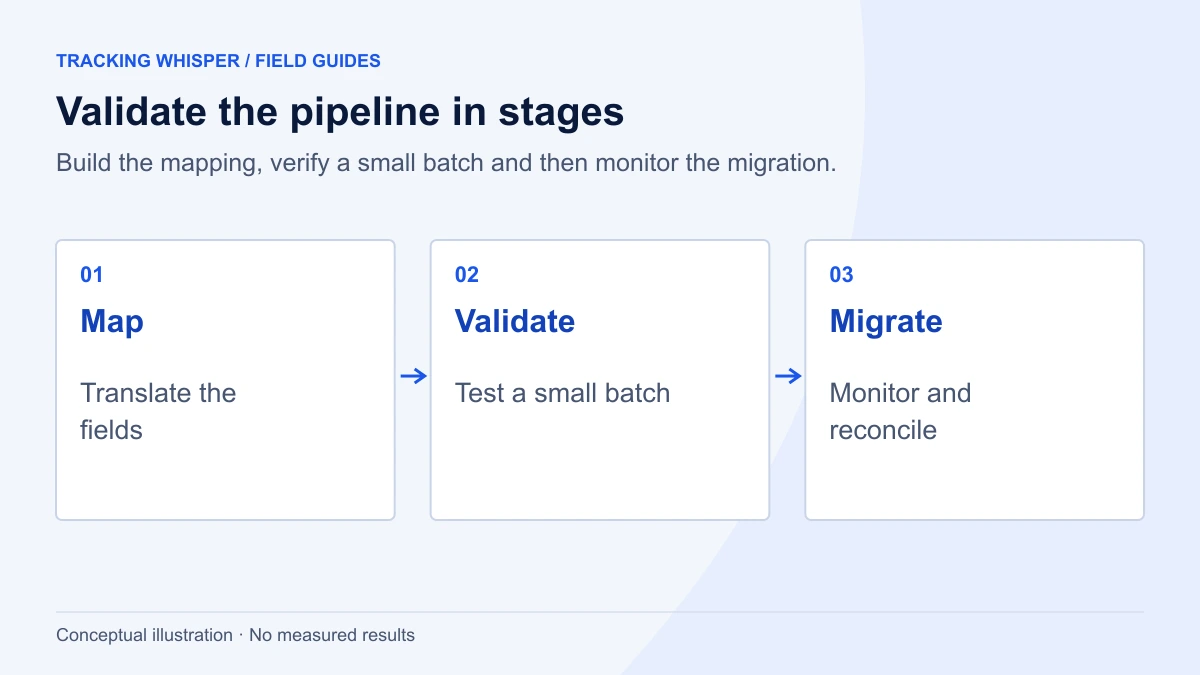
- Inventory every upload path. Scripts, warehouse jobs, CRM workflows, call tracking and any vendor that posts conversions. Note which conversion actions each one feeds.
- Set up OAuth for the Data Manager API. Enable the API in your Google Cloud project and request the
datamanagerscope. The user or service account must have access to the Google Ads account, directly or through a manager account. - Map fields using Google's table. Pay attention to the numeric
productDestinationId, RFC 3339 timestamps and the request-levelencoding. - Add pre-flight validation. Check timestamps, currency codes, non-negative values and at least one identifier per event before building the request, because one bad row fails the batch.
- Run with
validateOnly: true. Fix every error until the whole batch passes. - Run both paths in parallel for a short period, if you have legacy access. Send each conversion through only one path per conversion action to avoid double counting, for example by moving one low-volume action first.
- Switch over and keep
transactionIdvalues identical. This keeps later adjustments and restatements consistent. - Check diagnostics. Store the
requestIdfrom each response and use it to retrieve request status, since there is nojob_idany more. - Compare imported conversions in Google Ads against your CRM counts for the same dates for two to four weeks.
- Retire the old upload code and document the new job, its Cloud project and its owner, so the next person knows where conversions come from.
What about conversion adjustments and GA4?
Restatements and retractions also move. The Data Manager API documentation has a separate guide for conversion adjustments using IngestEvents. Plan them in the same project so your transactionId strategy covers both uploads and adjustments.
The Data Manager API is also growing beyond Google Ads. In 2026 Google added store sales for Google Ads and more event ingestion use cases for Google Analytics, and a Measurement Protocol upgrade guide sits in the same documentation. If you also send server-side events to GA4 through the Measurement Protocol, keep an eye on that path, but there is no migration deadline for it in the pages we reviewed.
Key takeaways
- Since 15 June 2026, new offline conversion and enhanced conversions for leads integrations cannot use the Google Ads API. Integrations without uploads between 17 December 2025 and 15 June 2026 receive
CUSTOMER_NOT_ALLOWLISTED_FOR_THIS_FEATURE. - The Data Manager API's
events:ingestreplacesUploadClickConversions, authenticates with thedatamanagerOAuth scope and needs no developer token. - The biggest behavioural change is fast-fail validation: one invalid field rejects the whole request, so validate and batch.
- Map
conversion_actionto a numericproductDestinationId, use RFC 3339 timestamps and keeptransactionIdvalues unchanged. - Built-in Google Ads Data Manager connections to Google Sheets, HubSpot and Salesforce need no API migration.
Offline conversions are a frequent blind spot in tracking checks because nothing on the website changes when an upload job fails. Tracking Whisper's monitoring watches conversion volumes in Google Ads and GA4 and alerts when they stop, which is often the first sign that a nightly import has broken. The Google Ads integration page describes what it reads.
Frequently asked questions
Can I still upload offline conversions through the Google Ads API?
Only if your integration had legacy access. Integrations with no offline conversion uploads between 17 December 2025 and 15 June 2026 get a CUSTOMER_NOT_ALLOWLISTED_FOR_THIS_FEATURE error from UploadClickConversions. Everyone else can continue for now, but Google directs all offline conversion work to the Data Manager API.
Does the Data Manager API need a developer token?
No. The Data Manager API authenticates with OAuth using the https://www.googleapis.com/auth/datamanager scope and never required a developer token. Since 9 September 2026 the Google Ads API no longer uses developer tokens either.
What replaces partial failure in the Data Manager API?
Nothing directly. The Data Manager API uses a fast-fail model: if any field in an IngestEventsRequest fails validation, the whole request is rejected. Validate rows before you send them, and use validateOnly while testing.
Do I need the Data Manager API if I import conversions from Salesforce, HubSpot or Google Sheets?
Not if you use the built-in connections in Google Ads Data Manager, which Google supports for Google Sheets, HubSpot and Salesforce. The API migration matters for custom scripts, warehouse jobs and third-party tools that called the Google Ads API's UploadClickConversions.
How do I hash email addresses for the Data Manager API?
Trim whitespace and convert to lowercase. For gmail.com and googlemail.com addresses, also remove dots before the @ and anything from a plus sign onwards. Hash with SHA-256 and encode as hex or Base64, then declare that encoding in the request's encoding field.
Sources
- Changes to Offline Click Conversion Import Support in the Google Ads API, Google Ads Developer Blog
- Upgrade from the Google Ads API, Data Manager API documentation
- Field mappings, Data Manager API documentation
- Send events (Google Ads offline conversions), Data Manager API documentation
- Method: events.ingest, Data Manager API reference
- Format user data, Data Manager API documentation
- Release notes, Data Manager API
- Supported data sources, Google Ads Data Manager Help
Dimitris builds Tracking Whisper and writes about tracking, analytics and data from the work the agent does every day: GTM containers, GA4 properties, ad platforms and the numbers in between.