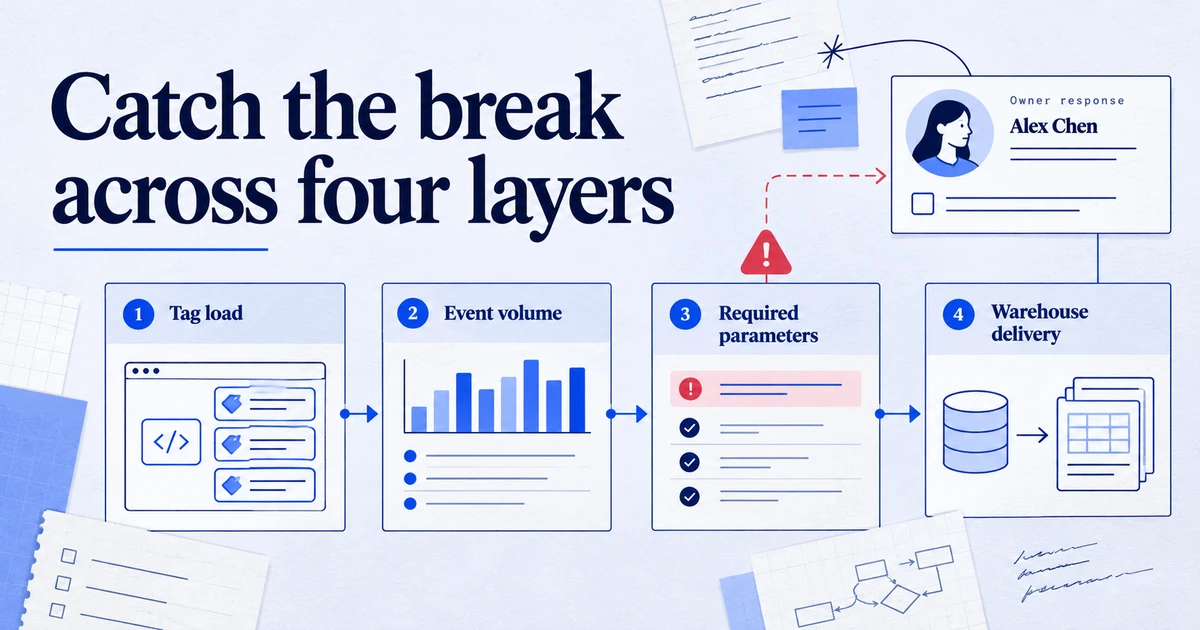
Monitor tracking in four layers: whether tags load, whether event volumes look normal, whether key parameters are filled, and whether data reaches each platform and warehouse on time. GA4 custom insights, Google tag diagnostics, Google Ads conversion statuses and Meta Events Manager diagnostics cover part of this for free, and a few scheduled BigQuery queries cover the rest, so a broken tag shows up within a day rather than at month-end.
Tracking rarely fails loudly. A developer renames a button class, a consent banner update stops firing a trigger, a checkout moves to a new domain, and the purchase event quietly disappears. The first person to notice is often a client asking why last week's revenue halved. Data quality monitoring turns that around: you get told within hours, while the fix is still cheap.
What actually breaks tracking?
From audits and incident reviews, the causes fall into a short list:
- Site releases. Changed selectors, removed dataLayer pushes, a new checkout template, a single-page app route that no longer triggers a page view.
- Consent changes. A CMP update that no longer sends the consent update, or a trigger that now waits for a consent state that never arrives.
- Tag Manager changes. A paused tag, a broken variable, a workspace published with an old version of a trigger.
- Connections and credentials. An expired OAuth grant for a reporting connector, a BigQuery billing issue, an offline conversion import that started failing.
- Platform changes. API sunsets and migrations, such as the move of offline conversion imports to the Data Manager API.
Each of these shows up in a different place, which is why one alert is not enough.
What should a monitoring setup cover?
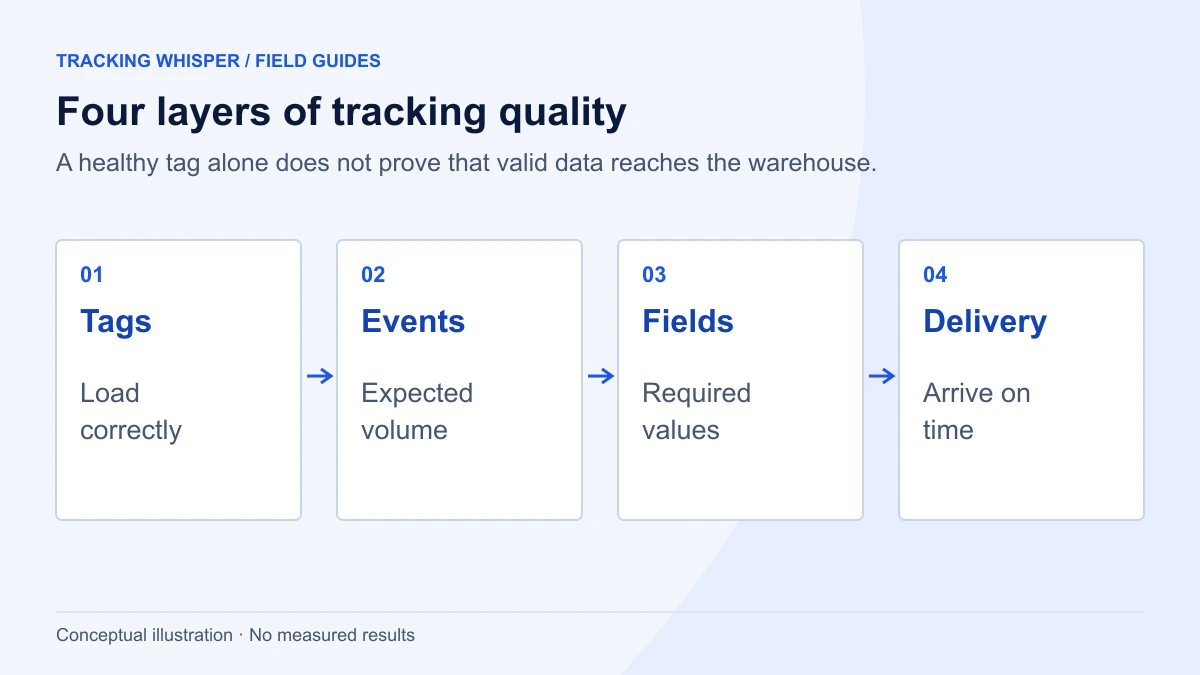
Think in four layers, from the browser to the report:
| Layer | Question | Typical signal | Where to check |
|---|---|---|---|
| Collection | Do tags load and fire on key pages? | Tag missing, request not sent | Real browser checks, Google tag diagnostics |
| Volume | Do event counts look normal? | Key event drops to zero or halves | GA4 custom insights, BigQuery |
| Content | Are the parameters filled and valid? | Missing transaction_id, zero value, no items | BigQuery, GA4 explorations |
| Delivery | Did data reach every platform and table on time? | Late export, inactive conversion action | Google Ads statuses, Meta diagnostics, BigQuery metadata |
A setup that covers only volume will miss a purchase event that still fires but with an empty value. A setup that covers only collection will miss a working tag whose data never reaches Google Ads.
Which built-in alerts are worth switching on?
Start with what the platforms already give you. It costs nothing and covers a surprising amount.
GA4 custom insights
GA4 lets you create up to 50 custom insights per property. Each one evaluates a metric on a schedule (hourly, daily, weekly or monthly, with hourly available only for web data) and can email named users when the condition is met.
- In GA4, on the Insights card, click View all insights, then Create.
- Choose the evaluation frequency. Use Hourly for the key events of a busy website, Daily for lower volumes.
- Set the segment (for example, all users, or one country for a multi-market site).
- Choose the metric, for example the key event count for
purchaseorgenerate_lead. - Choose the condition. Has anomaly lets GA4 decide what is unusual. A fixed condition, such as a percentage decrease beyond a threshold you choose, is easier to reason about.
- Name it clearly, add the email addresses and switch notifications on.
For hourly anomalies, Google's documentation says the model trains on two weeks of data and flags a value outside the predicted credible interval. That is useful for sudden drops but weak for slow declines, and it needs a stable history. Create one anomaly insight and one fixed-threshold insight for each critical event.
Google tag diagnostics and tag coverage
In Google tag settings, Tag quality has a View diagnostics link. Statuses run from Excellent and Good to Urgent, and Google gives "the Google tag hasn't been detected in the last 48 hours" as an example of an Urgent issue. The Tag coverage summary lists pages as Tagged, No recent activity (no tag load in the last 30 days) or Not tagged. Review it after every site migration or new template.
Google Ads conversion statuses
In Google Ads, the conversions summary shows a status for each conversion action. The ones to act on are Misconfigured (conversions have stopped recording because of a setup error), Needs attention (still recording, but with an issue to fix) and Awaiting conversions (nothing recorded in the last seven days). The last one is sometimes legitimate for a low-volume action, but on your main purchase or lead action it is an alarm.
Meta Events Manager diagnostics
The Diagnostics tab in Events Manager lists issues for web, app and offline events. Critical issues carry a red icon and warnings a yellow one. Check it weekly and after every change to the pixel or Conversions API setup.
How fast can you expect to see a break?
Monitoring is limited by when the data arrives. Google's GA4 data freshness page gives these typical times:
| Data | Typical freshness |
|---|---|
| Intraday, Analytics 360 | About 1 hour |
| Intraday, standard properties | 2 to 6 hours |
| Daily, most properties | About 12 hours |
| Daily, properties with large data limits | 18 to 24+ hours |
The same page gives typical times of day in the property's time zone: daily BigQuery events around midday and daily data in standard reports mid-afternoon. Schedule your BigQuery checks after the export normally lands, not at midnight.
Which BigQuery checks catch what alerts miss?
If you export GA4 to BigQuery, four scheduled queries cover most of the gaps. Replace my-project.analytics_123456789 with your project and dataset.
1. Key event volume against recent history
This compares yesterday's count of each key event with the same event over the previous 28 days. The date spine makes sure a day with zero events still appears, which is the case you most need to catch.
WITH days AS (
  SELECT day, event_name
  FROM UNNEST(GENERATE_DATE_ARRAY(DATE_SUB(CURRENT_DATE(), INTERVAL 29 DAY),
                                  DATE_SUB(CURRENT_DATE(), INTERVAL 1 DAY))) AS day
  CROSS JOIN UNNEST(['purchase', 'generate_lead', 'sign_up']) AS event_name
),
counts AS (
  SELECT
    PARSE_DATE('%Y%m%d', event_date) AS day,
    event_name,
    COUNT(*) AS events
  FROM `my-project.analytics_123456789.events_*`
  WHERE _TABLE_SUFFIX BETWEEN FORMAT_DATE('%Y%m%d', DATE_SUB(CURRENT_DATE(), INTERVAL 29 DAY))
                          AND FORMAT_DATE('%Y%m%d', DATE_SUB(CURRENT_DATE(), INTERVAL 1 DAY))
    AND event_name IN ('purchase', 'generate_lead', 'sign_up')
  GROUP BY day, event_name
),
filled AS (
  SELECT day, event_name, IFNULL(c.events, 0) AS events
  FROM days AS d
  LEFT JOIN counts AS c USING (day, event_name)
)
SELECT
  event_name,
  MAX(IF(day = DATE_SUB(CURRENT_DATE(), INTERVAL 1 DAY), events, NULL)) AS yesterday,
  ROUND(AVG(IF(day < DATE_SUB(CURRENT_DATE(), INTERVAL 1 DAY), events, NULL)), 1) AS avg_previous_28d,
  ROUND(SAFE_DIVIDE(
    MAX(IF(day = DATE_SUB(CURRENT_DATE(), INTERVAL 1 DAY), events, NULL)),
    AVG(IF(day < DATE_SUB(CURRENT_DATE(), INTERVAL 1 DAY), events, NULL))
  ), 2) AS ratio_to_average
FROM filled
GROUP BY event_name
ORDER BY ratio_to_average;
Flag any ratio below about 0.5 for a high-volume event. For low volumes, compare weekly totals instead, or a single quiet day will trigger false alarms.
2. Purchase parameter completeness
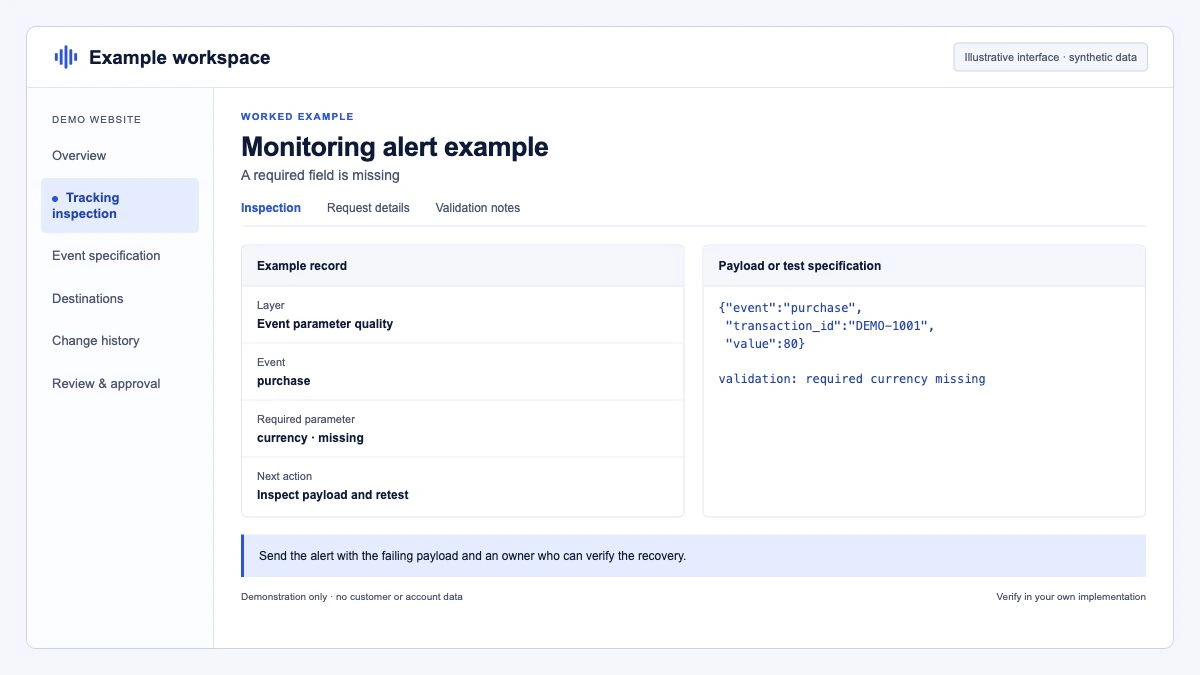
A purchase event that fires without a transaction ID or value is worse than one that does not fire, because it looks fine in event counts.
SELECT
  PARSE_DATE('%Y%m%d', event_date) AS day,
  COUNT(*) AS purchase_events,
  COUNTIF(ecommerce.transaction_id IS NULL OR ecommerce.transaction_id IN ('', '(not set)')) AS missing_transaction_id,
  COUNTIF(IFNULL(ecommerce.purchase_revenue, 0) = 0) AS zero_revenue,
  COUNTIF((SELECT value.string_value FROM UNNEST(event_params) WHERE key = 'currency') IS NULL) AS missing_currency,
  COUNTIF(ARRAY_LENGTH(items) = 0) AS no_items,
  COUNT(*) - COUNT(DISTINCT ecommerce.transaction_id) AS repeated_or_null_ids
FROM `my-project.analytics_123456789.events_*`
WHERE _TABLE_SUFFIX BETWEEN FORMAT_DATE('%Y%m%d', DATE_SUB(CURRENT_DATE(), INTERVAL 14 DAY))
                        AND FORMAT_DATE('%Y%m%d', DATE_SUB(CURRENT_DATE(), INTERVAL 1 DAY))
  AND event_name = 'purchase'
GROUP BY day
ORDER BY day DESC;
A rise in repeated_or_null_ids usually means duplicate purchases from page reloads or a second tag. Our article on duplicate purchase events in GA4 walks through the fixes.
3. Export freshness
If the daily table has not landed, every downstream report is stale. This reads table metadata and costs almost nothing.
SELECT
  MAX(table_name) AS latest_daily_table,
  MAX(creation_time) AS latest_created_at,
  TIMESTAMP_DIFF(CURRENT_TIMESTAMP(), MAX(creation_time), HOUR) AS hours_since_last_table
FROM `my-project.analytics_123456789`.INFORMATION_SCHEMA.TABLES
WHERE REGEXP_CONTAINS(table_name, r'^events_\d{8}$');
Alert when hours_since_last_table exceeds about 36. Daily tables can be updated after creation when late events arrive, so use this as a "did the export run" check, not as a completeness check.
4. Consent state over time
A broken consent banner often shows up as a sudden shift in the share of events with analytics storage granted. The export schema records it in privacy_info.analytics_storage with the values Yes, No or Unset.
SELECT
  PARSE_DATE('%Y%m%d', event_date) AS day,
  IFNULL(privacy_info.analytics_storage, 'null') AS analytics_storage,
  COUNT(*) AS events,
  ROUND(100 * COUNT(*) / SUM(COUNT(*)) OVER (PARTITION BY event_date), 1) AS pct_of_day
FROM `my-project.analytics_123456789.events_*`
WHERE _TABLE_SUFFIX BETWEEN FORMAT_DATE('%Y%m%d', DATE_SUB(CURRENT_DATE(), INTERVAL 14 DAY))
                        AND FORMAT_DATE('%Y%m%d', DATE_SUB(CURRENT_DATE(), INTERVAL 1 DAY))
GROUP BY event_date, analytics_storage
ORDER BY day DESC, analytics_storage;
You are looking for change, not a target number. A jump in Unset after a CMP update is worth a look the same day. The Consent Mode v2 checklist covers what correct behaviour looks like.
Run these as BigQuery scheduled queries writing to a small results table, then alert from that table, or have your monitoring tool read it.
Why check key pages in a real browser as well?
Data checks tell you that something broke, usually a day later. A browser check tells you what broke, before data is lost. Once a day, or after every release, load the pages that matter (home, a product or service page, the form or checkout confirmation) in a real browser and confirm:
- The GTM container and Google tag load.
- The expected dataLayer events are pushed with the right keys.
- The GA4, Google Ads and Meta requests are sent with the expected parameters.
- Consent defaults are set before tags fire, and the update is sent when the banner is accepted.
This is the only layer that catches a problem on a page with low traffic before the data shortfall is large enough to be visible.
Who should get the alert, and what happens next?
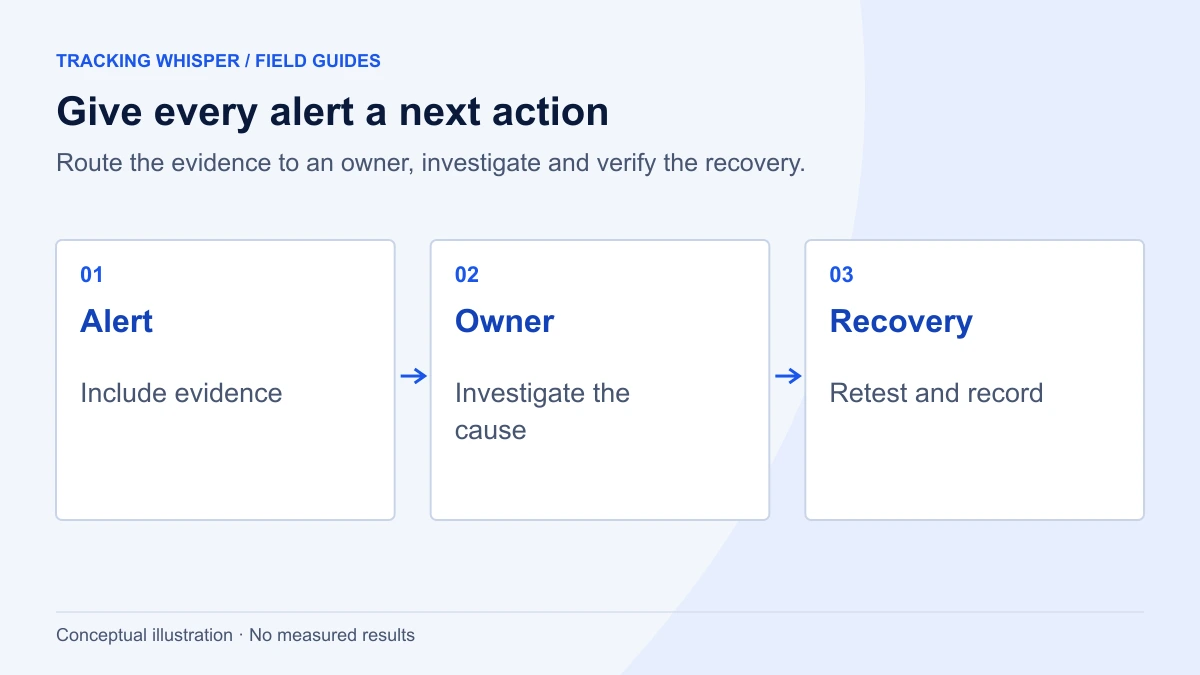
An alert that goes to a shared inbox nobody reads is worse than none, because it creates false confidence. Agree three things per client or property:
- Owner. One named person who acknowledges the alert the same working day.
- Severity. "Purchase event at zero" is urgent. "Currency missing on 2% of purchases" can wait for the weekly review.
- Runbook. The first three checks to make: was there a release, did the GTM container change, does the browser check pass.
Log every incident with its cause and the time to detection. After a quarter, that log tells you which layer to strengthen. Ahead of peak periods, our Black Friday tracking checklist covers what to verify while there is still time to fix it.
Key takeaways
- Monitor four layers: collection, volume, content and delivery. Each catches failures the others miss.
- Switch on the free signals first: GA4 custom insights (up to 50 per property, hourly for web), Google tag diagnostics, Google Ads conversion statuses and Meta's Diagnostics tab.
- Expect GA4 intraday data in 2 to 6 hours and daily data in about 12 hours for most standard properties, and schedule checks accordingly.
- Use a date spine in BigQuery volume checks so a day with zero events is reported, and check parameter completeness, export freshness and consent share.
- Give every alert an owner, a severity and a short runbook.
Tracking Whisper's monitoring runs this kind of routine across GTM, GA4, Google Ads, Meta and BigQuery: it checks key pages in a real browser for dataLayer events, hits and consent, and alerts when tracking stops. An initial audit is the usual starting point for deciding which events and pages to watch.
Frequently asked questions
How do I get alerted when GA4 tracking stops?
Create a custom insight in GA4 for your key events with the condition Has anomaly or a fixed threshold, and turn on email notifications. Hourly evaluation is available for web data. Back it up with a daily BigQuery check, because an anomaly model needs history and can miss gradual declines.
How quickly does GA4 show that something broke?
Google's data freshness documentation gives two to six hours for intraday data in standard properties and around 12 hours for daily data in most properties. So a break that happens in the morning is usually visible in intraday data the same day, and in the complete daily tables the next day.
What does Urgent mean in Google tag diagnostics?
It is the most severe tag quality status. Google uses it for critical problems such as the Google tag not being detected in the last 48 hours, which means data has dropped to zero. Open Google tag settings and select View diagnostics to see the issue and suggested fix.
Which tracking checks should run every day?
At minimum: event counts for each key event compared with recent history, completeness of the purchase or lead parameters, the time the latest BigQuery export table landed, and the status of conversion actions in Google Ads. These four catch most breaks caused by site releases, consent changes and expired connections.
Is a drop in conversions always a tracking problem?
No. Campaign changes, stock-outs, a pricing change or simply a bank holiday can reduce real conversions. Monitoring should flag the drop, then a person checks whether page views and add-to-cart events fell in proportion (a real demand change) or whether only the final event vanished (usually tracking).
Sources
- [GA4] Analytics Insights, Analytics Help
- [GA4] Anomaly detection, Analytics Help
- [GA4] Data freshness, Analytics Help
- Troubleshoot tag issues with Tag Diagnostics, Tag Manager Help
- About the Tag coverage summary, Tag Manager Help
- Troubleshooting conversion tracking status, Google Ads Help
- About Diagnostics in Facebook Events Manager, Meta Business Help Centre
- BigQuery Export schema, Analytics Help
Dimitris builds Tracking Whisper and writes about tracking, analytics and data from the work the agent does every day: GTM containers, GA4 properties, ad platforms and the numbers in between.